Valheim Server Lag and Desync: Why It Happens and How to Fix It
Valheim server lag is usually not the server. Learn how zone ownership, world saves and the crossplay relay cause rubber-banding and desync, and how to fix each one.

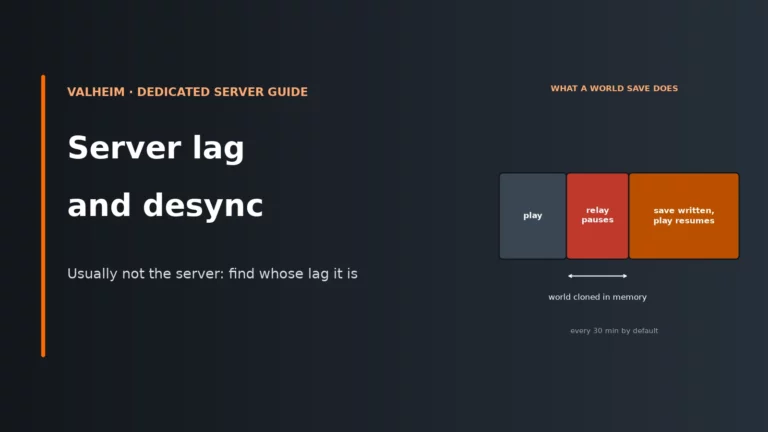
Valheim server lag is usually not the server. Learn how zone ownership, world saves and the crossplay relay cause rubber-banding and desync, and how to fix each one.
WORLD DATA · MIGRATION How to Transfer a Valheim World to a Dedicated Server To transfer a Valheim world, stop…
CONNECTIVITY AND TROUBLESHOOTING · SERVER HOSTING GUIDE Valheim Server Not Showing or Failed to Connect: Fixes A Valheim dedicated server…
SETTINGS AND ADMINISTRATION · SERVER HOSTING GUIDE Valheim Dedicated Server Settings and Commands Valheim server settings use startup arguments for…
MODDING AND COMPATIBILITY · SERVER HOSTING GUIDE How to Install Valheim Mods on a Dedicated Server Valheim dedicated-server mods are…
SERVER HARDWARE · CAPACITY PLANNING Valheim Dedicated Server Requirements: RAM, CPU and Player Slots Valheim dedicated servers support persistent multiplayer…

COMPATIBILITY · PLAYFAB & STEAM Valheim Crossplay Server Setup: PlayFab, Steam and Console Players Valheim 1.0 supports crossplay across its…

WORLD PERSISTENCE · RECOVERY Valheim Server Backup and Restore: Protect Your World in 2026 Valheim dedicated servers save their world…

DEPLOYMENT · WINDOWS & LINUX How to Set Up a Valheim Dedicated Server on Windows or Linux To set up…