Project Zomboid Server Lag: How to Fix Freezes, Desync and RAM Problems
Project Zomboid server lag usually comes from one of five places: the Java heap, how widely players are spread, the zombie population curve, mods, or simply one player’s connection. Here is how to tell which one you have, fix it in order of impact, and know when a bigger plan is the real answer.
Check in this order
- Who sees it, and when? One player lagging everywhere is a connection or PC problem; everyone freezing at the same moment points at the server.
- Java heap vs plan RAM. The server can only use the heap set by
-Xmx, not the full plan size. - Player spread. Every player who wanders off on their own keeps another part of the map loaded.
- Zombie population. The population ramps up towards its peak, so lag that grows over the first weeks can be the world, not the server.
- Mods and maps. Each one adds load, so rule them out after the basics.
Do not change ten settings at once. Match the symptom first: shared freezes point to the server, isolated desync points to one player, and sudden trouble after a mod or map change usually means the new content.
Your plan RAM, Java heap and off-heap JVM memory are different things. A heap that is too small stutters for everyone; a heap pushed too close to the plan limit can get the process killed without a clean save.
Four players in one base are far cheaper than four players in four towns. Project Zomboid pays for every loaded area in simulation, streaming and network updates, so admin policies can matter as much as hardware.
Live-editing the wrong file wastes time. servertest.ini can be reloaded, sandbox changes generally need a restart, and heap changes live in the launcher config or batch file and always need a full restart.
Whose lag is it?
When people report Project Zomboid server lag, the first job is to separate server trouble from a single player’s trouble. That sounds obvious, but it stops a lot of bad fixes. If you lower zombie settings because one player in a weak Wi‑Fi room keeps teleporting, you have changed the game without touching the real cause.
Use the pattern of the complaints, not just the word “lag”. Ask when it happens, who sees it, and what changed just before it started.
Then upgrade the plan: more RAM for the heap, faster CPU.
| Symptom | Likely cause | First fix |
|---|---|---|
| Everyone freezes at the same moment, then play resumes | Server heap pressure, garbage collection stutter, save or streaming overload | Check heap sizing first, then reduce concurrent load: lower spread, player count or zombie population |
| Only one player rubber-bands, teleports or times out | Their connection, packet loss, local PC load or mod mismatch | Have that player check their connection (wired vs Wi‑Fi, packet loss), local PC load and client mod state before you change server settings |
| Server was fine in week one, then gets rough by week three or four | Population rising towards PopulationPeakDay and world growth from loot, blood and explored cells |
Review sandbox population values and world clean-up settings; expect Build 42 to feel heavier than Build 41 |
| Problems started straight after adding a mod or map | Bad mod, heavier scripts, map conflicts, extra assets or load order issue | Bisect the mod list on a copy, keeping map mods and dependencies grouped |
| Desync appears when players split across several towns | Too many loaded areas being streamed and simulated at once | Reduce spread with spawn regions, shared bases and events; then review player cap |
A useful rule: if the symptom is shared by everyone at the same instant, the server is the suspect until proved otherwise. If it follows one player around, do not start rewriting the server for it. If it arrives after a clear change, roll back that change first.
RAM, heap and why freezes happen every few minutes
Project Zomboid dedicated servers run on Java. That means the memory your server plan provides is not the same thing as the memory the game can use inside the Java heap. The heap is set by -Xms and -Xmx, and the process also needs memory outside the heap for JVM structures, thread stacks and native libraries.
This is where many “random” freezes come from. A heap that is too small forces the garbage collector to work too often. That creates regular pauses or stutters for everyone because the server is spending time reclaiming memory instead of simulating zombies, streaming map data and sending updates. If it gets worse as the save grows, that is a strong sign.
The opposite mistake is setting -Xmx too close to the plan or container limit. The heap may look generous, but the total Java process can then cross the real memory limit once off-heap use is included. When that happens, the host or OS may kill the process outright, often without a clean save.
{
  "vmArgs": [
    "-Xms<heap-start>",
    "-Xmx<heap-max>",
    "-XX:+UseZGC"
  ]
}
That trimmed launcher example shows where heap is set when the server uses ProjectZomboid64.json. On Windows, some setups still use StartServer64.bat; on Linux, the launcher and start-server.sh use the same JVM arguments. The shipped arguments use ZGC, and the batch file is known to ship with 16 GB as starting memory, which must be edited to fit the machine or the server can fail to start with memory errors.
- Plan RAM: the real ceiling from your rented plan or machine.
- Heap (
-Xmx): the part Java uses for game objects, world state and allocation-heavy work. - Off-heap memory: everything the process still needs outside that heap.
A widely used operator rule of thumb is to keep heap around 70-80% of the plan RAM, not because the game demands a magic ratio, but because it leaves room for off-heap use and avoids the “looks fine until it gets killed” trap. Set the heap too low and you get constant collection; set it too high and you risk hard process kills.
How do you tell if the change helped? Shared freezes should become less regular, longer play sessions should stay stable instead of degrading, and the server should stop failing under the same evening load that used to trigger stutter. If nothing changes and only one player is still complaining, go back to client-side diagnosis.
The three files that control performance, and what needs a restart
Most server-side performance work comes down to three places: the live server settings file, the sandbox rules file, and the launch configuration that sets the heap. Knowing which is which saves a lot of downtime.
| File | What it controls | Key performance settings | How changes take effect |
|---|---|---|---|
servertest.ini | Server settings | MaxPlayers, PauseEmpty, SaveWorldEveryMinutes, CarEngineAttractionModifier, DenyLoginOnOverloadedServer | Edit live, then run reloadoptions |
servertest_SandboxVars.lua | World and zombie rules | Zombies / PopulationMultiplier, PopulationPeakMultiplier, PopulationPeakDay, RespawnHours, HoursForWorldItemRemoval, BloodSplatLifespanDays | Restart the server |
ProjectZomboid64.json or StartServer64.bat | Java memory | -Xms (start heap), -Xmx (max heap); leave the shipped -XX:+UseZGC alone | Full restart (it is the JVM itself) |
For the default server name servertest, the key files live in C:\Users\<you>\Zomboid\Server on Windows or ~/Zomboid/Server on Linux. If you launch with -servername NAME, the server uses that name instead, so the files and save paths change with it.
MaxPlayers=32
PauseEmpty=true
SaveWorldEveryMinutes=0
CarEngineAttractionModifier=0.5
DenyLoginOnOverloadedServer=true
servertest.ini holds server settings like the lines above. This file can be edited while the server is running and applied with the admin command reloadoptions. Use showoptions to confirm what the server is currently using. This is the quickest place to change connection, save and general load settings.
ZombieConfig = {
    PopulationMultiplier = 0.65,
    PopulationStartMultiplier = 1.0,
    PopulationPeakMultiplier = 1.5,
    PopulationPeakDay = 28,
    RespawnHours = 0.0,
    RallyGroupSize = 20,
    FollowSoundDistance = 100,
}
servertest_SandboxVars.lua holds world rules such as zombie population and clean-up behaviour. In general, sandbox changes need a restart because they alter how the world simulation is built, not just a live toggle.
Heap settings live in StartServer64.bat or in ProjectZomboid64.json vmArgs, depending on how the server is started. Any change there needs a full restart because you are changing the JVM process itself.
Other useful files in the same area include servertest_spawnpoints.lua and servertest_spawnregions.lua. They are not “performance settings” in the obvious sense, but they are one of the cleanest tools you have for reducing player spread and therefore server load.
Player spread: the hidden cost behind rubber-banding and zombie teleporting
One of the least understood causes of Project Zomboid server lag is not the raw player count but where those players are. The server cost scales with how many separate areas of the map are loaded, streamed and simulated at the same time. Four players looting one town share much of that work. Four players in four distant towns keep several areas alive at once.
This affects more than zombie count. The server has to stream map chunks, simulate zombies and sounds in each loaded area, keep vehicles and item state current there, and send updates to the relevant clients. That costs main thread CPU time, heap allocations and bandwidth. It also increases the chance of streaming delays that players describe as zombies teleporting or movement snapping.
What admins can do about it
- Encourage shared bases: one busy base is cheaper than several active compounds spread across the map.
- Use spawn regions deliberately: start players in the same broad area instead of scattering them.
- Run events locally: if you want busy evenings, bring players together rather than sending groups off to separate towns.
- Set a realistic player cap: a lower cap with clustered play often feels better than a higher cap with constant spread-induced desync.
You can tell this is the issue when the server feels decent while people are together, then degrades sharply as groups split up. That points to area loading and streaming pressure, not just “not enough RAM”.
Why a server can get worse over time without any setting change
Two things grow quietly on a long-running server: the zombie population curve and the world itself. Build 42 servers that feel comfortable in the first week can feel notably heavier later even if the player count stays similar.
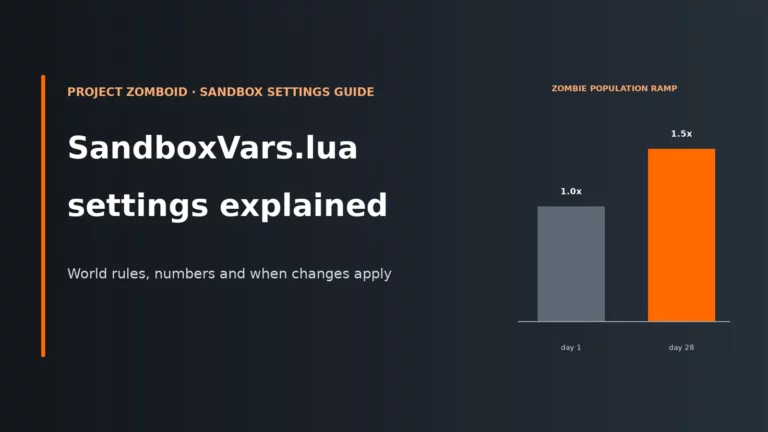
By default in Build 42, zombie population rises from PopulationStartMultiplier towards PopulationPeakMultiplier by PopulationPeakDay, which is day 28. That means a server can be fine at the start and then hit a rough patch later simply because more zombies now exist in loaded areas. If players are also exploring more towns, driving more and dropping more items, the world load is growing at the same time.
That is why “it got bad after a few weeks” does not automatically mean a bad patch or failing host. It often means the save has matured into a heavier workload. This is also why Build 42 migrations need planning; our Build 42 migration guide covers the practical side for admins coming from Build 41.
World growth matters as well. Dropped items, blood decals and explored cells all add state that has to be stored, loaded and in some cases synchronised. The resource cost here leans more on heap, disk activity and load times than on pure zombie simulation, but the player-facing result is the same: stutter, longer joins and more chances for desync under load.
Settings-first fixes, in the order they usually matter most
Change the settings that remove real work from the server before you reach for obscure tweaks. The goal is not to make the world easier; it is to cut the work that is most expensive in CPU time, heap churn, streaming or bandwidth.
1) Set the heap properly
This is first because every other fix is limited if the JVM is constantly collecting memory. A too-small heap causes repeated garbage collection pauses for everyone. A too-large heap near the plan limit risks process kills. Set the heap with headroom below the real plan RAM, restart the server, then watch for the same shared freeze pattern that used to appear.
Trade-off: none to gameplay, but a lower-than-possible heap may still stutter and a higher-than-safe heap may crash hard.
2) Lower effective concurrency, not just player count on paper
MaxPlayers defaults to 32, and the official settings warning says counts above 32 can potentially result in poor map streaming and desync. If your players spread widely, even staying below that can be too much. Reducing the cap cuts streaming pressure, bandwidth and the number of simultaneously loaded situations the server must manage.
Trade-off: fewer slots. How to tell: peak-time desync and late-evening freezes should ease first.
3) Reduce zombie population where it actually costs
Start with PopulationMultiplier, then review PopulationPeakMultiplier and PopulationPeakDay. Fewer zombies in loaded areas means fewer active updates, pathing decisions and sound reactions. This mainly reduces CPU work and the amount of world state living in heap.
Trade-off: a quieter world and smaller hordes. How to tell: busy towns and vehicle trips should become smoother, especially later in the save. Restart required because these are sandbox values.
4) Keep respawn conservative
Build 42 defaults to no zombie respawn, with RespawnHours = 0.0. That helps performance because the server is not continually reintroducing population into explored areas. Turning respawn back on creates more long-term simulation and can undo gains you made elsewhere.
Trade-off: the world stays more “cleared” once players secure it. How to tell: this is more about preventing future load growth than producing an instant fix.
5) Lower car attraction if vehicle noise is causing giant local pulls
CarEngineAttractionModifier defaults to 0.5, and the official comment notes that lower values can help with lag. The reason is simple: if cars pull fewer zombies from further away, the server has less zombie migration and less concentrated chaos to process around moving vehicles.
Trade-off: cars become a weaker lure. How to tell: driving-heavy sessions should trigger fewer horde spikes and fewer complaints about vehicle-area desync. This is an .ini setting, so you can change it and use reloadoptions.
6) Clean up long-lived world clutter
HoursForWorldItemRemoval with WorldItemRemovalList, plus BloodSplatLifespanDays, are not glamorous settings but they matter on older servers. They reduce persistent world state that has to be saved and loaded later. This is less about main-thread zombie simulation and more about heap size, save bloat and disk work.
Trade-off: decorative clutter and old blood will disappear over time. How to tell: the gains are gradual: smoother joins, less growth-related degradation and a tidier long-running save. These are sandbox values, so restart after changing them.
7) Leave overload protection enabled
DenyLoginOnOverloadedServer=true is there for a reason. A server that is already struggling should not be forced to process more joins, mod checks and streaming. Keeping it on prevents new arrivals from pushing a stressed server into a worse spiral.
Trade-off: players may have to wait to join. How to tell: peak-time stability holds more often instead of collapsing when extra people connect.
8) Be careful with periodic saving
SaveWorldEveryMinutes defaults to 0, meaning loaded parts of the map are normally saved when clients leave a loaded area. Setting frequent periodic saves can add regular disk activity and hitching on its own. If you already have freeze reports, do not assume “save more often” is safer for performance.
Trade-off: more frequent saves can reduce recent progress lost in a crash, but may add more regular stalls. Change this only for a clear admin reason, not as a blind lag fix.
Settings you should not touch just because the server feels slow
Some settings look tempting because their names sound like they control clutter or animation detail. In practice, they are poor places to hunt for performance and can make matters worse.
ZombiesCountBeforeDelete
The official comment strongly recommends the default of 300. Increasing it, or setting it to 0, may cause severe performance problems. It sits inside the zombie clean-up logic, and the developers flag it this strongly because a higher value lets far more zombies pile up before the game steps in, which is exactly the kind of extra simulation and memory load you are trying to remove.
RollsMultiplier
The official comment says high values can negatively affect performance and highly recommends not changing it. If your goal is to stop freezes or desync, this is not the knob to reach for. High values add extra work while doing nothing to solve the main causes above.
In short: do not tweak obscure settings when your real problem is heap sizing, player spread, population ramp or a bad mod. Those are the big levers.
Mods and maps: how they cause lag, and how to bisect safely
Mods can affect performance even when no player is actively using the item or feature they add. Some alter scripts that run broadly, some add map content that affects streaming and asset loading, and some increase background processing or spawn behaviour in loaded areas. If the server trouble started straight after a mod or map change, trust that timing.
There are three common mod-related load points:
- Join-time overhead: clients download Workshop content on connect, and heavier sets mean more waiting and more room for mismatch trouble.
- Runtime script cost: Lua or game logic that updates often can add CPU work even if the content is not in somebody’s hands.
- Map streaming cost: extra map data and conflicts in
Map=order can increase loading and desync risk.
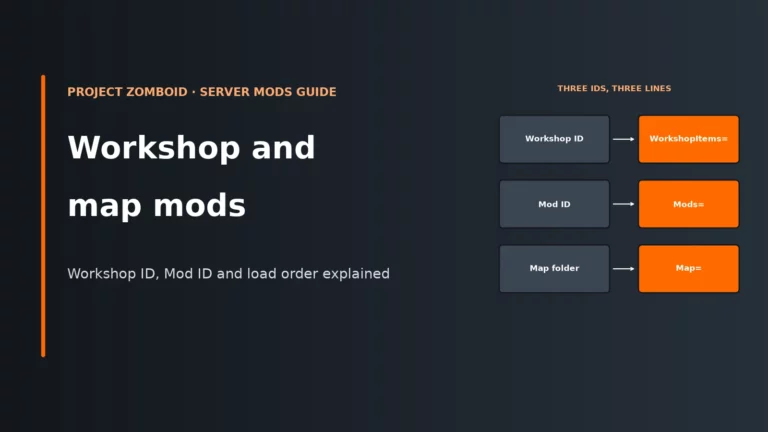
Use Mods= for mod load IDs, WorkshopItems= for Workshop IDs separated by semicolons, and Map= for map folder names. Keep in mind that DoLuaChecksum=true is useful protection: it kicks clients whose files do not match, which helps rule out one class of mysterious “only some people lag” reports.
A safe bisect process
- Back up the current save in
Zomboid/Saves/Multiplayer/servertestand the server config folder first. - Run the bisect on a copied save under a different server name (
-servername), never on your live world, so you can roll back cleanly. - Split the mod list into halves and disable one half at a time.
- Keep dependencies together, and treat map mods as a group rather than separating pieces of the same map stack.
- If the problem vanishes, split the suspect half again until one mod or one map group stands out.
How do you know a mod change helped? Join times improve, server-wide freezes stop occurring after the same actions, and the problems do not return until the suspect content is re-enabled. If budget is tight while you work through a heavier modpack, it can also help to compare plans with room to spare rather than buying the smallest option blindly; our guide to cheap UK game server hosting is a practical starting point for that.
Tune it or upgrade? A practical decision, plus a pre-purchase checklist
Do the tuning work first when the problem clearly follows a setting, a mod addition or player spread. Upgrade sooner when the server is already sensibly configured and still runs out of headroom during normal play.
| What you are seeing | Tune it first | Upgrade sooner |
|---|---|---|
| Shared freezes every few minutes, especially on an older save | Check heap sizing and world clean-up settings | If heap is already set with sensible headroom and freezes remain under ordinary load |
| Server only struggles when players split across the map | Fix spread with spawn regions, events and a realistic cap | If your community style demands constant multi-town activity |
| Problems began after a mod or map change | Bisect the content list before changing hardware | Only if the final mod set is confirmed stable but heavier than the current plan can handle |
| Process gets killed or stops without a clean save | Lower -Xmx below the plan limit and leave off-heap room |
If the safe heap size is simply too small for the community’s normal world size |
| Build 41 setup feels tight after moving to Build 42 | Retune population, spread and heap for Build 42 | If the same play style now exceeds the available headroom |
Pre-purchase checklist for a Project Zomboid plan
| Check | Why it matters |
|---|---|
| Enough RAM headroom for heap plus off-heap | You need room below the plan limit, not just a big -Xmx number |
| Access to launch arguments or the JSON/batch file | You cannot fix heap sizing properly without it |
Easy access to servertest.ini and SandboxVars.lua |
Most useful tuning lives there |
| Support for Windows or Linux | Project Zomboid dedicated server runs on both |
| UDP port control | Default ports are 16261 and 16262, and each extra instance needs 2 more UDP ports |
| Backup access and restart control | You will need both for mod bisects and sandbox changes |
| Build 42 readiness, with Build 41 as a fallback if needed | Build 42 is the current stable branch, while Build 41 remains available on legacy41 |
If you are comparing options side by side, our Project Zomboid server hosting comparison is the quickest way to filter for panel access, file access and sensible plan room rather than guessing from a headline spec.
If you have already set the heap correctly, trimmed the costly settings and ruled out a bad mod, the remaining answer is often a better-sized plan with proper file access. Compare hosts based on control, backup access and room for Build 42 growth, not just the cheapest starting point.
Compare the best Project Zomboid server hostsProject Zomboid server FAQ
How much RAM does a Project Zomboid server need?
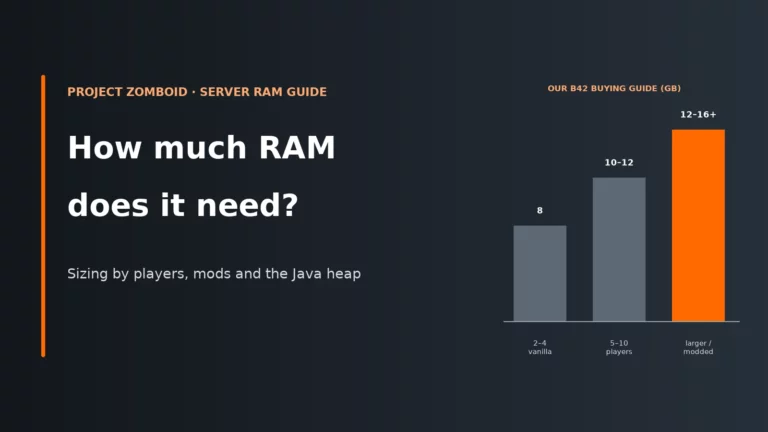
There is no single safe number because player spread, mods, save age and Build 42 all change the load. The key is that plan RAM is not the same as Java heap: set -Xmx with room left over for off-heap memory, using the common 70-80% rule of thumb as a starting point. If everyone gets regular freezes, the heap is often too small; if the process gets killed, it is often too close to the real limit.
Why does my server freeze every few minutes?
If everyone freezes at the same time, it is usually server-side memory pressure, garbage collection or another shared load spike. That pattern often appears when the heap is too small for the current world size, especially on older saves or after a Build 42 move. Start with heap sizing, then look at zombie population, world clutter and how widely players are spread.
Is it safe to go above 32 players?
The default MaxPlayers is 32, and the official warning says counts above that can potentially result in poor map streaming and desync. In practice, the safe limit depends as much on spread and mods as on the raw number. A tightly clustered community can feel better than a smaller but widely scattered one.
Do mods cause lag even when nobody uses them?
Yes, they can. Mods may add script work, map streaming load, extra assets or broader behaviour changes that exist whether or not somebody is holding the modded item. That is why a clean bisect on a copied save is the right way to prove or rule them out.
Should I stay on Build 41 for performance?
Build 42 is the current stable release, and Build 41 remains available on the legacy41 beta branch if you need to hold back for now. Build 42 is heavier at the same player count, so some older plans that were comfortable on Build 41 need retuning or more headroom. If a migrated server fails to start with the “Illegal termination of worker thread” assertion, check that steam_appid.txt contains only 108600 and back up then remove the old Zomboid user folder before starting again.
Related Project Zomboid hosting pages
Once you know whether you need tuning or a bigger plan, these pages cover the next step.
Project Zomboid updates, launch methods and host panels do change over time. If your panel labels or file locations differ slightly from those shown here, follow your host’s current panel workflow for the same setting.