
Palworld Community Server vs Dedicated Server (and 32+ Players)
A community server is a dedicated server with one extra launch option, so the real choice is about who can find your world and whether console players need in. This guide explains what changes when you list a server, why 32 players is the ceiling, and what a bigger community can do instead.
A private dedicated server and a community server use the same server software and the same world settings. -publiclobby adds listing and discoverability; it does not add capacity.
Pocketpair’s own docs note that Xbox and PS5 players must join a server deployed as a community server. If consoles are part of the plan, that usually settles the decision quickly.
Co-op is up to 4 players. Dedicated and community servers are documented for up to 32 players, and there is no official setting or launch option that supports more on one world.
On a busy 32-player server, guild size and base limits often become the real bottleneck before the slot cap does. Big Discords usually need multiple servers, not just more slots.
Three ways to play together
Palworld gives you three practical models for group play. Only two of them are server choices in the admin sense: a private dedicated server and a community server. If you need file locations, startup flags or panel-level setup, use our Palworld server setup guide; if you only need the basics of joining friends, use our guide to playing Palworld with friends.
| Option | Supported size | How people join | Who can find it | Best fit |
|---|---|---|---|---|
| Co-op | Up to 4 | Through online co-op play | Only the people you invite into the session | A very small private group that does not need a separate persistent server |
| Private dedicated server | Up to 32 | Players type the IP address and port number into the box below the server list | Only people you give the address to | Friends, guildmates or a closed community that wants persistence without public listing |
| Community server | Up to 32 | Players open Community server in the browser, find the server and click it | Anyone browsing the list, unless you protect it with a password | Cross-platform groups, streamer communities, Discords, and any server that must be discoverable in-game |
The important point is that the last two rows are not different in performance terms. A community server is still a dedicated server. The host does not need to keep the game client running, the world lives on the server, and the same configuration rules apply.
What -publiclobby actually changes, and what it does not
Turning on -publiclobby changes discoverability, not the core server. Pocketpair describes a community server as “a dedicated server that has registered … on the server list in the game client”, and says that in essence it is no different from a dedicated server except for appearing on the server list.
What it changes
- The server is listed in the in-game community browser. That is the key difference. People can find it without you sending them an IP and port manually.
- Xbox and PS5 players can join at all. Console players cannot type in an IP address, so Pocketpair states that a server must be deployed as a community server for them to join.
- Your advertised public address matters. Community servers can use detected public address details, and only need manual
PublicIPorPublicPortif the list is showing the wrong address.
What it does not change
- It does not raise the player cap. The same 32-player supported limit applies.
- It does not create a separate ruleset. PvP, guild limits, base limits, passwords and crossplay are still normal server settings.
- It does not change the actual listening port.
-port=8211changes where the server listens.PublicPortonly changes what the server advertises to the community list.
This distinction matters when troubleshooting. If players can join by direct address but the community list points them somewhere else, the fix is not “change the game port again”; it is to correct the advertised public details only if automatic detection is wrong. On the other hand, if the wrong service is listening, changing PublicPort will not help because the server is still bound to the real listening port set by -port.
One more gotcha: if you host on your own network and your router does not support hairpin NAT, you may not be able to join your own community server from inside that same network using its public listing. That is a router loopback problem, not proof that the server is down.
Which one you actually need
Most people can choose the right model with a few simple rules. The flow below is the shortest route.
- If Xbox or PS5 players need to join: use a community server. Pocketpair’s docs are clear on this point.
- If the server is only for trusted friends on PC and Mac: a private dedicated server is simpler to control because people need the IP and port to get in.
- If strangers, viewers or a wider Discord need to find it without asking you for connection details: use a community server, then decide whether it should be fully open or listed but password-protected.
- If you stream: a private dedicated server keeps random joins out of the way; a community server works better for open events, but only if you are ready to moderate it.
- If the group spans platforms: check your platform mix and settings in our Palworld crossplay server guide before you go live.
A listed server with a password is often the middle ground for organised communities. It stays visible to the people you want to attract, including console users, while still putting a gate in front of the world.
Running a public community server safely
A community server is visible by design, so small configuration choices matter more than they do on a private IP-only server. The goal is not just “stop griefing”; it is to control who reaches your world, how noisy the chat becomes, and how much admin work the server creates.
The settings that matter first
- ServerPassword: on a listed server, leaving this blank means anyone who finds the server can try to join. That affects more than chat; it can consume player slots, guild slots and base capacity.
- AdminPassword: this is separate from player access. Without it, your moderation tools are not ready when you need them.
- ServerName and ServerDescription: these set expectations in the list. A clear name and description reduce wrong joins and repeated questions about rules or playstyle.
- CrossplayPlatforms: decides which platforms may connect. The default lets Steam, Xbox, PS5 and Mac in; remove a platform from the list to keep it out.
- ChatPostLimitPerMinute: caps how many chat messages one player can send per minute. It is your spam brake; set it too low and busy events feel muted.
- bAllowClientMod: enabling client mods makes a public server less uniform. That can be fine for a closed modded group, but on a public server it adds another variable when players report odd behaviour.
; Keys inside OptionSettings=(...) in PalWorldSettings.ini
ServerName               ; name shown in the community list
ServerDescription        ; rules or playstyle, shown in the list
ServerPassword           ; blank = anyone who finds the server can join
AdminPassword            ; needed before any admin command works
CrossplayPlatforms       ; default (Steam,Xbox,PS5,Mac)
ChatPostLimitPerMinute   ; chat messages allowed per player per minute
bAllowClientMod          ; whether players with client mods may join
bIsShowJoinLeftMessage   ; join and leave messages in chat
For moderation, remember that the admin commands only work after you set AdminPassword and authenticate in game. Pocketpair documents kick and ban actions using SteamID, so keep that workflow ready before the server gets busy.
/AdminPassword <password>
/ShowPlayers
/KickPlayer <SteamID>
/BanPlayer <SteamID>
/UnBanPlayer <SteamID>
/Broadcast <MessageText>
/Save
/Shutdown [Seconds] [MessageText]
If you need every setting explained in one place, use our Palworld settings guide. For the file path and startup method, use the setup guide rather than repeating the whole install process here.
The 32-player limit: where it comes from, and why typing a higher number is not a fix
The supported numbers come from Pocketpair’s own published limits. The Steam store page says: “In online co-op play mode, up to 4 players can play together. Additionally, a dedicated server can allow up to 32 players to play together.” The dedicated server docs also expose -players=32, and the shipped settings file documents ServerPlayerMaxNum with a default of 32.
That matters because server panels often let you type almost anything into a field. A bigger number in a form is not the same as a supported server feature. There is no official setting, launch option or document that supports more than 32 players on one Palworld server, and even the widely used Docker image limits its PLAYERS value to 1-32.
- Co-op limit: up to 4 players.
- Dedicated/community server limit: up to 32 players.
- Unsupported “more slots” mods: not documented by Pocketpair, so they fall outside the supported path for stability and troubleshooting.
The practical rule is simple: if you need a stable community server, plan around 32 as the hard ceiling for one world. If a mod claims more, treat it as experimental. When problems start, one of the first clean-up steps is to return the server to the documented 32-player configuration before you diagnose anything else.
What happens when all 32 slots are genuinely busy
A full player list is only one kind of load. On a real 32-player world, the heavier pressure often comes from guilds, bases, workers and the size of the saved world state. This is where admin choices affect both fairness and performance.
Guild size and base limits usually bite first
- GuildPlayerMaxNum defaults to 20. That means one guild can hold most of a 32-player server by itself, and two large guilds can absorb the entire active population.
- BaseCampMaxNumInGuild defaults to 4 and can go up to 10. On a large shared server, this is often the first “we’re full” complaint players notice, because expansion stops even when player slots still exist.
- BaseCampMaxNum defaults to 128 for the whole server. Many smaller guilds can hit that server-wide cap long before all 32 players are online at once.
- BaseCampWorkerMaxNum also matters operationally because busy bases mean more base activity for the server to keep active.
Why this affects performance: every extra base means more structures, more placement data and more base Pals for the server to keep in the world and write to disk when saving. The main cost is world simulation and memory footprint, with extra disk work during saves and shutdowns. The trade-off is straightforward: generous base limits make the world friendlier to builders, but they also make the world heavier to run and easier to crowd.
Abandoned guilds are not just a social problem
bAutoResetGuildNoOnlinePlayers exists for a reason. If inactive groups leave behind structures and base Pals, they continue occupying world capacity and save data until you clear them. Turning auto-reset on can reclaim map space and reduce old clutter, but the trade-off is harsh for casual groups that take long breaks and expect to come back to the same bases.
RAM still matters at 32
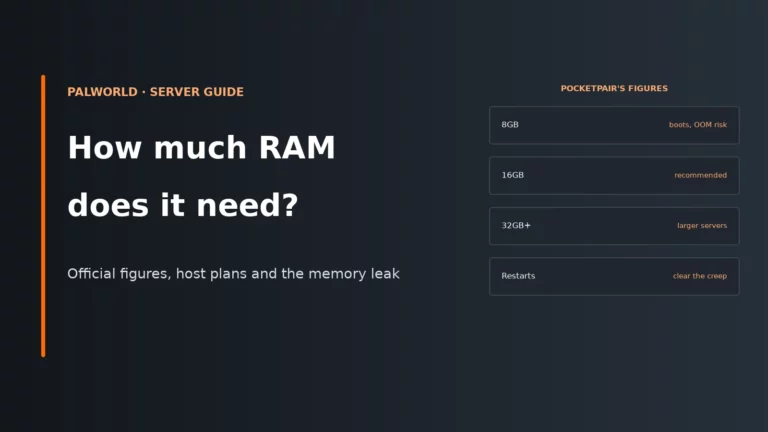
Pocketpair recommends 16GB RAM, with 32GB or more for larger servers. The docs also note that 8GB can boot, but out-of-memory crashes become more likely, and they recommend SSD storage. For a detailed breakdown of when you should move up, read our Palworld server RAM guide.
How to tell changes helped: the clean signs are fewer out-of-memory crashes, fewer complaints around built-up areas, and fewer “can’t place another base” reports after you adjust the limits that were actually being hit. If you change a limit and players still fail at the same point, you probably changed the wrong ceiling.
What a community of more than 32 players can actually do
If your Discord, clan or stream community has grown past 32 active players, the next step is not a magic slot bump. Each Palworld dedicated server is its own world with its own save, and separate servers do not share worlds. So the real options are organisational.
| Option | What it solves | Trade-offs | Best fit |
|---|---|---|---|
| Second server | Adds another full 32-player world with its own save and its own capacity for guilds and bases | Players split across two worlds, progress does not carry over, and each server needs its own RAM and administration | A large persistent community that has clearly outgrown one world |
| Rotation or scheduling | Keeps one server but manages access by event times, faction nights or community sign-ups | Lower always-on access, more admin coordination, and disappointed players when a session fills | Streamer events, smaller communities with peak-time congestion, or temporary overflow |
| Split by mode or ruleset | Lets you run, for example, separate PvE and PvP communities, or a casual world and a harder world | Community fragmentation, duplicate moderation, and no shared items, bases or guilds between worlds | Groups with different playstyles that were clashing on one server anyway |
The sensible rule is to split for a reason players can understand. “Server A is PvE and social, Server B is PvP and competitive” works better than “whichever one is less full today”. If you do create multiple worlds, state clearly that each one has separate saves, separate base caps and separate admin overhead.
Choosing a plan for a 32-slot Palworld server
At 32 slots, you are not just buying space for names in a player list. You are buying enough CPU time, memory headroom and storage behaviour for a world that may be dense with structures and active bases.
| What to check | Why it matters |
|---|---|
| At least the recommended CPU baseline | Pocketpair recommends 4+ CPU cores. Busy worlds spend time on world simulation, especially when several bases are active at once. |
| RAM headroom, not just a bootable minimum | 16GB RAM is the recommendation, and 32GB or more is recommended for larger servers. A server that only just boots has less room for a built-up world and is more exposed to out-of-memory crashes. |
| SSD storage | Pocketpair recommends SSDs. Saves and restarts are much less forgiving on slow storage because the server is constantly dealing with world data, structures and base state. |
| Control over startup flags | You need to be able to set -publiclobby for a community server, and sometimes adjust -port. If community listing advertises the wrong address, you may also need manual public address settings. |
Easy access to PalWorldSettings.ini |
Community visibility is only one part of the job. You still need to manage passwords, crossplay, guild size, base caps and chat throttling. |
| A clear path to a second instance | If your community may outgrow 32 players, the realistic upgrade path is a second world. That means separate resources, separate saves and enough room in your budget and admin time for both. |
Compare plans by the things that actually matter for Palworld: enough RAM for a busy save, SSD storage, control over startup flags, and easy access to the settings file if you need to tune guild and base limits.
Compare Palworld server hostsTroubleshooting common community-server and full-server problems
For crash loops, connection failures and broader stability work, use our full Palworld server troubleshooting guide. The table below is the shorter first-pass view for the specific issues that come up when moving from private dedicated to community, or when a 32-slot world starts to feel cramped.
| Symptom | Likely cause | First fix |
|---|---|---|
| Server does not appear in the community list | It was started as a normal dedicated server, not with -publiclobby, or it is advertising the wrong public address |
Confirm it is started with -publiclobby first. Only set PublicIP or PublicPort manually if automatic detection is wrong. |
| Xbox or PS5 players cannot see or join it | The server is not deployed as a community server, or the platform mix is wrong | Deploy it as a community server and then check the crossplay settings. |
| You can join by public listing from outside, but not from the same network | Hairpin NAT is not supported by the router | Test from another network. If it works there, the problem is local loopback, not the public server itself. |
| Server says full | ServerPlayerMaxNum or -players is set below 32, or the server really has 32 players online |
Check both values first; many panels start lower than 32. If you are genuinely at 32, do not type a higher number: add a second server, schedule sessions or split the community by ruleset. |
| Players can join, but cannot add more guild members | GuildPlayerMaxNum has been reached |
Review the guild limit against your server’s social design. Raising it helps large groups, but concentrates more players and bases into fewer guilds. |
| Players report “no more bases” even though slots are free | BaseCampMaxNumInGuild or BaseCampMaxNum has been reached |
Check which cap is actually being hit before changing anything. Per-guild and server-wide base limits solve different problems. |
| Random strangers keep turning up | The listed server has no ServerPassword |
Set a password, then update your community with the new access details. |
| Admin commands do nothing | AdminPassword is not set, or you have not authenticated in game |
Set AdminPassword, then use /AdminPassword <password> before trying kick, ban or shutdown commands. |
| Crashes or instability get worse as the world grows | RAM pressure, save growth or a very dense base layout | Check the RAM guide, then work through the broader troubleshooting guide. |
Palworld server FAQ
Is a community server stronger than a dedicated server?
No. Pocketpair defines a community server as a dedicated server that is registered on the in-game server list. The main difference is discoverability, not extra performance or a higher player cap.
Can I keep a community server private?
Yes, to a point. A community server can still use ServerPassword, which makes it listed but gated. That is often the best option for a Discord group that needs console access but does not want the world fully open.
Can I set more than 32 slots if my host panel allows it?
Not as an officially supported Palworld configuration. The published limit for a dedicated server is 32 players, and there is no official setting or launch option that documents a higher cap. If you go past that with a mod, you are outside the supported path.
Why does a 32-slot server feel full before 32 people are online?
Because player slots are only one limit. Guild membership caps, per-guild base caps and the server-wide base cap can stop expansion while there are still open player slots. On busy worlds, those social and building limits often shape the experience more than the raw slot count.
What is the cleanest way to support more than 32 active community members?
Run more than one server, or organise scheduled access if the overflow is only during events. Separate servers are separate worlds with separate saves, so they give you real extra capacity at the cost of split progress and more admin work. That is still cleaner than relying on undocumented “more slots” tweaks.
More Palworld server help
Set up the server, open it to consoles, size its RAM or tune every setting.
Limits, launch options and setting names come from Pocketpair’s Palworld server documentation for version 1.0.4 and the Palworld Steam store page. Host panels label these options differently, so follow your host’s current layout where it differs.