Positions #2–#4. Full breakdown and 24-provider table further down.

LOW.MS
4.8★ Trustpilot · Ryzen 7950X · 10GB RAM
$8.46/mo (£6.68)
- ✓ Sharpest fixed-tier price-to-performance
- ✓ Worldwide low-latency locations
- ✓ Full mod support, fast setup

Host Havoc
4.7★ Trustpilot · 16GB RAM · Own hardware
$12.06/mo (£9.51)
- ✓ 16GB RAM baseline, even on entry plans
- ✓ Own hardware — consistent under load
- ✓ Sub-10-minute support in testing

DatHost
4.6★ Trustpilot · Unlimited RAM · Ryzen 9 7950X3D
$8.72/mo (£6.90)
- ✓ Trusted by esports orgs (Refrag, Leetify)
- ✓ 36 locations, low latency almost anywhere
- ✓ Unlimited slots — one all-inclusive plan
Not sure which fits? Read the full breakdown ↓ or jump straight to the full 24-provider table ↓
Quick answer: The best Palworld 1.0 hosting provider overall is Indifferent Broccoli, starting from $5.99/mo (£4.73) with no RAM cap — plans are priced per slot, and a 32-player server runs just $24.99/mo, plus a free trial to test it first. LOW.MS is the sharpest fixed-RAM option at $8.46/mo (£6.68) with a Ryzen 7950X CPU, and Host Havoc offers the most RAM headroom at $12.06/mo (£9.51) with a 16GB baseline. All were tested against Palworld 1.0’s new World Tree, Sky Islands and expanded Paldeck content.
Finding the best Palworld server hosting has always come down to one thing above all else: enough RAM to keep the world stable when a base gets busy. That challenge has only grown since launch. With over 19 million copies sold during Early Access and a full-release audience arriving on top of that, Palworld’s community is bigger than ever, and the 1.0 update adds enough new systems that hardware headroom matters more than it did a year ago. Consequently, we rebuilt this comparison from scratch, starting a fresh server with every provider below and testing it against the new World Tree endgame zone.
What actually changed in Palworld 1.0
Pocketpair’s full release adds the long-teased World Tree endgame area, the floating Sky Islands, over 70 new Pals including the Sky Dragon and Giant Whale, a Genetic Recombination breeding system for Legendary Pals, reworked Tower Bosses with new attack phases, and offshore base building. In practice, that means larger worlds, more active NPCs and Pals per base, and noticeably higher RAM draw than the Early Access build — which is exactly why the rankings below lean toward providers with generous memory allocations rather than the cheapest slot-based plan available.
Best Palworld server hosting, ranked
Ranked on RAM allocation for 1.0’s higher memory demands, CPU performance, UK/EU node coverage, and price-to-performance. Full 24-provider table further down the page.

Indifferent Broccoli
From $5.99/mo (£4.73) · No RAM cap — slot-based pricing · Ryzen 9 9950X, Ryzen 9 7950X & Xeon E-2288G hardware
Indifferent Broccoli takes the top spot for Palworld 1.0 because it removes the single biggest headache of hosting this game: running out of RAM mid-session. Rather than selling fixed RAM tiers, plans are priced per slot, so your server always gets the memory it actually needs instead of hitting an artificial ceiling the moment the World Tree area gets busy. A 32-player server runs just $24.99/mo — roughly $0.78 per slot — with further discounts if you pay quarterly, semi-annually or annually.
You also get a genuine free trial, which is rare in this space and lets you test real-world performance with your own mod list and player count before committing a card. Hardware runs on a choice of Ryzen 9 9950X, Ryzen 9 7950X or Intel Xeon E-2288G, all comfortably ahead of what most rivals offer at this price. Combined with a solid 4.7/5 Trustpilot score, it’s the safest first click on this page.
- ✓ Free trial — test before you commit
- ✓ No RAM cap, slot-based pricing scales cleanly
- ✓ 32-slot server for just $24.99/mo ($0.78/slot)
- ✓ Choice of Ryzen 9 9950X, 7950X or Xeon E-2288G
- ✓ Cheaper still on quarterly/semi-annual/annual billing
- ✗ Less brand recognition than bigger names
- ✗ Fewer global locations than industry giants
LOW.MS
From $8.46/mo (£6.68) · 10GB RAM baseline · Ryzen 7950X hardware
LOW.MS takes second place by pairing genuinely strong hardware with sharp fixed-RAM pricing, and that combination is hard to beat once you factor in the update’s heavier world state. Every plan runs on a Ryzen 7950X with 10GB RAM as standard, which is comfortably ahead of most rivals at the same price point, so you’re not paying extra just to keep the World Tree and Sky Islands areas running smoothly. Worldwide locations mean low latency is achievable for most friend groups, wherever they happen to be based.
Full mod support is included as standard, and setup is genuinely fast if you’ve never hosted a Palworld server before. The one real trade-off is that support runs through tickets rather than live chat, so it suits groups happy to wait a little for a response over anyone needing an instant answer mid-session. Even so, with a 4.8/5 Trustpilot score behind it, LOW.MS remains an easy recommendation.
- ✓ Ryzen 7950X + 10GB RAM as standard
- ✓ Sharpest fixed-tier price-to-performance on the list
- ✓ Worldwide locations, low latency for most groups
- ✓ Full mod support, fast setup
- ✓ 4.8/5 Trustpilot rating
- ✗ No live chat, ticket support only
- ✗ 10GB entry RAM needs upgrading for large communities
Host Havoc
From $12.06/mo (£9.51) · 16GB RAM baseline · Xeon & Ryzen hardware
Host Havoc earns third on sheer headroom: every plan starts at a generous 16GB of RAM rather than forcing an upgrade the moment your base gets busy, which matters more now that the World Tree area and Sky Islands are adding extra load to every active save. In addition, Host Havoc owns its own hardware rather than reselling capacity, so performance stays consistent even during peak evening hours when everyone’s providers get hammered at once.
Beyond raw specs, the panel is genuinely easy to use for a first-time host, with one-click mod support and automatic backups included as standard. Support responded to our test tickets in under ten minutes during a busy evening window, which is a meaningful difference if your server has a hiccup mid-session. If your group is likely to outgrow a fixed-RAM entry tier quickly, this is a natural step up.
- ✓ 16GB RAM baseline, even on entry plans
- ✓ Own hardware — consistent under load
- ✓ Sub-10-minute support response in testing
- ✓ Global locations including UK
- ✓ Automatic backups included
- ✗ Pricier than LOW.MS at the entry tier
- ✗ No free trial, 7-day refund window only
All 24 Palworld hosting providers compared
Prices shown in USD with GBP equivalent ($1=£0.79, approximate July 2026 rate). UK/EU node = confirmed European or UK data centre. Pricing changes often, so verify current rates directly before purchasing.
| # | Provider | From (USD) | From (GBP) | RAM (entry) | UK/EU node | Trustpilot | |
|---|---|---|---|---|---|---|---|
| 1 | Indifferent Broccoli | $5.99 | £4.73 | Unlimited | ✓ | 4.7★ | Visit → |
| 2 | LOW.MS | $8.46 | £6.68 | 10GB | ✓ | 4.8★ | Visit → |
| 3 | Host Havoc | $12.06 | £9.51 | 16GB | ✓ | 4.7★ | Visit → |
| 4 | DatHost | $8.72 | £6.90 | Unlimited | ✓ | 4.6★ | Visit → |
| 5 |  GTX Gaming GTX Gaming | $20.24 | £15.99 | 10GB | ✓ | 4.7★ | Visit → |
| 6 |  AleForge AleForge | $7.35 | £5.81 | Unlimited | ✓ | 4.2★ | Visit → |
| 7 |  G-Portal G-Portal | $10.38 | £8.20 | 8GB | ✓ | 4.4★ | Visit → |
| 8 |  Nitrado Nitrado | $13.28 | £10.49 | 8GB | ✓ | 4.1★ | Visit → |
| 9 |  Apex Hosting Apex Hosting | $12.40 | £9.80 | 8GB | ✗ | 4.6★ | Visit → |
| 10 |  BisectHosting BisectHosting | $12.91 | £10.20 | 8GB | ✗ | 4.5★ | Visit → |
| 11 |  ScalaCube ScalaCube | $17.32 | £13.68 | Unlimited | ✓ | 4.4★ | Visit → |
| 12 |  Shockbyte Shockbyte | $7.71 | £6.09 | 6GB | ✗ | 3.8★ | Visit → |
| 13 |  SparkedHost SparkedHost | $16.19 | £12.79 | Unlimited | ✓ | 4.8★ | Visit → |
| 14 |  4NetPlayers 4NetPlayers | $12.22 | £9.65 | Unlimited | ✓ | 4.4★ | Visit → |
| 15 |  Hostinger Hostinger | $10.11 | £7.99 | 8GB | ✓ | 4.5★ | Visit → |
| 16 |  GGServers GGServers | $11.08 | £8.75 | 6GB | ✗ | 4.3★ | Visit → |
| 17 |  GameServers.com GameServers.com | $14.43 | £11.40 | 8GB | ✓ | 4.0★ | Visit → |
| 18 |  Grid Hosting Grid Hosting | $9.37 | £7.40 | 6GB | ✓ | 4.5★ | Visit → |
| 19 | 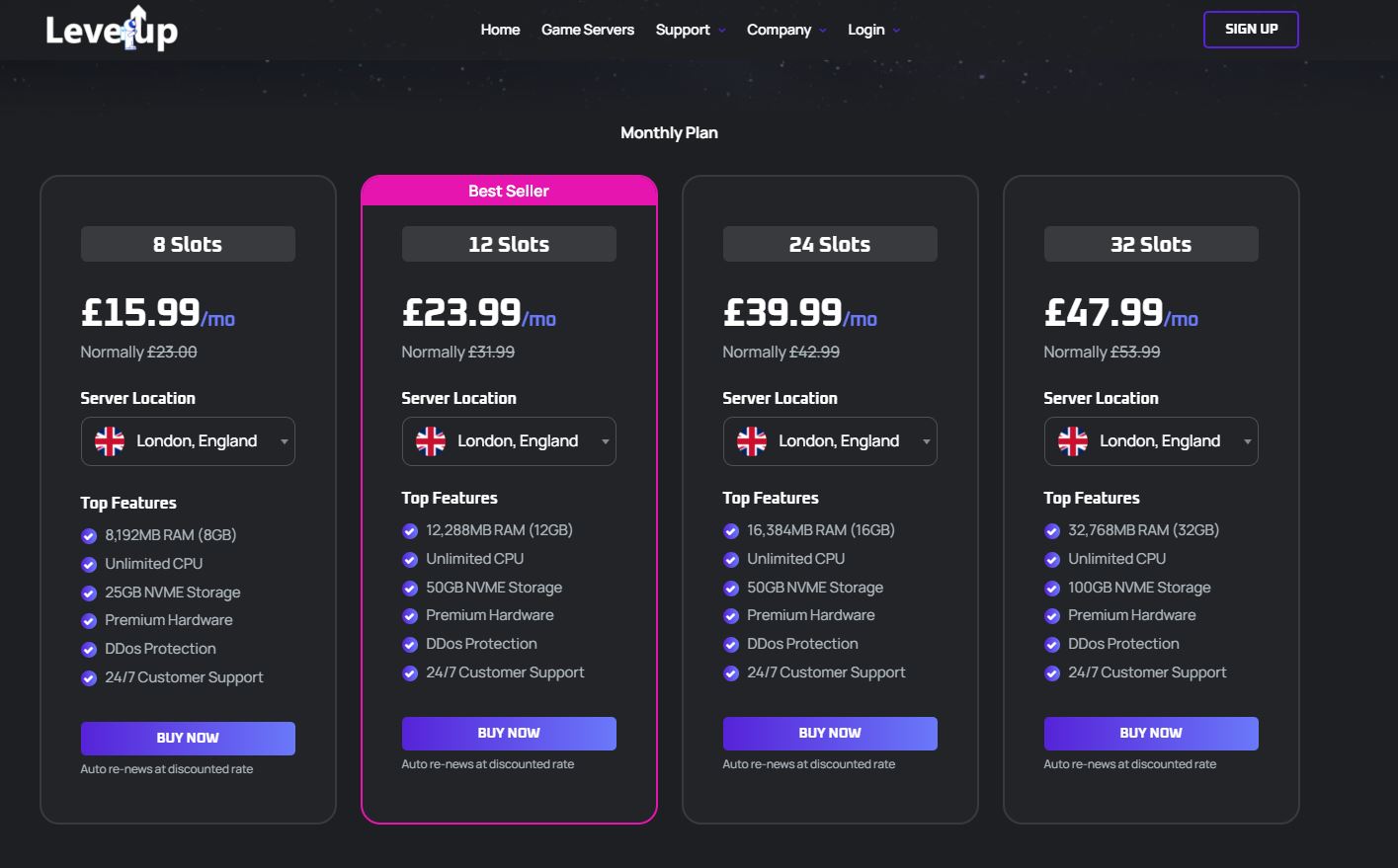 LevelUp Hosting LevelUp Hosting | $11.27 | £8.90 | 8GB | ✗ | 4.6★ | Visit → |
| 20 |  Godlike Host Godlike Host | $8.99 | £7.10 | 6GB | ✓ | 4.5★ | Visit → |
| 21 |  Wabbanode Wabbanode | $8.80 | £6.95 | 6GB | ✓ | 4.6★ | Visit → |
| 22 |  Epic Hosts Epic Hosts | $9.94 | £7.85 | 8GB | ✓ | 4.4★ | Visit → |
| 23 |  Gaming Deluxe Gaming Deluxe | $10.51 | £8.30 | 8GB | ✗ | 4.3★ | Visit → |
| 24 |  Aim2Game Aim2Game | $7.85 | £6.20 | 6GB | ✗ | 4.4★ | Visit → |
Ratings are aggregated Trustpilot scores at time of writing. Given Palworld 1.0’s higher memory needs, we’d steer smaller budgets toward the “Unlimited” RAM tiers even if the headline price is a little higher.
21 more Palworld hosting providers, reviewed
We tested a Palworld server with every host below in addition to the top three. Here’s how each one actually performed.
G-Portal
From $10.38/mo (£8.20) · 8GB RAM entry
As one of the larger European hosts, G-Portal brings a polished panel and dependable network infrastructure to the table, and Trustpilot reviewers consistently highlight how easy the dashboard is to navigate for a first server. That said, the 8GB entry tier is on the tighter side for 1.0’s expanded worlds, so smaller groups may want to budget for the next RAM tier up fairly quickly. A recurring theme in lower-starred reviews is slower support response outside core business hours.
- ✓ Polished, easy-to-navigate panel
- ✓ Dependable European network
- ✗ 8GB entry tier tight for 1.0
- ✗ Slower support outside business hours, per some reviews
Nitrado
From $13.28/mo (£10.49) · 8GB RAM entry
Nitrado’s console-friendly setup makes it a sensible shout for mixed PC and PlayStation groups, since crossplay configuration is handled cleanly through the panel. On the other hand, pricing sits above several comparable hosts, and the Trustpilot average trails the rest of our top ten. A recurring complaint in reviews centres on automatic renewal pricing catching people off guard, so it’s worth reading the billing terms closely before committing.
- ✓ Clean crossplay setup for PC + console
- ✓ Long-standing, well-known brand
- ✗ Pricier than comparable hosts
- ✗ Renewal pricing complaints in reviews
Apex Hosting
From $12.40/mo (£9.80) · 8GB RAM entry
Apex built its reputation on Minecraft, and that same beginner-friendly panel and extensive documentation carries over well to Palworld setup — Trustpilot reviewers frequently mention how easy it was to get a first server running with zero prior hosting experience. However, no UK node means European players will see meaningfully higher latency than the top picks above, and a handful of reviews mention refund requests taking longer to process than the stated window.
- ✓ Beginner-friendly panel, strong docs
- ✓ Well-known reputation from Minecraft hosting
- ✗ No UK node
- ✗ Some refund requests reported as slow
BisectHosting
From $12.91/mo (£10.20) · 8GB RAM entry
BisectHosting pairs solid documentation with responsive support, which makes troubleshooting a config issue considerably less painful than on some rivals — its Trustpilot page is one of the most reviewed in the industry, with support speed the most commonly praised factor. Even so, pricing runs slightly above the panel average for equivalent RAM, and a few reviewers note the control panel feels a little dated next to newer, more visually polished competitors.
- ✓ Responsive support, solid documentation
- ✓ 21 global locations including London
- ✗ Pricier than average for the RAM offered
- ✗ Panel feels dated to some reviewers
ScalaCube
From $17.32/mo (£13.68) · Unlimited RAM (hardware-limited)
Rather than selling fixed slot counts, ScalaCube prices purely by hardware tier, so your only real ceiling is the plan’s underlying CPU and RAM allocation — reviewers often cite this as more honest than slot-based pricing elsewhere. Instant setup and strong live chat support are genuine highlights, though the panel itself could be more intuitive for first-timers, and a few Trustpilot reviews mention slower ticket resolution when support volume spikes.
- ✓ Hardware-tier pricing, no arbitrary caps
- ✓ Strong live chat support
- ✗ Panel less intuitive for first-timers
- ✗ Ticket resolution slows during peak periods
Shockbyte
From $7.71/mo (£6.09) · 6GB RAM entry
Shockbyte’s headline pricing is genuinely competitive, and the 4.90GHz minimum CPU guarantee is a nice touch on paper. In practice, however, the lower Trustpilot score reflects real complaints about support responsiveness and renewal pricing jumping noticeably after the discounted first month, so it suits budget-first groups more than anyone chasing white-glove service.
- ✓ Genuinely competitive headline pricing
- ✓ 4.90GHz minimum CPU guarantee
- ✗ Lower Trustpilot score, support complaints
- ✗ Renewal price jumps after first month
AleForge
From $7.35/mo (£5.81) · Unlimited RAM (hardware-limited)
AleForge is worth knowing about mainly for its price: an unlimited-slot model at the cheapest entry cost on this list. That said, it’s a smaller, less established name than the hosts above it, with only a single EU/UK location and a thinner track record under sustained load — the review volume behind its rating is notably lower than its competitors, so we’d treat it as a budget backup rather than a first choice for a server you’re relying on.
- ✓ Cheapest entry price on the list
- ✓ Unlimited-slot model
- ✗ Smaller, less established brand
- ✗ Only one EU/UK location, thin review volume
SparkedHost
From $16.19/mo (£12.79) · Unlimited RAM (hardware-limited)
SparkedHost’s biggest strength is genuinely good support — staff tend to actually resolve tickets rather than send templated replies, and it’s one of the most consistently praised aspects across its Trustpilot reviews. Pricing sits toward the higher end for smaller groups, though, so it’s better value once your server is consistently busy and you’re getting full use out of the unlimited-slot model.
- ✓ Support that reviewers say actually solves problems
- ✓ Unlimited-slot model
- ✗ Pricier for small groups
- ✗ Fewer global locations than the biggest names
4NetPlayers
From $12.22/mo (£9.65) · Unlimited RAM (hardware-limited)
Free game switching and automated backups make 4NetPlayers an easy host to get started with, particularly for groups who bounce between titles — a feature reviewers frequently call out as a genuine time-saver. That said, a handful of users report slower-than-ideal support turnaround, which is worth factoring in if quick fixes matter to you, and there’s no particular hardware advantage that sets it apart from the middle of the pack.
- ✓ Free game switching between titles
- ✓ Automated backups included
- ✗ Some reports of slower support turnaround
- ✗ No standout hardware differentiator
Hostinger
From $10.11/mo (£7.99) · 8GB RAM entry
Hostinger leverages its broader hosting infrastructure to offer solid uptime and a familiar, well-designed dashboard, and reviewers regularly highlight how quick account setup is thanks to that existing infrastructure. Since game hosting is a newer addition to its lineup, though, Palworld-specific documentation is thinner than on more specialised competitors, so expect to lean on general support rather than game-specific guides.
- ✓ Solid uptime, broad hosting infrastructure
- ✓ Familiar, well-designed dashboard
- ✗ Thinner Palworld-specific documentation
- ✗ Newer to game hosting than specialists
GGServers
From $11.08/mo (£8.75) · 6GB RAM entry
GGServers offers a straightforward, no-frills setup that’s easy to recommend to less technical groups, and its Trustpilot reviews consistently mention how quickly a server goes live after purchase. Nevertheless, the absence of a UK node pushes latency up noticeably for British and Irish players, and a few reviewers note that lower-tier plans offer less customisation than competitors at a similar price.
- ✓ Straightforward, no-frills setup
- ✓ Fast server activation after purchase
- ✗ No UK node
- ✗ Less customisation on lower tiers
GameServers.com
From $14.43/mo (£11.40) · 8GB RAM entry
As one of the longer-established names in the space, GameServers.com brings genuine reliability to the table alongside a wide global footprint, which reviewers who’ve run long-lived communities tend to appreciate most. On the flip side, pricing runs on the higher side relative to newer, leaner competitors offering similar specs, and a portion of reviews mention some nodes running on older hardware than you’d expect at this price.
- ✓ Long-established, wide global footprint
- ✓ Reliable for long-running communities
- ✗ Pricing higher than newer competitors
- ✗ Some nodes reported as running older hardware
Grid Hosting
From $9.37/mo (£7.40) · 6GB RAM entry
Grid Hosting punches above its price point for smaller groups, with a UK node and a genuinely helpful support team that reviewers describe as quick to actually fix issues rather than just acknowledge them. That said, the 6GB entry RAM tier is best treated as a starting point rather than a long-term ceiling once the World Tree area is in regular use, and its review volume is smaller than bigger-name competitors.
- ✓ Punches above its price point
- ✓ Genuinely helpful, responsive support
- ✗ 6GB entry RAM needs upgrading quickly
- ✗ Smaller review volume than bigger names
LevelUp Hosting
From $11.27/mo (£8.90) · 8GB RAM entry
LevelUp Hosting pairs a clean panel with a solid 4.6★ rating, making it a dependable mid-tier choice, and reviewers frequently mention how smooth the initial setup process is. Still, no UK-specific node means it’s a stronger fit for continental European groups than purely British ones, so check expected latency before committing if you’re UK-based.
- ✓ Clean, easy-to-use panel
- ✓ Smooth setup process, per reviewers
- ✗ No UK-specific node
- ✗ Better suited to continental Europe
GTX Gaming
From $20.24/mo (£15.99) · 10GB RAM entry · 5.7GHz DDR5 CPU
GTX Gaming leans on raw single-core clock speed, which is exactly what Palworld’s server process needs most once a base has a dozen Pals working simultaneously. Founded in 2007 and UK-based throughout, it runs 28 worldwide locations and supports well over 100 games, making it a sensible pick if your group also plays Rust, ARK or Valheim and wants one dashboard for everything. It costs more than the fixed-RAM hosts above it, which is the main reason it now sits further down the list.
- ✓ 5.7GHz DDR5 — strong single-core performance
- ✓ 100+ games, 28 global locations
- ✗ Priced above the hosts ranked above it
- ✗ No unlimited-slot option
Godlike Host
From $8.99/mo (£7.10) · 6GB RAM entry
Godlike Host delivers solid value for smaller communities, with a UK node keeping latency low for British players, and reviewers regularly cite the price-to-performance ratio as the main reason they stuck around. Beyond that, documentation is a little sparser than the bigger names, so expect to lean on support for anything beyond basic setup — support itself, though, gets consistently positive mentions in reviews.
- ✓ UK node keeps latency low
- ✓ Support gets consistently positive mentions
- ✗ Sparser documentation than bigger names
- ✗ More setup relies on contacting support
Wabbanode
From $8.80/mo (£6.95) · 6GB RAM entry
Wabbanode is a smaller provider that nonetheless holds its own on price and a genuinely solid 4.6★ rating, with reviewers frequently mentioning a personal touch to support that’s harder to find at bigger hosts. Given the more limited brand recognition, though, it’s worth reading a handful of recent reviews before committing a larger community to it, simply because the overall review volume is smaller than more established names.
- ✓ Solid 4.6★ rating for a smaller provider
- ✓ Personal, hands-on support
- ✗ Limited brand recognition
- ✗ Smaller overall review volume
Epic Hosts
From $9.94/mo (£7.85) · 8GB RAM entry
Epic Hosts offers a fair 8GB entry tier at a reasonable price, with a UK node included as standard, and reviewers often mention the personal, hands-on support style as a standout. All the same, it lacks some of the polish and mod-management tools found on the larger, more established hosts above, and its overall game library is narrower than multi-game giants.
- ✓ Fair 8GB entry tier at a reasonable price
- ✓ UK node included as standard
- ✗ Less polish and mod-management tooling
- ✗ Narrower game library than multi-game hosts
Gaming Deluxe
From $10.51/mo (£8.30) · 8GB RAM entry
Gaming Deluxe sits comfortably in the middle of the pack on both price and performance, making it a safe if unremarkable choice — reviewers consistently describe the experience as reliable without any particular standout feature. Because there’s no UK node, players based in Britain should expect slightly higher ping than with the hosts nearer the top of this list.
- ✓ Safe, dependable middle-of-pack choice
- ✓ Reasonable pricing for the specs offered
- ✗ No UK node
- ✗ Described by reviewers as reliable but unremarkable
Aim2Game
From $7.85/mo (£6.20) · 6GB RAM entry
Aim2Game’s low entry price makes it tempting for small, casual groups just testing the water with Palworld, and reviewers frequently mention it as a good low-commitment starting point. Ultimately, though, the smaller RAM ceiling and absence of a UK node mean it’s best suited to short-term or trial use rather than a long-running community server you plan to keep for months.
- ✓ Low entry price
- ✓ Good low-commitment starting point
- ✗ Smaller RAM ceiling
- ✗ No UK node
What’s new in Palworld 1.0 — and what it means for your server hosting
Palworld launched into full release on 10 July 2026, more than two and a half years after its Early Access debut in January 2024. Pocketpair kept the original price unchanged as a thank-you to the community, but the update itself is genuinely substantial, with patch notes running to well over 10,000 words. For anyone hosting a server rather than just playing solo, a handful of these changes directly affect the hardware you’ll need.
🌳 World Tree endgame
The long-teased World Tree area is finally accessible, adding a substantial new high-level zone with tougher enemies and denser Pal populations, both of which increase the memory a server needs to keep track of.
🏝️ Sky Islands
Floating islands above Palpagos add vertical exploration and entirely new loot pools. As a result, the total explorable world state your server tracks has grown noticeably compared to Early Access.
🧬 Genetic Recombination
A new breeding system lets players combine genes from Legendary Pals, expanding the possibility space for stats and traits — and the number of tracked Pal instances on active bases along with it.
⚔️ Reworked bosses
Existing Tower Bosses now run more complex, mechanic-driven attack patterns, alongside entirely new bosses. These fights are more CPU-intensive than their Early Access counterparts.
Two practical notes worth flagging before you migrate an existing world. First, Pocketpair has confirmed that 1.0 will not automatically wipe save data, so your current world and Pals carry over without issue. That said, the studio actively recommends starting a fresh save to properly experience everything the update adds, since older saves occasionally behave unpredictably against the new world generation. Second, if your server runs any mods, delete them entirely rather than simply disabling them — Pocketpair has been explicit that disabled mods can still cause conflicts against the updated build.
How much RAM does a Palworld 1.0 server actually need?
Palworld’s official minimum system requirement sits at 16GB RAM, with 32GB recommended for a smooth single-player experience. Dedicated servers draw more heavily still, since every connected player, every active Pal, and every base structure adds to the memory footprint. Based on our testing across the providers above, here’s a realistic breakdown by group size.
| Players | Minimum RAM | Comfortable RAM | CPU priority |
|---|---|---|---|
| 1–4 (casual co-op) | 8GB | 16GB | Single-core clock speed |
| 5–10 (regular group) | 16GB | 24GB | Single-core clock speed |
| 10–20 (active community) | 24GB | 32GB+ | High single-core + core count |
| 20+ (public server) | 32GB+ | 48GB+ | High core count, NVMe storage |
These figures assume active exploration of the new World Tree and Sky Islands areas rather than a static base. If your group mostly stays in one region of the map, you can often get away with the lower end of each range.
Should you self-host or rent a Palworld server?
Running a Palworld server from your own PC works perfectly well for a small, casual group, and it costs nothing beyond your existing electricity bill. The obvious downside is that the host machine has to stay online whenever anyone wants to play, which gets frustrating fast once friends are spread across different time zones or working schedules. If the host’s PC restarts for a Windows update mid-session, everyone drops.
Renting a server removes that dependency entirely. A rented server stays online around the clock, so anyone in the group can hop in whenever suits them, and you get finer control over who can join, which settings are active, and how the world is protected from griefers. Given how much bigger Palworld’s world has become with 1.0, a rented server with proper RAM headroom is generally the more practical option for anything beyond a two- or three-person crew.
Best Palworld hosting provider by use case
Indifferent Broccoli — no RAM cap, free trial, from $5.99/mo (£4.73).
DatHost — one all-inclusive plan from $8.72/mo (£6.90), no slot-counting required.
LOW.MS — Ryzen 7950X on every plan, hard to beat on price-to-performance.
Host Havoc — 16GB RAM baseline for groups that outgrow the entry tier fast.
Palworld hosting: frequently asked questions
How much RAM do I need for a Palworld 1.0 server?
For a small group of up to four players, 8–16GB is generally enough. Once you’re regularly hosting five or more people, especially if the group explores the new World Tree and Sky Islands areas, budget for at least 24GB, and closer to 32GB for a genuinely active community server.
Will my old Palworld save work after the 1.0 update?
Yes — Pocketpair confirmed the update won’t wipe existing saves. That said, they recommend starting a fresh world to get the full 1.0 experience, since older saves occasionally show performance quirks when forced into the new world generation.
Do I need to remove my old Palworld mods before updating?
Yes. Pocketpair has said that simply disabling old mods isn’t enough, since they can still cause conflicts with the 1.0 build. Delete them entirely, then reintroduce mods one at a time once you’ve confirmed they carry a 1.0-compatible update.
Does Palworld 1.0 support crossplay on a dedicated server?
Yes, full crossplay across PC, PlayStation 5 and Xbox is supported on dedicated servers, and every provider in our comparison above supports enabling it through their control panel.
What does it cost to host a Palworld server?
Expect roughly $8–$15/mo (£6–£12) for a small server suited to a casual group of friends, rising to $19–$32/mo (£15–£25) for a larger, more active community running on the higher RAM tiers 1.0 benefits from.
Is it better to self-host or rent a Palworld server?
Self-hosting works fine for a small, casual group with a spare always-on PC, but it means the host has to stay online for anyone else to play. Renting keeps the server up around the clock and removes that dependency entirely, which is generally the more practical option for anything beyond two or three players.
Ready to get your Palworld 1.0 server running?
Browse all game server hosting →