
How to Install Mods on a Conan Exiles Server
Add Steam Workshop mods to a Conan Exiles Enhanced server the clean way: the right .pak files, a correct modlist.txt, a sensible load order and an update routine that keeps players out of the MOD MISMATCH loop.
A Conan server only mounts the .pak files you place in its Mods folder and list in modlist.txt. Workshop subscriptions on a player’s PC do nothing for the server until those files are copied across.
Mods load from top to bottom, and the lower mod wins when two mods touch the same content. Good order prevents odd overrides, missing dependencies and join failures.
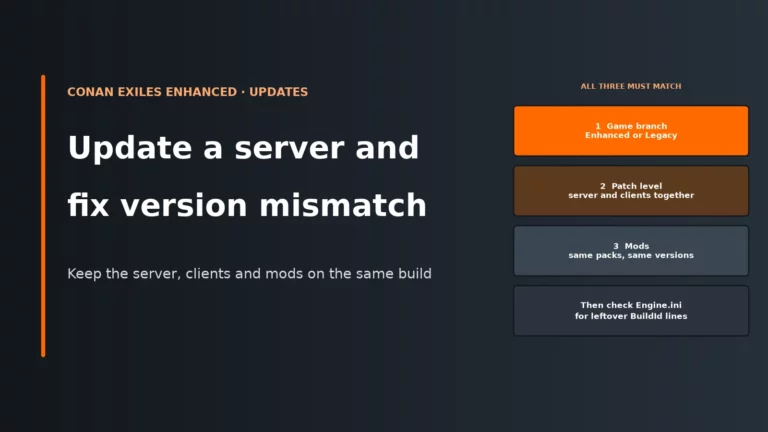
Players usually get the new Workshop version through Steam before the server does. Until the server updates its own copy and restarts, the game sees different content and blocks the join.
Legacy UE4 mods do not load on Conan Exiles Enhanced. After patch 2.2.0, mods also needed a fresh recook, so old uploads can look installed but still be unusable.
Before you start: check the version, protect the save, agree the list
Modding is only for private and community servers. Official Conan Exiles servers do not use Workshop mods, so if you are renting or running a server for friends, make sure you are working on the right kind of server first.
The next check is the branch. Conan Exiles Enhanced is the Unreal Engine 5 build and the default dedicated server branch on Steam. The old UE4 build sits on the conan-exiles-legacy beta branch. Server and players must be on the same version, and Enhanced only loads mods that have been rebuilt for Enhanced. If you are still sorting the base install, this guide pairs well with setting up a Conan Exiles dedicated server.
Before adding, removing or updating any mod, back up ConanSandbox/Saved/game_0.db. That file is your world save on Enhanced. The reason is simple: mods can add items, actors, building pieces or data that your save starts to depend on. If you later remove or replace that content, the save may still reference it. A backup gives you a clean rollback point instead of a damaged live world.
Also decide the mod list with your players before you touch the server. Constantly adding “just one more” mod increases startup time, RAM use and troubleshooting noise. A settled list means fewer restarts, fewer mismatches and much less uncertainty about which change caused a problem. If you are self-hosting and want to understand how extra mods affect the machine itself, the broader principles are the same as general game server hardware requirements.
Pre-flight checklist before adding a mod
| Check | Why it matters | What to do before you continue |
|---|---|---|
| Enhanced or Legacy? | Enhanced and Legacy do not share mod compatibility. | Confirm the server branch and make sure your players are on the same version. |
| Was the mod updated for Enhanced? | UE4 mods do not load on Enhanced. | Use only mods that were rebuilt and re-released for Enhanced. |
| Was it updated after 15 September 2026? | Patch 2.2.0 changed engine serialisation and forced a recook. | Check the Workshop update date before you add it. |
| Dependencies listed? | A dependant mod can fail or behave strangely if its required base mod is missing or below it. | Collect every dependency now and note the author’s order guidance. |
| Need web access? | A mod can load normally but fail silently if its web origin is not approved. | Be ready to edit ModHttp.ini after installation if the mod uses HTTP. |
| Save backed up? | Adding, updating and especially removing mods can affect existing world data. | Copy game_0.db before every mod change. |
| Enough headroom? | More mods usually means more RAM use and longer startup. | If the server is already close to its limits, tidy the list before adding more. |
If your current setup is already cramped, compare your options in our Conan Exiles server hosting comparison. For people running the server locally, the same planning applies when hosting a server on your own PC: mods are not just files, they are extra memory use, extra startup work and extra admin overhead.
If your current setup makes file access, restarts or Workshop updates awkward, it is worth comparing panels and management tools before you grow the mod list further.
Compare the best Conan Exiles server hostsHow mods reach a Conan server
The important idea is that Steam Workshop is only the source. The server does not hold a Workshop subscription of its own. Someone has to obtain the mod files, place the .pak files in the server’s Mods folder, then write or update modlist.txt so the server knows what to mount on boot.
There are three common ways to do that work.
| Route | Who downloads the mod | Who writes modlist.txt |
How updates usually happen |
|---|---|---|---|
| Host panel Workshop installer or mod manager | The panel or host-side tool | The panel, usually from your selected order | You trigger an update in the panel, then restart |
| Funcom Dedicated Server Launcher on Windows | The launcher through SteamCMD and Workshop handling | The launcher writes it for you | Run the update through the launcher, then restart |
| Manual upload by SFTP or file manager | You, from a subscribed PC | You | You upload fresh .pak copies, edit the list and restart |
| Route | Gets the .pak files | Writes modlist.txt | Updates the server | On rented servers |
|---|---|---|---|---|
| Host panel Workshop installer | Yes | Yes | Partly | Yes |
| Funcom Dedicated Server Launcher | Yes | Yes | Yes | No |
| Manual upload (SFTP or file manager) | No | No | No | Yes |
All three methods can work. The difference is not magic, only where the admin effort sits. Panel tools and the Windows launcher reduce manual typing, which cuts filename mistakes. Manual upload gives you full control, which is useful when you need to inspect a specific file, fix a typo in the list or deal with a mod that the panel failed to update properly.
Manual install: subscribe, copy the right files, then restart
Manual installation is the clearest way to understand the workflow, even if you later let a panel handle it. The Workshop item on your PC sits under steamapps/workshop/content/440900/<WorkshopID>/. Inside that numbered folder is the actual mod .pak file. That .pak is what the server needs. The numbered folder itself is not what the server loads.
- Subscribe to the mod on a PC that has the game installed.
- Let Steam finish downloading it.
- Open
steamapps/workshop/content/440900/and find the mod’s Workshop ID folder. - Open that folder and locate the
.pakfile. - Stop the Conan server before editing files or the mod list.
- Upload the
.pakfile intoConanSandbox/Mods/. Create theModsfolder if it is missing. - Do not upload the numbered Workshop folders, and do not rename the
.pak. - Edit
ConanSandbox/Mods/modlist.txtand add one entry per line. - Start the server and check the log for
LogModManager: Mounting mod pak file:lines.
Stopping the server first matters because Conan only reads the mod list at startup. Editing modlist.txt while it is running does not change what is mounted in memory. The server keeps using the old list until the next boot, so “I saved the file but nothing changed” is expected behaviour.
A simple modlist.txt for mods stored directly in the server’s Mods folder looks like this. These names are placeholders, so use your real filenames exactly as they appear on disk.
*FirstMod.pak
*DependencyMod.pak
*MapMod.pak
*SecondMod.pak
The log check is worth doing every time. It tells you what actually mounted, not what you intended to mount. That distinction matters because a typo in modlist.txt, a case mismatch on Linux or a renamed file can leave a mod absent even though the file appears to be “installed” in the folder.
The modlist.txt format, line by line
Each mod goes on its own line in ConanSandbox/Mods/modlist.txt. If the .pak file sits in the server’s Mods folder, the usual format is *FileName.pak. That leading asterisk is the common server-side style used by many host panels and guides because it refers to the local Mods directory cleanly.
Full file paths also work. Funcom’s Dedicated Server Launcher often writes entries as complete paths to the Workshop cache on the Windows machine that runs the server. That is fine for a Windows self-host where those paths really exist. It is not fine to copy a player’s own modlist.txt onto the server, because the paths in that file point to that player’s PC, not to your server.
This is why “I copied my client modlist and now nothing loads” is such a common admin mistake. The server is not checking what the player meant; it is trying to open the exact path written in the file. If that path does not exist on the server, the mod cannot mount.
- Use one line per mod.
- Match the filename exactly, including capital letters on Linux.
- Do not rename the
.pakjust to make it look tidier. - If you are converting a client list, change entries to the server-friendly
*Name.pakformat. - Edit the list while the server is stopped, then restart.
Linux case sensitivity deserves special attention. On Windows, a case mistake can go unnoticed. On Linux, *MyMod.pak and *mymod.pak are different names. If the file says one thing and modlist.txt says another, the server looks for a file that is not there and the mod stays unloaded.
On Enhanced, Legacy entries are not useful. Since Hotfix 1.0.1 on 6 May 2026, Legacy mods are ignored, and if active mods are modified those old entries are removed from modlist.txt. That behaviour helps, but it is still better admin practice to remove dead Legacy clutter yourself so the load order stays readable.
Load order: top loads first, the lower mod wins
Conan loads mods from top to bottom. When two mods alter the same asset or data, the one lower in the list loads later and overrides the earlier one. That is the core rule behind almost every “works alone, breaks in a pack” problem.
- The mod lower in modlist.txt wins
- Players need the same order as the server, not just the same mods
- After any reorder, restart the server and check the log
Think of load order as conflict resolution. The server mounts every listed .pak, but when content overlaps it still needs one final version to use. Later loading decides that winner. The benefit of understanding this is that you can place mods on purpose instead of shuffling them blindly after each mismatch or crash.
| Type of mod | Where it goes | Why |
|---|---|---|
| Map mod | At the top | Map mods set the base world context and are commonly expected to load first. |
| Dependency or library mod | Above the mod that depends on it | The dependant expects its required content to be available before it loads. |
| Standalone content mod with no noted conflicts | In the middle | These usually fit around major frameworks and maps without needing to win conflicts. |
| Patch or compatibility addon | Below the mods it is patching | It needs to load later so its conflict fixes actually override the earlier content. |
| Any mod with author-specified placement | Where the author says | Author notes normally reflect known conflicts or explicit dependency rules. |
If a server stops behaving after a reorder, revert to the last known good order and test again one change at a time. Reordering costs startup time and admin time more than player-facing performance, but random order experiments often create two problems at once: a dependency fault and an override conflict. Controlled changes are much easier to read in the logs.
Getting players in without MOD MISMATCH
For a player to join, the client must match the server’s mods, load order and mod versions. The game validates that content on join because the client and server need to agree on the same classes, assets and data. If they do not, the game blocks the connection instead of letting desynchronisation ruin the session.
In practice, players usually see a MOD MISMATCH screen with a Subscribe/Update All option. The client subscribes or updates through Steam, restarts, then attempts to reconnect. The first reconnect after that restart can fail, so tell players to join again once more before assuming the server is still broken.
To reduce confusion, share the exact ordered mod list with your group. A Workshop collection is useful for discovery, but an ordered text list is what settles admin arguments because order matters just as much as the contents. Some host panels also keep a ServerModList value in ServerSettings.ini in step with your server load order so clients can fetch the right mods automatically. That helps players, but the server itself still loads whatever is in modlist.txt.
- Same mods is not enough; order must match too.
- Version mismatch usually means the client updated first or the server updated first.
- After changing the list, expect every player to restart the game client if prompted.
- If one person alone cannot join, compare their order against the server list before blaming the save.
Updating mods safely after a Workshop change
Updates are where most modded Conan servers go wrong. Players’ Workshop copies on Steam usually update by themselves. The server’s copies do not. Until you update the server-side .pak files and restart, the client and server are on different builds and the join check fails. That is why a mod can work perfectly one evening and produce MOD MISMATCH the next morning without you changing anything in the panel.
The safe routine is straightforward because it keeps the save protected and the server state obvious.
- Announce a short maintenance window so players stop building during the change.
- Stop the server.
- Back up
ConanSandbox/Saved/game_0.db. - Update the server’s mod copies through your panel, launcher or manual upload route.
- Keep the filenames original and confirm
modlist.txtstill points to the right files in the right order. - Start the server.
- Check the log for mod mounting lines and test a join before declaring it done.
Patch 2.2.0 is a special case worth remembering. It moved Conan Exiles Enhanced onto Unreal Engine 5.8.2 with Iris networking changes and forced a recook of all mods because of engine serialisation changes. If a mod stopped working around that patch, or works on paper but behaves as incompatible in practice, check that its Workshop update date is after 15 September 2026. If it is older than that, the mod is still flagged as out of date and you need to wait for its author to recook it. Since the June 2026 patch, an incompatible mod shows a popup instead of crashing the game, so the warning itself tells you which mod to check.
The trade-off during updates is uptime versus consistency. Leaving the server online while clients auto-update gives people a bit more play time, but it almost guarantees a mismatch window. A short planned restart is cleaner than an evening of repeated join errors.
When a mod is “installed” but does nothing: ModHttp.ini
Some mods need to talk to a website or service, such as a Discord announcer or other web-driven tool. On a dedicated server, that web access is blocked until you allow specific origins in ModHttp.ini. So the mod can still load, appear in the list and mount normally, but its internet feature stays silent.
On Windows servers the file lives in ConanSandbox/Saved/Config/WindowsServer/. On Linux it is in LinuxServer/. The server log tells you what it wants by printing LogModHttp warnings with the exact lines to add. Approval is per mod, one section per mod, and the origin must match exactly as scheme://host:port.
The quoted value matters. Without quotes, the // in a web origin starts a comment and the line is ignored. That is why a web-enabled mod can look correctly configured at a glance but never actually send anything.
[MyMod]
AllowedOrigin="https://api.example.com"
AllowedOrigin="https://hooks.example.com:8443"

[AnotherMod]
AllowedOrigin="https://status.example.org"
The section names and addresses above are placeholders: copy the exact lines the LogModHttp warning gives you. A DeniedOrigin= line does the opposite and blocks an origin for that mod.
Restart after editing. This approval system exists for control and safety: you are explicitly allowing which remote origins each mod may reach from the server.
Removing a mod without making a mess
Removing a mod is riskier than adding one because the world may already contain data created by that mod. If buildings, items, stations or systems from the mod are present in the save, taking the mod away can leave missing references behind. That does not always destroy a world, but it is exactly the sort of change that deserves a backup first.
- Tell players what is being removed and when.
- Stop the server.
- Back up
game_0.db. - Remove the mod’s line from
modlist.txt. - Remove the mod’s
.pakfromConanSandbox/Mods/. - Restart and watch the log.
- Ask players to update their own load order if they keep the rest of the pack installed.
If you are unsure how deeply a mod is embedded in the world, treat the removal like an update with rollback ready. The resource cost here is mostly admin time rather than raw server performance, but that admin time is what saves you from having to restore a broken world later.
Troubleshooting mod installs, mismatches and failed boots
Use this as a first-pass fault table. Start with the simplest explanation that matches the symptom, because most Conan mod problems come from file placement, stale versions, order or version compatibility rather than anything exotic.
| Symptom | Likely cause | First fix |
|---|---|---|
| Players are stuck in a MOD MISMATCH loop | The server and clients do not have the same versions or order | Update the server’s mod copies, confirm modlist.txt order, restart, then have players use Subscribe/Update All and reconnect again if the first retry fails |
| The server will not start after adding mods | Bad mod, bad order, missing dependency or incompatible build | Rename modlist.txt so the server starts vanilla, then add mods back a few at a time and test |
| A mod file is present but not loading | The .pak is not listed correctly in modlist.txt |
Check for an exact filename match and look for LogModManager: Mounting mod pak file: in the log |
| A web or Discord mod is silent | Its origin is not approved in ModHttp.ini or the line is unquoted |
Read the LogModHttp warning, add the exact quoted AllowedOrigin entry and restart |
| Mismatch appears right after a Workshop update | Players updated automatically but the server still has the old copy | Update the server-side mod and restart |
| A mod worked before 2.2.0 but not now | It was never recooked for the post-2.2.0 build | Check the Workshop update date and use a version updated after 15 September 2026 |
| The mod was renamed to look tidy | Renamed mod .pak files may fail to load |
Restore the original filename and update modlist.txt to match it |
| The server is Linux and one mod still refuses to mount | Case mismatch between the filename and modlist.txt |
Match the capitalisation exactly |
If you are adding a new mod, the cleanest habit is to test one at a time. That costs a few extra restarts, but it saves far more time than trying to diagnose three simultaneous failures from one big batch upload.
Conan Exiles server FAQ
Do players need to install the mods themselves to join a modded Conan Exiles server?
Yes. Players need the same mods in the same order as the server, and on matching versions. The game can prompt them with Subscribe/Update All, but the join only succeeds once the client has downloaded the required Workshop files and restarted.
Why do my friends get a mod mismatch when joining my Conan Exiles server?
Most often, the server is using a different mod version or a different order from the clients. A Workshop update on Steam commonly updates players before the server, so the fix is usually to update the server’s mod copies and restart, then have players reconnect.
Do old Conan Exiles mods work on Enhanced?
No, not if they are still Legacy UE4 builds. Enhanced uses Unreal Engine 5, so authors had to upgrade, recook and republish their mods, and patch 2.2.0 forced another recook because of engine serialisation changes.
Do I have to restart the server after changing mods?
Yes. Conan only reads modlist.txt when the server starts, so adding, removing, reordering or updating mods does nothing until a restart. Stop the server before you edit the list so the change is deliberate and easy to verify in the log afterwards.
Can I use mods on official Conan Exiles servers?
No. Workshop mods are for private and community servers, not official ones. If you want a modded setup, you need your own rented or self-hosted dedicated server and control over its files and restart schedule.
More Conan Exiles and server modding guides
Our Conan Exiles host comparison and setup guide, plus mod guides for other survival games.
Written for Conan Exiles Enhanced after patch 2.2.0 and Hotfix 2.2.2 (September 2026). File paths and behaviour come from Funcom’s dedicated server documentation and patch notes, Inflexion’s modding docs and host mod guides.