

Project Zomboid SandboxVars.lua Settings Explained (Build 42)
SandboxVars.lua holds the rules of your Project Zomboid world: zombie numbers, loot, utilities and XP. Here is how the file is laid out, what the numbers mean, what a change does to a world already in play, and a searchable reference for all 269 settings.
The default file is servertest_SandboxVars.lua, but a custom -servername changes both the config set and the save name.
SandboxVars.lua changes the world rules. servertest.ini covers access, ports, save behaviour, mods and other server options.
Many settings are stored as numbers that map to menu choices. The reference below lists what every number means.
Zombie population, respawn, migration and corpse and item cleanup decide how much the server has to simulate and store as the world ages.
What SandboxVars.lua is, where it lives, and how it differs from servertest.ini
For a dedicated server, the sandbox file sits in the server config folder: on Windows that is C:\Users\<you>\Zomboid\Server, and on Linux it is ~/Zomboid/Server. With the default server name, the file is servertest_SandboxVars.lua. If you start the server with -servername NAME, the file becomes NAME_SandboxVars.lua, alongside NAME.ini, NAME_spawnpoints.lua and NAME_spawnregions.lua.
Use SandboxVars for world rules. Use the servertest.ini settings reference for connection, visibility, save, mods and general server behaviour. That split matters because servertest.ini can be reloaded with reloadoptions, but sandbox changes need a full restart.
| You want to change… | servertest.ini | SandboxVars.lua |
|---|---|---|
| Zombie numbers, respawn, migration | No | Yes |
| Loot amounts by category | No | Yes |
| Water and power shut-off, time, XP | No | Yes |
| PvP, safehouses, factions | Yes | No |
| Passwords, whitelist, max players | Yes | No |
| Mods and map load order | Yes | No |
| Applies without a restart | Yes | No |
The file is a Lua table, so the structure matters:
- It starts with
SandboxVars = {and ends with a matching}. - Each setting is written as
Key = value,. - Nested groups use their own braces, such as
ZombieConfig = { ... },ZombieLore = { ... }andMultiplierConfig = { ... }. - Numbers and booleans are not quoted. Text strings stay in quotes.
The most common mistakes that stop the server using the file are simple syntax errors: a missing comma between lines, a missing closing brace in a nested section, broken or mismatched quotes, or editing the wrong file for the active server name. Copy the file before you touch it. On a rented server, keep that copy on your own PC too, so a bad upload never leaves you guessing what changed.
How numbered option values work
Many sandbox settings are not stored as words like “Normal” or “Low”. They are stored as numbers that pick an option from the in-game menu. Host panels show the friendly label; the file stores the number. The lists below and in the reference table give every option’s meaning.
SandboxVars = {
    VERSION = 6,
    -- Default = Normal
    -- 1 = Insane, 2 = Very High, 3 = High
    -- 4 = Normal, 5 = Low, 6 = None
    Zombies = 4,
    -- Default = None
    -- 1 = High, 2 = Normal, 3 = Low, 4 = None
    ZombieRespawn = 4,
}
That means Zombies = 4 is not “four times the zombies”. It means “use the preset labelled Normal”. Read every number as a raw amount and you will get the world wrong. Notice too that a higher number can mean fewer zombies.
Build 42 also mixes preset choices with advanced values. A top-level preset such as Zombies also sets the advanced PopulationMultiplier under ZombieConfig: Insane is 2.5, Very High 1.6, High 1.2, Normal 0.65, Low 0.15 and None 0. Type your own number into PopulationMultiplier and that custom value is what the world uses. The rest of the file follows the same pattern: some lines pick a menu option, some are true or false, and some are plain multipliers, hours or days.
Practical rule: read the comment first, then decide whether you want the preset choice or the advanced field beneath it. If you use a host panel editor, save once and open the file afterwards to see which lines it changed.
Every SandboxVars setting, by group
Search any key or word below. Each group opens on its own, and the nested groups are listed separately. Keep the structure in mind as you edit: top-level settings cover broad world rules, while nested groups such as ZombieConfig, ZombieLore, Map and MultiplierConfig hold the detailed controls.
Zombie population and spread (5)
| Setting | Default | Values | What it does |
|---|---|---|---|
Zombies | 4 (Normal) | 1 = Insane, 2 = Very High, 3 = High, 4 = Normal, 5 = Low, 6 = None | Changing this also sets the "Population Multiplier" in Advanced Zombie Options. |
Distribution | 1 (Urban Focused) | 1 = Urban Focused, 2 = Uniform | How zombies are distributed across the map. |
ZombieVoronoiNoise | true | true / false | Controls whether some randomization is applied to zombie distribution. |
ZombieRespawn | 4 (None) | 1 = High, 2 = Normal, 3 = Low, 4 = None | How frequently new zombies are added to the world. |
ZombieMigrate | true | true / false | Zombie allowed to migrate to empty cells. |
Time, calendar and climate (16)
| Setting | Default | Values | What it does |
|---|---|---|---|
DayLength | 4 (1 Hour, 30 Minutes) | 1 = 15 Minutes, 2 = 30 Minutes … 27 = Real-time | – |
StartYear | 1 | – | – |
StartMonth | 7 (July) | 1 = January, 2 = February … 12 = December | Month in which the game starts. |
StartDay | 9 | – | Day of the month in which the games starts. |
StartTime | 2 (9 AM) | 1 = 7 AM, 2 = 9 AM … 9 = 5 AM | Hour of the day in which the game starts. |
DayNightCycle | 1 (Normal) | 1 = Normal, 2 = Endless Day, 3 = Endless Night | Whether the time of day changes naturally, or it's always day/night. |
ClimateCycle | 1 (Normal) | 1 = Normal, 2 = No Weather, 3 = Endless Rain, 4 = Endless Storm, 5 = Endless Snow, 6 = Endless Blizzard | Whether weather changes or remains at a single state. |
FogCycle | 1 (Normal) | 1 = Normal, 2 = No Fog, 3 = Endless Fog | Whether fog occurs naturally, never occurs, or is always present. |
Temperature | 3 (Normal) | 1 = Very Cold, 2 = Cold, 3 = Normal, 4 = Hot, 5 = Very Hot | The global temperature. |
Rain | 3 (Normal) | 1 = Very Dry, 2 = Dry, 3 = Normal, 4 = Rainy, 5 = Very Rainy | How often it rains. |
TimeSinceApo | 1 (0) | 1 = 0, 2 = 1 … 13 = 12 | How long after the end of the world to begin. This will affect starting world erosion and food spoilage. Does not affect the starting date. |
NightDarkness | 3 (Normal) | 1 = Pitch Black, 2 = Dark, 3 = Normal, 4 = Bright | The level of ambient lighting at night. |
NightLength | 3 (Normal) | 1 = Always Night, 2 = Long, 3 = Normal, 4 = Short, 5 = Always Day | The time from dusk to dawn. |
MaxFogIntensity | 1 (Normal) | 1 = Normal, 2 = Moderate, 3 = Low, 4 = None | Maximum intensity of fog. |
MaxRainFxIntensity | 1 (Normal) | 1 = Normal, 2 = Moderate, 3 = Low | Maximum intensity of rain. |
EnableSnowOnGround | true | true / false | If snow will accumulate on the ground. If disabled, snow will still show on vegetation and rooftops. |
Water, power and alarms (12)
| Setting | Default | Values | What it does |
|---|---|---|---|
WaterShut | 2 (0 – 30 Days) | 1 = Instant, 2 = 0 – 30 Days … 9 = Disabled | How long after the default start date (July 9, 1993) that plumbing fixtures (eg. sinks) stop being infinite sources of water. |
ElecShut | 2 (14 – 30 Days) | 1 = Instant, 2 = 14 – 30 Days … 9 = Disabled | How long after the default start date (July 9, 1993) that the world's electricity turns off for good. |
AlarmDecay | 2 (0 – 30 Days) | 1 = Instant, 2 = 0 – 30 Days, 3 = 0 – 2 Months, 4 = 0 – 6 Months, 5 = 0 – 1 Year, 6 = 0 – 5 Years | How long alarm batteries can last for after the power shuts off. |
WaterShutModifier | 14 | -1 to 2147483647 | How long after the default start date (July 9, 1993) that plumbing fixtures (eg. sinks) stop being infinite sources of water. |
ElecShutModifier | 14 | -1 to 2147483647 | How long after the default start date (July 9, 1993) that the world's electricity turns off for good. |
AlarmDecayModifier | 14 | -1 to 2147483647 | How long alarm batteries can last for after the power shuts off. |
GeneratorFuelConsumption | 0.1 | 0.00 to 100.00 | How much fuel is consumed by generators per in-game hour. |
GeneratorSpawning | 4 (Rare) | 1 = None (not recommended), 2 = Insanely Rare, 3 = Extremely Rare, 4 = Rare, 5 = Normal, 6 = Common, 7 = Abundant | The chance of electrical generators spawning on the map. |
AllowExteriorGenerator | true | true / false | If enabled, generators will work on exterior tiles. This will allow, for example, the powering of gas pumps. |
LightBulbLifespan | 2.0 | 0.00 to 1000.00 | The higher the value, the longer lightbulbs last before breaking. If 0, lightbulbs will never break. Does not affect vehicle headlights. |
GeneratorTileRange | 20 | 1 to 100 | – |
GeneratorVerticalPowerRange | 3 | 1 to 15 | How many levels both above and below a generator it can provide with electricity. |
Loot amounts and rarity (41)
| Setting | Default | Values | What it does |
|---|---|---|---|
FoodLootNew | 0.8 | 0.00 to 4.00 | Any food that can rot or spoil. |
LiteratureLootNew | 0.6 | 0.00 to 4.00 | All other items that can be read, including books, fliers, and newspapers. |
SkillBookLoot | 0.6 | 0.00 to 4.00 | Books that provide skill XP multipliers. |
RecipeResourceLoot | 0.6 | 0.00 to 4.00 | Items that teach recipes. |
MedicalLootNew | 0.6 | 0.00 to 4.00 | Medicine, bandages and first aid tools. |
SurvivalGearsLootNew | 0.6 | 0.00 to 4.00 | Fishing Rods, Tents, camping gear etc. |
CannedFoodLootNew | 0.6 | 0.00 to 4.00 | Canned and dried food, beverages. |
WeaponLootNew | 0.6 | 0.00 to 4.00 | Weapons that are not tools in other categories. |
RangedWeaponLootNew | 1.2 | 0.00 to 4.00 | Also includes weapon attachments. |
AmmoLootNew | 0.6 | 0.00 to 4.00 | Loose ammo, boxes and magazines. |
MechanicsLootNew | 0.6 | 0.00 to 4.00 | Vehicle parts and the tools needed to install them. |
OtherLootNew | 0.8 | 0.00 to 4.00 | Everything else. Also affects foraging for all items in Town/Road zones. |
ClothingLootNew | 0.6 | 0.00 to 4.00 | All wearable items that are not containers. |
ContainerLootNew | 0.6 | 0.00 to 4.00 | Backpacks and other wearable/equippable containers, eg. cases. |
KeyLootNew | 0.4 | 0.00 to 4.00 | Keys for buildings/cars, key rings, and locks. |
MediaLootNew | 0.6 | 0.00 to 4.00 | VHS tapes and CDs. |
MementoLootNew | 0.6 | 0.00 to 4.00 | Spiffo items, plushies, and other collectible keepsake items eg. Photos. |
CookwareLootNew | 0.6 | 0.00 to 4.00 | Items that are used in cooking, including those (eg. knives) which can be weapons. Does not include food. Includes both usable and unusable items. |
MaterialLootNew | 0.6 | 0.00 to 4.00 | Items and weapons that are used as ingredients for crafting or building. This is a general category that does not include items belonging to other categories such as Cookware or Medical. Does not include Tools. |
FarmingLootNew | 0.6 | 0.00 to 4.00 | Items and weapons which are used in both animal and plant agriculture, such as Seeds, Trowels, or Shovels. |
ToolLootNew | 0.6 | 0.00 to 4.00 | Items and weapons which are Tools but don't fit in other categories such as Mechanics or Farming. |
RollsMultiplier | 1.0 | 0.10 to 100.00 | Can be used to adjust the number of rolls made on loot tables when spawning loot. Will not reduce the number of rolls below 1. Can negatively affect performance if set to high values. It is highly recommended that this not be changed. |
LootItemRemovalList | empty | – | A comma-separated list of item types that won't spawn as ordinary loot. |
RemoveStoryLoot | false | true / false | If enabled, items on the Loot Item Removal List, or that have their rarity set to 'None', will not spawn in randomised world stories. |
RemoveZombieLoot | false | true / false | If enabled, items on the Loot Item Removal List, or that have their rarity set to 'None', will not spawn worn by, or attached to, zombies. |
ZombiePopLootEffect | 0 | 0 to 20 | If greater than 0, the spawn of loot is increased relative to the number of nearby zombies, with the effect multiplied by this number. |
InsaneLootFactor | 0.05 | 0.00 to 0.20 | – |
ExtremeLootFactor | 0.2 | 0.05 to 0.60 | – |
RareLootFactor | 0.6 | 0.20 to 1.00 | – |
NormalLootFactor | 1.0 | 0.60 to 2.00 | – |
CommonLootFactor | 2.0 | 1.00 to 3.00 | – |
AbundantLootFactor | 3.0 | 2.00 to 4.00 | – |
Alarm | 4 (Sometimes) | 1 = Never, 2 = Extremely Rare, 3 = Rare, 4 = Sometimes, 5 = Often, 6 = Very Often | How likely the player is to activate a house alarm when breaking into a new house. |
LockedHouses | 6 (Very Often) | 1 = Never, 2 = Extremely Rare, 3 = Rare, 4 = Sometimes, 5 = Often, 6 = Very Often | How frequently the doors of homes and buildings will be locked when discovered. |
AnnotatedMapChance | 4 (Sometimes) | 1 = Never, 2 = Extremely Rare, 3 = Rare, 4 = Sometimes, 5 = Often, 6 = Very Often | How often a looted map will have notes on it, written by a deceased survivor. |
SurvivorHouseChance | 3 (Rare) | 1 = Never, 2 = Extremely Rare, 3 = Rare, 4 = Sometimes, 5 = Often, 6 = Very Often, 7 = Always Tries | The chance of finding randomized buildings on the map (eg. burnt out houses, ones containing loot stashes or dead bodies). |
VehicleStoryChance | 3 (Rare) | 1 = Never, 2 = Extremely Rare, 3 = Rare, 4 = Sometimes, 5 = Often, 6 = Very Often, 7 = Always Tries | The chance of road stories (eg. police roadblocks) spawning. |
ZoneStoryChance | 3 (Rare) | 1 = Never, 2 = Extremely Rare, 3 = Rare, 4 = Sometimes, 5 = Often, 6 = Very Often, 7 = Always Tries | The chance of stories specific to map zones (eg. a campsite in a forest) spawning. |
MaximumLootedBuildingRooms | 50 | 0 to 200 | If a building has more than this amount of rooms it will not be looted. |
MaximumLooted | 25 | 0 to 200 | The chance that any building will already be looted when found. Check the "Advanced" box below to use a custom number. |
RuralLooted | 0.5 | 0.00 to 2.00 | The chance that any rural building will already be looted when found. Check the "Advanced" box below to use a custom number. |
Loot respawn and item clean-up (10)
| Setting | Default | Values | What it does |
|---|---|---|---|
SeenHoursPreventLootRespawn | 0 | 0 to 2147483647 | When greater than 0, loot will not respawn in zones that have been visited within this number of in-game hours. |
HoursForLootRespawn | 0 | 0 to 2147483647 | When greater than 0, after X hours, all containers in towns and trailer parks in the world will respawn loot. To spawn loot a container must have been looted at least once. Loot respawn is not impacted by visibility or subsequent looting. |
MaxItemsForLootRespawn | 5 | 0 to 2147483647 | Containers with a number of items greater, or equal to, this setting will not respawn. |
ConstructionPreventsLootRespawn | true | true / false | Items will not respawn in buildings that players have barricaded or built in. |
WorldItemRemovalList | Base.Hat, Base.Glasses, Base… | – | A comma-separated list of item types that will be removed after HoursForWorldItemRemoval hours. |
HoursForWorldItemRemoval | 24.0 | 0.00 to 2147483647.00 | Number of hours since an item was dropped on the ground before it is removed. Items are removed the next time that part of the map is loaded. Zero means items are not removed. |
ItemRemovalListBlacklistToggle | false | true / false | If true, any items *not* in WorldItemRemovalList will be removed. |
HoursForCorpseRemoval | 216.0 | -1.00 to 2147483647.00 | How long, in hours, before dead zombie bodies disappear from the world. If 0, maggots will not spawn on corpses. |
DaysForRottenFoodRemoval | -1 | -1 to 2147483647 | Number of in-game days before rotten food is removed from the map. -1 means rotten food is never removed. |
BloodSplatLifespanDays | 0 | 0 to 365 | Number of days before old blood splats are removed. Removal happens when map chunks are loaded. 0 means they will never disappear. |
Nature, farming and food (15)
| Setting | Default | Values | What it does |
|---|---|---|---|
ErosionSpeed | 4 (Slow (200 Days)) | 1 = Very Fast (20 Days), 2 = Fast (50 Days), 3 = Normal (100 Days), 4 = Slow (200 Days), 5 = Very Slow (500 Days) | Number of days until the erosion system (which adds vines, long grass, new trees etc. to the world) will reach 100% growth. |
ErosionDays | 0 | -1 to 36500 | For a custom Erosion Speed. Zero means use the Erosion Speed option. Maximum is 36,500 days (approximately 100 years). |
Farming | 3 (Normal) | 1 = Very Fast, 2 = Fast, 3 = Normal, 4 = Slow, 5 = Very Slow | The speed of plant growth. |
CompostTime | 2 (2 Weeks) | 1 = 1 Week, 2 = 2 Weeks, 3 = 3 Weeks, 4 = 4 Weeks, 5 = 6 Weeks, 6 = 8 Weeks, 7 = 10 Weeks, 8 = 12 Weeks | How long it takes for food to break down in a composter. |
NatureAbundance | 3 (Normal) | 1 = Very Poor, 2 = Poor, 3 = Normal, 4 = Abundant, 5 = Very Abundant | The abundance of items found in Foraging mode. |
Nutrition | true | true / false | Nutritional value of food affects the player's condition. Turning this off will stop the player gaining or losing weight. |
FoodRotSpeed | 3 (Normal) | 1 = Very Fast, 2 = Fast, 3 = Normal, 4 = Slow, 5 = Very Slow | How fast that food will spoil, inside or outside of a fridge. |
FridgeFactor | 3 (Normal) | 1 = Very Low, 2 = Low, 3 = Normal, 4 = High, 5 = Very High, 6 = No decay | How effective a fridge will be at keeping food fresh for longer. |
PlantResilience | 3 (Normal) | 1 = Very High, 2 = High, 3 = Normal, 4 = Low, 5 = Very Low | How much water plants will lose per day, and their ability to avoid disease. |
PlantAbundance | 3 (Normal) | 1 = Very Poor, 2 = Poor, 3 = Normal, 4 = Abundant, 5 = Very Abundant | The yield of plants when harvested. |
FishAbundance | 2 (Poor) | 1 = Very Poor, 2 = Poor, 3 = Normal, 4 = Abundant, 5 = Very Abundant | The abundance of fish in rivers and lakes. |
KillInsideCrops | true | true / false | When enabled, crops and herbs grown inside buildings will die. Does not affect houseplants. |
PlantGrowingSeasons | true | true / false | When enabled, the growth of plants is affected by seasons. |
FarmingSpeedNew | 1.0 | 0.10 to 100.00 | The speed of plant growth. |
FarmingAmountNew | 1.0 | 0.10 to 10.00 | The abundance of harvested crops. |
Vehicles and fuel (21)
| Setting | Default | Values | What it does |
|---|---|---|---|
EnableVehicles | true | true / false | If vehicles will spawn. |
CarSpawnRate | 3 (Low) | 1 = None, 2 = Very Low, 3 = Low, 4 = Normal, 5 = High | How frequently vehicles can be discovered on the map. |
ZombieAttractionMultiplier | 1.0 | 0.00 to 100.00 | General engine loudness to zombies. |
VehicleEasyUse | false | true / false | Whether found vehicles are locked, need keys to start etc. |
InitialGas | 2 (Low) | 1 = Very Low, 2 = Low, 3 = Normal, 4 = High, 5 = Very High, 6 = Full | How full the gas tank of discovered vehicles will be. |
FuelStationGasInfinite | false | true / false | If enabled, gas pumps will never run out of fuel |
FuelStationGasMin | 0.0 | 0.00 to 1.00 | The minimum amount of gasoline that can spawn in gas pumps. Check the "Advanced" box below to use a custom amount. |
FuelStationGasMax | 0.8 | 0.00 to 1.00 | The maximum amount of gasoline that can spawn in gas pumps. Check the "Advanced" box below to use a custom amount. |
FuelStationGasEmptyChance | 20 | 0 to 100 | The chance, as a percentage, that individual gas pumps will initially have no fuel. |
LockedCar | 4 (Sometimes) | 1 = Never, 2 = Extremely Rare, 3 = Rare, 4 = Sometimes, 5 = Often, 6 = Very Often | How likely cars will be locked |
CarGasConsumption | 1.0 | 0.00 to 100.00 | How gas-hungry vehicles are. |
CarGeneralCondition | 3 (Normal) | 1 = Very Low, 2 = Low, 3 = Normal, 4 = High, 5 = Very High | General condition discovered vehicles will be in. |
CarDamageOnImpact | 3 (Normal) | 1 = Very Low, 2 = Low, 3 = Normal, 4 = High, 5 = Very High | The amount of damage dealt to vehicles that crash. |
DamageToPlayerFromHitByACar | 1 (None) | 1 = None, 2 = Low, 3 = Normal, 4 = High, 5 = Very High | Damage received by the player from being crashed into. |
TrafficJam | true | true / false | If traffic jams consisting of wrecked cars will appear on main roads. |
CarAlarm | 3 (Rare) | 1 = Never, 2 = Extremely Rare, 3 = Rare, 4 = Sometimes, 5 = Often, 6 = Very Often | How frequently discovered vehicles have active alarms. |
PlayerDamageFromCrash | true | true / false | If the player can get injured from being in a car accident. |
SirenShutoffHours | 0.0 | 0.00 to 168.00 | How many in-game hours before a wailing siren shuts off. |
ChanceHasGas | 2 (Normal) | 1 = Low, 2 = Normal, 3 = High | The chance of finding a vehicle with gas in its tank. |
RecentlySurvivorVehicles | 2 (Low) | 1 = None, 2 = Low, 3 = Normal, 4 = High | Whether a player can discover a car that has been cared for after the Knox infection struck. |
SirenEffectsZombies | true | true / false | If zombies will head towards the sound of vehicle sirens. |
Animals and vermin (16)
| Setting | Default | Values | What it does |
|---|---|---|---|
AnimalStatsModifier | 4 (Normal) | 1 = Ultra Fast, 2 = Very Fast, 3 = Fast, 4 = Normal, 5 = Slow, 6 = Very Slow | Speed at which animals stats (hunger, thirst etc.) reduce. |
AnimalMetaStatsModifier | 4 (Normal) | 1 = Ultra Fast, 2 = Very Fast, 3 = Fast, 4 = Normal, 5 = Slow, 6 = Very Slow | Speed at which animals stats (hunger, thirst etc.) reduce while in meta. |
AnimalPregnancyTime | 4 (Normal) | 1 = Ultra Fast, 2 = Very Fast, 3 = Fast, 4 = Normal, 5 = Slow, 6 = Very Slow | How long animals will be pregnant for before giving birth. |
AnimalAgeModifier | 4 (Normal) | 1 = Ultra Fast, 2 = Very Fast, 3 = Fast, 4 = Normal, 5 = Slow, 6 = Very Slow | Speed at which animals age. |
AnimalMilkIncModifier | 4 (Normal) | 1 = Ultra Fast, 2 = Very Fast, 3 = Fast, 4 = Normal, 5 = Slow, 6 = Very Slow | – |
AnimalWoolIncModifier | 4 (Normal) | 1 = Ultra Fast, 2 = Very Fast, 3 = Fast, 4 = Normal, 5 = Slow, 6 = Very Slow | – |
AnimalRanchChance | 5 (Often) | 1 = Never, 2 = Extremely Rare, 3 = Rare, 4 = Sometimes, 5 = Often, 6 = Very Often, 7 = Always | The chance of finding animals in farm. |
AnimalGrassRegrowTime | 240 | 1 to 9999 | The number of hours grass will regrow after being eaten by an animal or cut by the player. |
AnimalMetaPredator | false | true / false | If a meta (ie. not actually visible in-game) fox may attack your chickens if the hutch's door is left open at night. |
AnimalMatingSeason | true | true / false | If on, animals will only mate during their breeding season (if any). Otherwise they can reproduce/lay eggs all year round. |
AnimalEggHatch | 4 (Normal) | 1 = Ultra Fast, 2 = Very Fast, 3 = Fast, 4 = Normal, 5 = Slow, 6 = Very Slow | How long before baby animals will hatch from eggs. |
AnimalSoundAttractZombies | true | true / false | If true, animal calls will attract nearby zombies. |
AnimalTrackChance | 4 (Sometimes) | 1 = Never, 2 = Extremely Rare, 3 = Rare, 4 = Sometimes, 5 = Often, 6 = Very Often | The chance of animals leaving tracks. |
AnimalPathChance | 4 (Sometimes) | 1 = Never, 2 = Extremely Rare, 3 = Rare, 4 = Sometimes, 5 = Often, 6 = Very Often | The chance of creating a path for animals to be hunted. |
MaximumRatIndex | 25 | 0 to 50 | The frequency and intensity of eg. rats in infested buildings. |
DaysUntilMaximumRatIndex | 90 | 0 to 365 | How long it takes for the Maximum Vermin Index to be reached. |
Survivors, events and everything else (47)
| Setting | Default | Values | What it does |
|---|---|---|---|
StatsDecrease | 3 (Normal) | 1 = Very Fast, 2 = Fast, 3 = Normal, 4 = Slow, 5 = Very Slow | How fast the player's hunger, thirst, and fatigue will decrease. |
StarterKit | false | true / false | Spawn with Chips, a Water Bottle, a Small Backpack, a Baseball Bat, and a Hammer. |
EndRegen | 3 (Normal) | 1 = Very Fast, 2 = Fast, 3 = Normal, 4 = Slow, 5 = Very Slow | Recovery from being tired after performing actions. |
Helicopter | 2 (Once) | 1 = Never, 2 = Once, 3 = Sometimes, 4 = Often | How regularly a helicopter passes over the Event Zone. |
MetaEvent | 2 (Sometimes) | 1 = Never, 2 = Sometimes, 3 = Often | How often zombie-attracting metagame events like distant gunshots will occur. |
SleepingEvent | 1 (Never) | 1 = Never, 2 = Sometimes, 3 = Often | How often events during the player's sleep, like nightmares, occur. |
CharacterFreePoints | 0 | -100 to 100 | Adds free points during character creation. |
ConstructionBonusPoints | 3 (Normal) | 1 = Very Low, 2 = Low, 3 = Normal, 4 = High, 5 = Very High | Gives player-built constructions extra hit points so they are more resistant to zombie damage. |
BoneFracture | true | true / false | If survivors can get broken limbs from impacts, zombie damage, falls etc. |
InjurySeverity | 2 (Normal) | 1 = Low, 2 = Normal, 3 = High | The impact that injuries have on your body, and their healing time. |
DecayingCorpseHealthImpact | 3 (Normal) | 1 = None, 2 = Low, 3 = Normal, 4 = High, 5 = Insane | The impact that nearby decaying bodies has on the player's health and emotions. |
ZombieHealthImpact | false | true / false | Whether nearby "living" zombies have the same impact on the player's health and emotions. |
BloodLevel | 3 (Normal) | 1 = None, 2 = Low, 3 = Normal, 4 = High, 5 = Ultra Gore | How much blood is sprayed on floors and walls by injuries. |
ClothingDegradation | 3 (Normal) | 1 = Disabled, 2 = Slow, 3 = Normal, 4 = Fast | How quickly clothing degrades, becomes dirty, and bloodied. |
FireSpread | true | true / false | If fires spread when started. |
AttackBlockMovements | true | true / false | If melee attacking slows you down. |
AllClothesUnlocked | false | true / false | Allows you to select from every piece of clothing in the game when customizing your character |
EnableTaintedWaterText | true | true / false | If tainted water will show a warning marking it as such. |
MultiHitZombies | false | true / false | If certain melee weapons will be able to strike multiple zombies in one hit. |
RearVulnerability | 3 (High) | 1 = Low, 2 = Medium, 3 = High | Chance of being bitten when a zombie attacks from behind. |
MetaKnowledge | 3 (Completely hidden) | 1 = Fully revealed, 2 = Shown as ???, 3 = Completely hidden | If a piece of media hasn't been fully seen or read, this setting determines whether it's displayed fully, displayed as "???", or hidden completely. |
SeeNotLearntRecipe | true | true / false | If true, you will be able to see any recipes that can be done with a station, even if you haven't learnt them yet. |
EnablePoisoning | 1 (True) | 1 = True, 2 = False, 3 = Only bleach poisoning is disabled | If poison can be added to food. |
MaggotSpawn | 1 (In and Around Bodies) | 1 = In and Around Bodies, 2 = In Bodies Only, 3 = Never | If/when maggots can spawn in corpses. |
LevelForMediaXPCutoff | 3 | 0 to 10 | When a skill is at this level or above, television/VHS/other media will not provide XP for it. |
LevelForDismantleXPCutoff | 0 | 0 to 10 | When a skill is at this level or above, scrapping furniture does not provide XP for the relevant skill. Does not apply to Electrical. |
LiteratureCooldown | 45 | 1 to 365 | Number of days before one can benefit from reading previously read literature items. |
NegativeTraitsPenalty | 1 (None) | 1 = None, 2 = 1 point penalty for every 3 negative traits selected, 3 = 1 point penalty for every 2 negative traits selected, 4 = 1 point penalty for every negative trait selected after the first | If there are diminishing returns on bonus trait points provided from selecting multiple negative traits. |
MinutesPerPage | 2.0 | 0.00 to 60.00 | The number of in-game minutes it takes to read one page of a skill book. |
PlaceDirtAboveground | false | true / false | When enabled, dirt can be placed, and farming performed on other than the ground level. |
DaysUntilMaximumLooted | 90 | 0 to 3650 | How long it takes for Maximum Looted Building Chance to be reached. |
MaximumDiminishedLoot | 20 | 0 to 100 | The maximum loot that won't spawn when Days Until Maximum Diminished Loot is reached. Check the "Advanced" box below to use an exact percentage. |
DaysUntilMaximumDiminishedLoot | 3650 | 0 to 3650 | How long it takes for Maximum Diminished Loot Percentage to be reached. |
MuscleStrainFactor | 0.7 | 0.00 to 10.00 | Functions as a multiplier when applying muscle strain from swinging weapons or carrying heavy loads. |
DiscomfortFactor | 0.8 | 0.00 to 10.00 | Functions as a multiplier when applying discomfort from worn items. |
WoundInfectionFactor | 1.0 | 0.00 to 10.00 | If greater than zero damage can be taken from serious wound infections. |
NoBlackClothes | true | true / false | If true clothing with randomized tints will not be so dark to be virtually black. |
EasyClimbing | false | true / false | Disables the failure chances when climbing sheet ropes or over walls. |
MaximumFireFuelHours | 8 | 1 to 168 | The maximum hours of fuel that can be placed in a campfire, wood stove etc. |
FirearmUseDamageChance | 2 (Zombies only) | 1 = Disabled, 2 = Zombies only, 3 = All types of target | Replaces Chance-To-Hit mechanics with Chance-To-Damage calculations. This mode prioritizes player aiming. |
FirearmNoiseMultiplier | 1.0 | 0.20 to 2.00 | A multiplier for the distance at which zombies can hear gunshots. |
FirearmJamMultiplier | 1.0 | 0.00 to 10.00 | Multiplier for firearm jamming chance. 0 disables jamming. |
FirearmMoodleMultiplier | 1.0 | 0.00 to 10.00 | Multiplier for Moodle effects on hit chance. 0 disables Moodle penalty. |
FirearmWeatherMultiplier | 1.0 | 0.00 to 10.00 | Multiplier for the effects of weather (wind, rain and fog) on hit chance. 0 disables weather effect. |
FirearmHeadGearEffect | true | true / false | Enable to have headgear like welding masks affect hit chance |
ClayLakeChance | 0.05 | 0.00 to 1.00 | Chance to turn a dirt floor into a clay floor. Applies to lakes. |
ClayRiverChance | 0.05 | 0.00 to 1.00 | Chance to turn a dirt floor into a clay floor. Applies to rivers. |
Basement (1)
| Setting | Default | Values | What it does |
|---|---|---|---|
SpawnFrequency | 4 (Sometimes) | 1 = Never, 2 = Extremely Rare, 3 = Rare, 4 = Sometimes, 5 = Often, 6 = Very Often, 7 = Always | How frequently basements spawn at random locations. |
Map: in-game map options (4)
| Setting | Default | Values | What it does |
|---|---|---|---|
AllowMiniMap | false | true / false | If enabled, a mini-map window will be available. |
AllowWorldMap | true | true / false | If enabled, the world map can be accessed. |
MapAllKnown | false | true / false | If enabled, the world map will be completely filled in on starting the game. |
MapNeedsLight | true | true / false | If enabled, maps can't be read unless there's a source of light available. |
ZombieLore: how zombies behave (29)
| Setting | Default | Values | What it does |
|---|---|---|---|
Speed | 4 (Random) | 1 = Sprinters, 2 = Fast Shamblers, 3 = Shamblers, 4 = Random | How fast zombies move. |
SprinterPercentage | 0 | 0 to 100 | If Random Speed is enabled, this controls what percentage of zombies are Sprinters. Check the "Advanced" box below to use a custom percentage. |
Strength | 2 (Normal) | 1 = Superhuman, 2 = Normal, 3 = Weak, 4 = Random | The damage zombies inflict per attack. |
Toughness | 4 (Random) | 1 = Tough, 2 = Normal, 3 = Fragile, 4 = Random | The difficulty of killing a zombie. |
Transmission | 1 (Blood and Saliva) | 1 = Blood and Saliva, 2 = Saliva Only, 3 = Everyone's Infected, 4 = None | How the Knox Virus spreads. |
Mortality | 5 (2-3 Days) | 1 = Instant, 2 = 0-30 Seconds, 3 = 0-1 Minutes, 4 = 0-12 Hours, 5 = 2-3 Days, 6 = 1-2 Weeks, 7 = Never | How quickly the infection takes effect. |
Reanimate | 3 (0-1 Minutes) | 1 = Instant, 2 = 0-30 Seconds, 3 = 0-1 Minutes, 4 = 0-12 Hours, 5 = 2-3 Days, 6 = 1-2 Weeks | How quickly infected corpses rise as zombies. |
Cognition | 3 (Basic Navigation) | 1 = Navigate and Use Doors, 2 = Navigate, 3 = Basic Navigation, 4 = Random | Zombie intelligence. |
DoorOpeningPercentage | 0 | 0 to 100 | – |
CrawlUnderVehicle | 5 (Often) | 1 = Crawlers Only, 2 = Extremely Rare, 3 = Rare, 4 = Sometimes, 5 = Often, 6 = Very Often, 7 = Always | How often zombies can crawl under parked vehicles. |
Memory | 2 (Normal) | 1 = Long, 2 = Normal, 3 = Short, 4 = None, 5 = Random, 6 = Random between Normal and None | How long zombies remember a player after seeing or hearing them. |
Sight | 5 (Random between Normal and Poor) | 1 = Eagle, 2 = Normal, 3 = Poor, 4 = Random, 5 = Random between Normal and Poor | Zombie vision radius. |
Hearing | 5 (Random between Normal and Poor) | 1 = Pinpoint, 2 = Normal, 3 = Poor, 4 = Random, 5 = Random between Normal and Poor | Zombie hearing radius. |
SpottedLogic | true | true / false | Activates the new advanced stealth mechanics, which allows you to hide from zombies behind cars, takes traits and weather into account, and much more. |
ThumpNoChasing | false | true / false | If zombies that have not seen/heard player can attack doors and constructions while roaming. |
ThumpOnConstruction | true | true / false | If zombies can destroy player constructions and defenses. |
ActiveOnly | 1 (Both) | 1 = Both, 2 = Night, 3 = Day | Whether zombies are more "active" during the day or night. "Active" zombies will use the speed set in the "Speed" setting. "Inactive" zombies will be slower, and tend not to give chase. |
TriggerHouseAlarm | true | true / false | If zombies trigger house alarms when breaking through windows or doors. |
ZombiesDragDown | true | true / false | If multiple attacking zombies can drag you down and kill you. Dependent on zombie strength. |
ZombiesCrawlersDragDown | false | true / false | If crawler zombies beside a player contribute to the chance of being dragged down and killed by a group of zombies. |
ZombiesFenceLunge | true | true / false | If zombies have a chance to lunge at you after climbing over a fence or through a window if you're too close. |
ZombiesArmorFactor | 2.0 | 0.00 to 100.00 | Serves as a multiplier when determining the effectiveness of armor worn by zombies. |
ZombiesMaxDefense | 85 | 0 to 100 | The maximum defense percentage that any worn protective garments can provide to a zombie. |
ChanceOfAttachedWeapon | 6 | 0 to 100 | Percentage chance of having a random attached weapon. |
ZombiesFallDamage | 1.0 | 0.00 to 100.00 | How much damage zombies take when falling from height. |
DisableFakeDead | 1 (World Zombies) | 1 = World Zombies, 2 = World and Combat Zombies, 3 = Never | Whether some dead-looking zombies will reanimate and attack the player. |
PlayerSpawnZombieRemoval | 1 (Inside the building and around it) | 1 = Inside the building and around it, 2 = Inside the building, 3 = Inside the room, 4 = Zombies can spawn anywhere | Zombies will not spawn where players spawn. |
FenceThumpersRequired | 25 | -1 to 100 | How many zombies it takes to damage a tall fence. |
FenceDamageMultiplier | 1.0 | 0.01 to 100.00 | How quickly zombies damage tall fences. |
ZombieConfig: population numbers (15)
| Setting | Default | Values | What it does |
|---|---|---|---|
PopulationMultiplier | 0.65 | 0.00 to 4.00 | Set by the "Zombie Count" population option, or by a custom number here. Insane = 2.5, Very High = 1.6, High = 1.2, Normal = 0.65, Low = 0.15, None = 0.0. |
PopulationStartMultiplier | 1.0 | 0.00 to 4.00 | A multiplier for the desired zombie population at the start of the game. Insane = 3.0, Very High = 2.0, High = 1.5, Normal = 1.0, Low = 0.5, None = 0.0. |
PopulationPeakMultiplier | 1.5 | 0.00 to 4.00 | A multiplier for the desired zombie population on the peak day. Insane = 3.0, Very High = 2.0, High = 1.5, Normal = 1.0, Low = 0.5, None = 0.0. |
PopulationPeakDay | 28 | 1 to 365 | The day when the population reaches its peak. |
RespawnHours | 0.0 | 0.00 to 8760.00 | The number of hours that must pass before zombies may respawn in a cell. If 0, spawning is disabled. |
RespawnUnseenHours | 0.0 | 0.00 to 8760.00 | The number of hours that a chunk must be unseen before zombies may respawn in it. |
RespawnMultiplier | 0.0 | 0.00 to 1.00 | The fraction of a cell's desired population that may respawn every RespawnHours. |
RedistributeHours | 12.0 | 0.00 to 8760.00 | The number of hours that must pass before zombies migrate to empty parts of the same cell. If 0, migration is disabled. |
FollowSoundDistance | 100 | 10 to 1000 | The distance a zombie will try to walk towards the last sound it heard. |
RallyGroupSize | 20 | 0 to 1000 | The size of groups real zombies form when idle. 0 means zombies don't form groups. Groups don't form inside buildings or forest zones. |
RallyGroupSizeVariance | 50 | 0 to 100 | The amount, as a percentage, that zombie groups can vary in size from the default (both larger and smaller). For example, at 50% variance with a default group size of 20, groups will vary in size from 10-30. |
RallyTravelDistance | 20 | 5 to 50 | The distance real zombies travel to form groups when idle. |
RallyGroupSeparation | 15 | 5 to 25 | The distance between zombie groups. |
RallyGroupRadius | 3 | 1 to 10 | How close members of a zombie group stay to the group's "leader". |
ZombiesCountBeforeDelete | 300 | 0 to 5000 | Controls the maximum number of zombies tracked before cleanup occurs. 0 means zombies will not be cleaned up. The default value (300) is strongly recommended. Increasing this value or setting to 0 may cause severe performance problems. For troubleshooting and bug-report purposes, please reproduce any issue with the default setting before submitting a report. |
MultiplierConfig: XP rates per skill (37)
| Setting | Default | Values | What it does |
|---|---|---|---|
Global | 1.0 | 0.00 to 1000.00 | The rate at which all skills level up. |
GlobalToggle | true | true / false | When enabled, all skills will use the Global Multiplier. |
Fitness | 1.0 | 0.00 to 1000.00 | Rate at which Fitness skill levels up. |
Strength | 1.0 | 0.00 to 1000.00 | Rate at which Strength skill levels up. |
Sprinting | 1.0 | 0.00 to 1000.00 | Rate at which Sprinting skill levels up. |
Lightfoot | 1.0 | 0.00 to 1000.00 | Rate at which Lightfooted skill levels up. |
Nimble | 1.0 | 0.00 to 1000.00 | Rate at which Nimble skill levels up. |
Sneak | 1.0 | 0.00 to 1000.00 | Rate at which Sneaking skill levels up. |
Axe | 1.0 | 0.00 to 1000.00 | Rate at which Axe skill levels up. |
Blunt | 1.0 | 0.00 to 1000.00 | Rate at which Long Blunt skill levels up. |
SmallBlunt | 1.0 | 0.00 to 1000.00 | Rate at which Short Blunt skill levels up. |
LongBlade | 1.0 | 0.00 to 1000.00 | Rate at which Long Blade skill levels up. |
SmallBlade | 1.0 | 0.00 to 1000.00 | Rate at which Short Blade skill levels up. |
Spear | 1.0 | 0.00 to 1000.00 | Rate at which Spear skill levels up. |
Maintenance | 1.0 | 0.00 to 1000.00 | Rate at which Maintenance skill levels up. |
Woodwork | 1.0 | 0.00 to 1000.00 | Rate at which Carpentry skill levels up. |
Cooking | 1.0 | 0.00 to 1000.00 | Rate at which Cooking skill levels up. |
Farming | 1.0 | 0.00 to 1000.00 | Rate at which Agriculture skill levels up. |
Doctor | 1.0 | 0.00 to 1000.00 | Rate at which First Aid skill levels up. |
Electricity | 1.0 | 0.00 to 1000.00 | Rate at which Electrical skill levels up. |
MetalWelding | 1.0 | 0.00 to 1000.00 | Rate at which Welding skill levels up. |
Mechanics | 1.0 | 0.00 to 1000.00 | Rate at which Mechanics skill levels up. |
Tailoring | 1.0 | 0.00 to 1000.00 | Rate at which Tailoring skill levels up. |
Aiming | 1.0 | 0.00 to 1000.00 | Rate at which Aiming skill levels up. |
Reloading | 1.0 | 0.00 to 1000.00 | Rate at which Reloading skill levels up. |
Fishing | 1.0 | 0.00 to 1000.00 | Rate at which Fishing skill levels up. |
Trapping | 1.0 | 0.00 to 1000.00 | Rate at which Trapping skill levels up. |
PlantScavenging | 1.0 | 0.00 to 1000.00 | Rate at which Foraging skill levels up. |
FlintKnapping | 1.0 | 0.00 to 1000.00 | Rate at which Knapping skill levels up. |
Masonry | 1.0 | 0.00 to 1000.00 | Rate at which Masonry skill levels up. |
Pottery | 1.0 | 0.00 to 1000.00 | Rate at which Pottery skill levels up. |
Carving | 1.0 | 0.00 to 1000.00 | Rate at which Carving skill levels up. |
Husbandry | 1.0 | 0.00 to 1000.00 | Rate at which Animal Care skill levels up. |
Tracking | 1.0 | 0.00 to 1000.00 | Rate at which Tracking skill levels up. |
Blacksmith | 1.0 | 0.00 to 1000.00 | Rate at which Blacksmithing skill levels up. |
Butchering | 1.0 | 0.00 to 1000.00 | Rate at which Butchering skill levels up. |
Glassmaking | 1.0 | 0.00 to 1000.00 | Rate at which Glassmaking skill levels up. |
When sandbox changes apply on an existing world
Sandbox changes need a server restart. After the restart, the new file is active, but that does not mean every existing part of the world is rewritten. Some settings act when something is first generated or first found, and some timers count forward from the world’s start date and age.
The clearest examples are the looted-building settings. MaximumLooted (25) and RuralLooted (0.5) set the chance a building is already looted “when found”, rising over DaysUntilMaximumLooted (90 days). Buildings players have already found keep what they rolled. Loot multipliers work the same way: containers that have already spawned their contents won’t be re-rolled. Water and power shut-off are counted in days from the start date (9 July 1993 by default), so on a world past day 14 with the defaults, raising them won’t bring the power back.
Rule of thumb for mid-world edits: settings that run continuously apply from the restart onwards, while settings tied to first discovery or world age only show up in unexplored areas or future days.
If you need those rules to apply everywhere, the clean answer is a fresh world or a targeted area reset. The separate map reset and wipe guide covers when to wipe the whole save, reset only an area, or leave the world intact and accept mixed old and new rules.
The Build 42 population ramp and why week-by-week load changes
On Build 42 defaults, zombie population does not stay flat from day one. The advanced population section starts at PopulationStartMultiplier = 1.0, rises to PopulationPeakMultiplier = 1.5, and reaches that peak on PopulationPeakDay = 28.
ZombieConfig = {
  PopulationMultiplier = 0.65,
  PopulationStartMultiplier = 1.0,
  PopulationPeakMultiplier = 1.5,
  PopulationPeakDay = 28,
}
So the desired population on day 28 is half as high again as on day one, before you change anything. That is why a new server can feel fine for the first week and heavier by the fourth.
As the desired population rises, the server has more zombies to simulate in every loaded area, and players spread across several towns keep several areas loaded at once. If your group starts seeing hitches a few weeks in rather than on day one, the ramp is a likely part of it. To flatten it, bring PopulationPeakMultiplier down towards PopulationStartMultiplier, or push PopulationPeakDay later to slow the climb.
That is why population tuning and memory planning belong together. If the server is already showing later-world stutters, check the Project Zomboid server lag guide for other causes of server load, and the server RAM guide if the heap is likely too tight for the current world and player spread.
Tune the sandbox first, or move to a larger server?
If the world rules are simply heavier than your server can carry, these are the lines that make the biggest difference, and what players will notice when you change them.
| Situation | Lines to look at | What players notice |
|---|---|---|
| Towns hitch when players arrive or pull big groups | Zombies, or PopulationMultiplier and the start and peak multipliers in ZombieConfig | Fewer zombies everywhere, most noticeably in towns |
| The world gets heavier the longer it runs | ZombieRespawn and RespawnHours, RespawnUnseenHours, RespawnMultiplier (respawn is off by default) | Cleared areas stay clear |
| Cleared streets keep filling back up | ZombieMigrate and RedistributeHours (12 hours by default, 0 disables migration) | Zombies stop drifting into empty parts of a cell |
| Old fight zones are full of bodies and dropped junk | HoursForCorpseRemoval (216 hours) and HoursForWorldItemRemoval (24 hours) | Corpses and dropped items disappear sooner; removal happens when that part of the map next loads |
| Someone wants “more loot” without slowing the server | The per-category loot multipliers, not RollsMultiplier | The game itself recommends leaving RollsMultiplier alone because it can hurt performance |
If you have already trimmed these and the server still runs out of headroom as the world grows, more server is the better answer than a thinner world.
If your population, mods and explored world have already outgrown the current plan, compare hosts that are a better fit for Build 42 multiplayer and rented server management.
Compare the best Project Zomboid server hostsLoot multipliers: what the per-category values actually cover
The Build 42 loot categories are much more granular than the old broad loot presets. The per-category values below are direct multipliers with a range of 0.00 to 4.00. Raising one changes spawn chances for that category when a container is first filled. The exception is RollsMultiplier, which changes how many times the loot tables are rolled. The game’s own note says not to change it, because it can hurt performance.
| Category | Default | What it covers |
|---|---|---|
FoodLootNew |
0.8 | Food that can rot or spoil |
CannedFoodLootNew |
0.6 | Canned and dried food, plus beverages |
LiteratureLootNew |
0.6 | Readable items other than skill books and recipe items |
SkillBookLoot |
0.6 | Books that give skill XP multipliers |
RecipeResourceLoot |
0.6 | Items that teach recipes |
MediaLootNew |
0.6 | VHS tapes and CDs |
MedicalLootNew |
0.6 | Medicine, bandages and first-aid tools |
SurvivalGearsLootNew |
0.6 | Camping and survival gear |
WeaponLootNew |
0.6 | Weapons not covered by tool categories |
RangedWeaponLootNew |
1.2 | Firearms and weapon attachments |
AmmoLootNew |
0.6 | Loose ammo, boxes and magazines |
MechanicsLootNew |
0.6 | Vehicle parts and the tools needed to fit them |
CookwareLootNew |
0.6 | Cooking equipment, including usable and unusable items |
MaterialLootNew |
0.6 | Crafting and building ingredients that are not in other categories |
FarmingLootNew |
0.6 | Items used in plant and animal agriculture |
ToolLootNew |
0.6 | Tools not covered by mechanics or farming |
ClothingLootNew |
0.6 | Wearable items that are not containers |
ContainerLootNew |
0.6 | Backpacks and other equippable containers |
KeyLootNew |
0.4 | Building and vehicle keys, key rings and locks |
MementoLootNew |
0.6 | Collectibles and keepsake items |
OtherLootNew |
0.8 | Everything else; also affects foraging for items in Town and Road zones |
For server admins, the useful habit is to change category multipliers, not the global roll count. Category multipliers alter what can appear within normal generation rules. RollsMultiplier makes the server do more work every time a container is filled, so it is the one most likely to turn “more loot” into “more load”.
Time, utilities and XP: the settings that change pacing without changing server load much
DayLength, StartTime, DayNightCycle, ClimateCycle and related time settings change how the world moves forward. They shape the experience, not the server load.
Utilities are split between preset choices and exact modifiers. WaterShut, ElecShut and AlarmDecay choose menu-style ranges, while WaterShutModifier, ElecShutModifier and AlarmDecayModifier let you set an exact number of days after the start date (default 14). Because they count from the start date, changing them on an old save only matters if that day hasn’t passed yet.
XP lives mostly in MultiplierConfig. If GlobalToggle = true, all skills use Global. If you turn that off, individual skill rates can differ. Global defaults to 1.0. XP changes progression without adding anything for the server to simulate.
Editing safely on a live server
Five steps that avoid both syntax mistakes and panel overwrites:
- Stop the server fully.
- Make a backup of the current config and, ideally, the current world save as well. If you need a fuller routine, the separate backup and restore guide covers the built-in backups and manual copies.
- Edit the correct
NAME_SandboxVars.luafile for the active-servername. - Start the server again.
- Open the file again once the server is up, to make sure your change is still there.
If Lua syntax worries you, the safest route is to use the game’s Host -> Manage Settings sandbox editor on a local install to produce a valid file, then upload that finished NAME_SandboxVars.lua to the rented server. This is especially useful for nested sections and advanced values because the editor writes the braces, commas and value types correctly. Just make sure the file name matches the actual server name in use on the dedicated machine.
Symptoms, likely causes, and the first fix to try
| Symptom | Likely cause | First fix |
|---|---|---|
| Server ignores my changes | You edited servertest_SandboxVars.lua, but the server was launched with a different -servername, or the host panel uses another config set |
Check the active server name, then edit the matching NAME_SandboxVars.lua |
| Server fails to start after editing | Lua syntax error such as a missing comma, broken quotes, or an unmatched brace in a nested table | Restore the backup copy, compare line by line, and reapply the change carefully |
| Zombies still feel dense after I lowered them | Population already existed in explored areas, or the world is still following the start-to-peak ramp | Check the ZombieConfig start and peak values and judge the change in newly explored ground |
| Loot feels unchanged in buildings players already searched | The affected buildings or containers were already generated, found or looted before the change | Judge it in untouched areas; old containers keep what they rolled |
| Water or power timing does not match the new values immediately | Those systems are timer-based and tied to world age and start-date logic | Check how old the world already is before expecting a visible difference |
| Host panel shows one value, file shows another after restart | The panel sandbox editor rewrote the file on save, or you edited a local copy and not the active remote one | Choose one place to edit, then read the live file back after restart to confirm it stuck |
| Performance gets worse as the world ages even though settings look “normal” | The default population ramp, more explored world, corpses and dropped items all add up | Trim those first, then look at memory and plan size if the server is still struggling |
Project Zomboid server FAQ
Where is the sandbox file on a dedicated server?
It is in the server config folder under the Zomboid user data directory: C:\Users\<you>\Zomboid\Server on Windows and ~/Zomboid/Server on Linux. With the default server name it is servertest_SandboxVars.lua. If you launch with -servername NAME, use NAME_SandboxVars.lua instead.
Do sandbox changes need a restart?
Yes. Sandbox changes are not like servertest.ini options that can be refreshed with reloadoptions. Edit the file, save it, and restart the server so the new Lua table is loaded.
Can I change sandbox settings on an existing world?
Yes, but not every change rewrites the existing world. Ongoing rules can affect future play after the restart, while settings tied to first discovery, first generation or world age may only apply cleanly to unexplored areas or future time. If you need total consistency, use a fresh world or a deliberate area reset.
Why did my server ignore my SandboxVars changes?
The usual reasons are editing the wrong file name, using the wrong server name, or having the host panel overwrite your manual edit on restart. The next most common cause is that the change was valid but you looked for it in already explored or already generated parts of the map. Check the active file name, restart, and judge generation settings in a fresh area.
What do the numbers in SandboxVars.lua mean?
Many are menu enums, not raw amounts. For example, a value such as Zombies = 4 means the preset labelled “Normal”, because the line’s comment defines the mapping. Other numbers are direct multipliers or timers, especially in advanced sections like ZombieConfig and MultiplierConfig.
More Project Zomboid server guides
The rest of our Project Zomboid server guides, plus the host comparison.
Defaults are from the Build 42 stable server files (42.20 onwards, file VERSION 6). Swap servertest for your own -servername if you use one.

Similar Posts
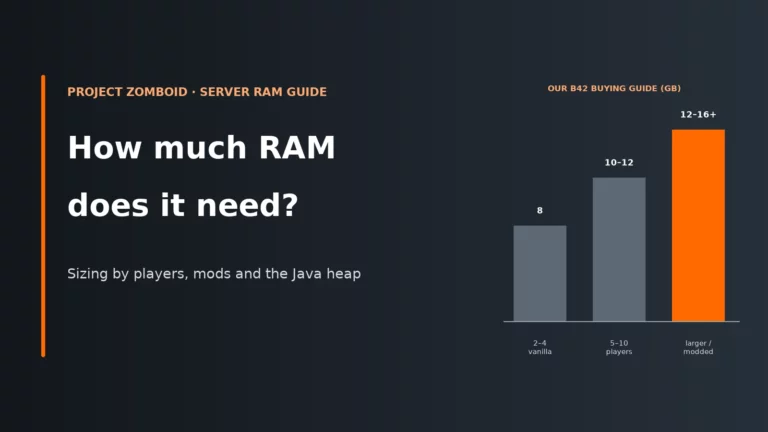
How Much RAM Does a Project Zomboid Server Need?
8 GB as the Build 42 floor, 10-12 GB for 5-10 players and 12-16 GB or more for bigger or modded worlds. Why player spread and mods matter more than headcount, and how to set the Java heap so the RAM actually gets used.
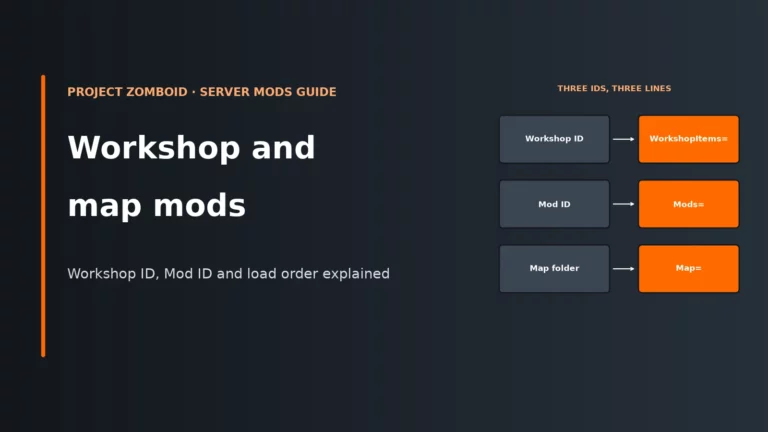
How to Add Steam Workshop Mods and Map Mods to a Project Zomboid Server
Workshop mods and custom maps need three different IDs in three different lines. Where each ID comes from, how map load order works, the Build 42 folder rules and how to add mods to a live world without breaking it.
Project Zomboid Server Admin and Whitelist Guide
Running a private Project Zomboid server comes down to two things: who can join and what they can do once inside. Here is how to become admin, set access levels, lock the server down with a whitelist and SteamIDs, and get back in when the admin password is lost.
Project Zomboid servertest.ini Settings Explained
servertest.ini decides how your Project Zomboid server runs: who can find it, who can join, what anti-cheat does and which mods load. Here is what to set first, how changes take effect, and a searchable reference for every line in the file.
How to Back Up and Restore a Project Zomboid Server
A backup that actually saves you covers the world, the settings and the account database together, and lives somewhere other than the server. What to copy, how the built-in backups work and how to restore cleanly.
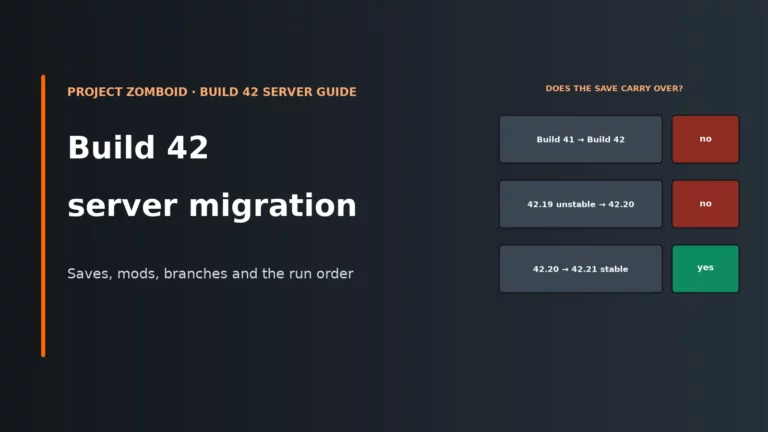
Project Zomboid Build 42 Server Migration Guide
Build 41 saves don’t carry into Build 42, and neither do 42.19 unstable worlds. How to decide between finishing the old world and starting fresh, the safe run order for the move, and how to get mods and players onto the same build.
Best Game Server Hosting UK
Game hosting guides
50

7 Days to Die

Abiotic Factor

ARK: SE

ARK:SA

Arma 3

Arma Reforger

Assetto Corsa

Conan Exiles

Core Keeper

Counter-Strike 2

DayZ

Don't Starve Together

ECO

Enshrouded

Euro Truck Simulator 2

Factorio

FiveM / GTA V

Garry's Mod
How to Fish

HumanitZ

Hytale

Icarus

L4D2

Minecraft

Nightingale

Palworld

Path of Titans

Project Zomboid

RimWorld

Romestead

RuneScape: Dragonwilds

Rust

Satisfactory

Schedule I

SCUM

Sons of the Forest

Soulmask

Space Engineers

Squad

Stardew Valley

StarRupture

Team Fortress 2

Terraria

The Isle

Unturned

V Rising

Valheim

VEIN

Vintage Story

Windrose
Provider reviews
76

4NetPlayers

Aim2Game

Akliz

AleForge

Apex Hosting

Aternos

berrybyte

Bloom.host

Blue Fang Solutions

Citadel Servers

CreeperHost

Cybrancee

DatHost

DedicatedMC

Echo Host

Empower Servers

Epic Hosts

exaroton

Falix

Fly-Serv

Fragnet

FREAKHOSTING

G-Portal

GameServerKings

GameServers.com

Gaming Deluxe

GGServers

GHOSTCAP

Godlike Host

Gravel Host

Grid Hosting

GTX Gaming

Hexane Networks

Host Havoc

Hostinger

Hostivo

HostPanel

Iceline Hosting

Iconic Servers

Indifferent Broccoli

Kinetic Hosting

Konnect Hosting

LogicServers

LOW.MS

LowLight

MCServerHost

Minefort

Minehut

MintServers

Modrinth Hosting

Nitrado

Nitrous Networks

Nodecraft

OCNetworks

PebbleHost

Pine Hosting

PingPerfect

PingPlayers

Prism Host

Prism Nodes

RespawnHost

RocketNode

ScalaCube

SeekaHost

Server.pro

ServerMiner

Shockbyte

SimpleGameHosting

SparkedHost

Spill Hosting

Streamline Servers

SurfNode

VeryGames

Wabbanode

WiseHosting

XGamingServer

ZAP-Hosting