
How to Troubleshoot a Team Fortress 2 Dedicated Server
When a TF2 dedicated server will not start, crashes on launch or refuses connections, the console usually names the cause. Here is how to separate those failures, read the useful lines and fix the ones that have a documented cause.
The launch window tells you whether the server bound a port, failed to load a library or never received a map.
A 64-bit replay_srv.so fault, a bad default map and damaged files each leave a different trail.
This guide is about your own srcds server, not Valve Casual matchmaking. Browser listing needs a token made for App ID 440.
If the process stays up and players can join, but the game feels late or muddy, switch to the lag guide instead of repeating crash fixes.
Name the failure before you change anything
A TF2 dedicated server fails in a small number of ways, and each one points to a different fix. Mixing them up is how people end up recreating a Game Server Login Token for a crash, or reinstalling SourceMod because friends cannot see the server in the browser.
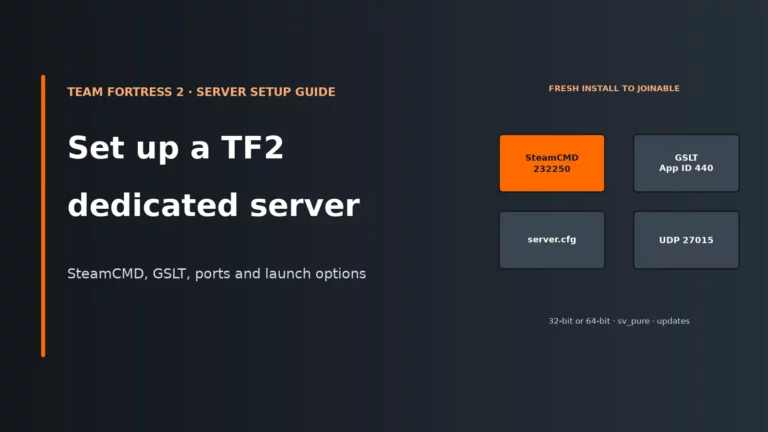
This page is for the server you run yourself or rent: the Source dedicated server, installed as app ID 232250 and launched with srcds. It is not a guide to Valve’s Casual matchmaking. If your own box will not stay up, will not list or will not accept joins, work through the questions below. If you still need to install the server from scratch, use our TF2 dedicated server setup guide first.
Use this table as the short version of the same split.
| What you see | What it usually is | Where to start |
|---|---|---|
| The process never stays running, or exits before a map loads | Launch failure | The console for a missing +map, a missing library or a bad launch line |
| The server starts, then dies with a segmentation fault or a fatal load error | Crash | debug.log, then the replay_srv.so message, the chosen map and a SteamCMD verify |
| The server stays up, but it is missing from the browser or friends cannot join | Connection or listing | The token, sv_lan 0, UDP 27015 and a direct connect test |
| Players join, then complain about warping, choke or shots that do not count | Lag or hit registration | The TF2 lag guide, not this page |
How to read the TF2 server console
TF2 prints the reason it failed more often than it hides it. Launch with -console so you can see the output, and add -debug on Linux if the process is dying: srcds_run and srcds_run_64 will write a debug.log you can read after a crash. The useful lines are short and specific.
Server may not heartbeat.
FATAL ERROR: Could not load: replay_srv.so
ports 27015 SV / 27005 CL
- Launch with -console so the window stays visible
- Add -debug on Linux to write debug.log
- Ignore a lone SteamAPI_Init line unless a fatal error follows
A healthy start prints a network bind line in this form: Network: IP, mode MP, dedicated Yes, ports 27015 SV / 27005 CL. That line tells you the address and game port the process actually bound to. If friends are connecting to a different port than the one in that line, the server is fine and the join address is wrong.
WARNING: No map specified! Server may not heartbeat. is the server telling you it has nothing to run. Always launch with +map ctf_2fort or another map that exists in tf/maps, or with +randommap. Without a map, the server may stay alive in a useless state and will not advertise itself properly.
Two other messages are easy to misread. WARNING: Failed to load 32-bit libtinfo.so.5 or libncurses.so.5 is about readline in the console, not about the game itself. SteamAPI_Init failures on Linux are also common and are not fatal on their own. Keep reading until you hit a fatal error, a segmentation fault or the network bind line.
Fix launch failures
A launch failure means the process never becomes a joinable game. The most common causes sit on the launch line or in the install, not in server.cfg.
Start with a map that actually exists
If the console warns that no map was specified, add +map and use the map name without .bsp. ctf_2fort is the usual test map because it ships with the server. If you set a custom default map in a host panel, the name must match a file in tf/maps exactly. Nodecraft’s TF2 notes treat a mis-configured default map, or damaged server files, as a typical cause of a segmentation fault on start, so a panel field that still points at an old or renamed map is worth checking before you rebuild the whole install.
Use the matching launcher
Since Valve’s 18 April 2024 update, TF2 has 64-bit server support on Windows and Linux. The 64-bit launchers are srcds_run_64 on Linux and srcds_win64.exe on Windows. The older 32-bit launchers are srcds_run and srcds.exe. Pick one architecture and stay on it. A 64-bit process cannot load 32-bit Metamod, SourceMod or plugin binaries, and the reverse is also true: the addons simply fail to load.
./srcds_run_64 -console -game tf -debug +map ctf_2fort +maxplayers 24 +sv_setsteamaccount YOURTOKEN
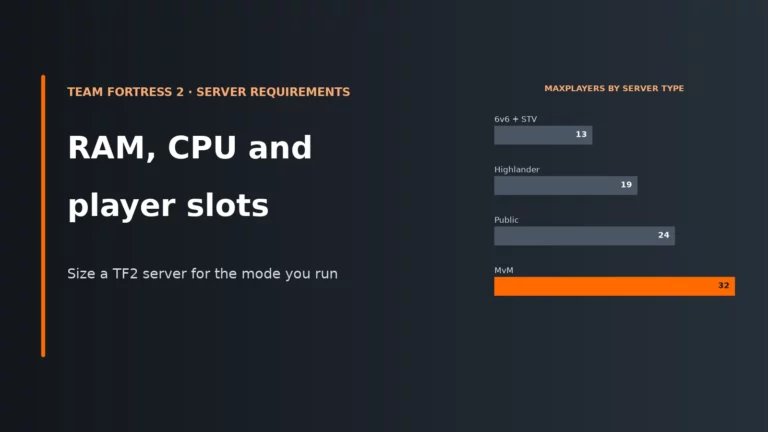
-game tf points srcds at Team Fortress 2 rather than another Source game. +maxplayers can go up to 32 in the normal supported setup. There is an -unrestricted_maxplayers option that allows more, but Valve marks it unsupported and notes stability issues at maximum players, so it is a poor thing to add while you are already chasing a crash.
Install the libraries Linux still expects
On a 64-bit Debian or Ubuntu host, TF2 still needs 32-bit compatibility libraries even if you plan to run the 64-bit server. A segmentation fault immediately on start is often this missing layer rather than a “broken” TF2 build. The usual set is:
sudo dpkg --add-architecture i386
sudo apt update
sudo apt install lib32z1 libncurses5:i386 libbz2-1.0:i386 lib32gcc-s1 lib32stdc++6 libtinfo5:i386 libcurl3-gnutls:i386 libsdl2-2.0-0:i386
Some newer releases no longer ship libtinfo5:i386 or libncurses5:i386. If the package manager refuses those two, that is a distro packaging issue, not a sign that TF2 itself failed to install.
Put SteamCMD’s install path in the right place
SteamCMD itself warns Please use force_install_dir before logon! if the install directory is set too late. Put +force_install_dir before +login anonymous, keep the TF2 folder separate from the SteamCMD folder, and re-run the update until it reports that app 232250 is fully installed. A half-finished first download can look like a mysterious launch crash later.
Fix crashes after the server has started
If the process loads server_srv.so for Team Fortress and then dies, you are looking at a crash rather than a missing launch flag. Add -debug, reproduce the fault once, and read both the live console and debug.log before changing plugins, rates or the token.
and FATAL ERROR: replay_srv.so
libcurl-gnutls
The 64-bit replay_srv.so crash
This is the Linux crash that showed up as soon as people switched to srcds_run_64. The console says the 64-bit server tried to load replay_srv.so from the 32-bit bin folder:
failed to dlopen .../bin/replay_srv.so error=.../bin/replay_srv.so: wrong ELF class: ELFCLASS32
Could not load: replay_srv.so
FATAL ERROR: Could not load: replay_srv.so
Then srcds_run_64 reports a segmentation fault. The fix that closed Valve’s own report is to install the 64-bit libcurl-gnutls package. On Debian and Ubuntu that package is libcurl3-gnutls; the 32-bit libcurl3-gnutls:i386 package alone is not enough for the 64-bit launcher. After it is installed, start srcds_run_64 again and confirm the fatal replay_srv.so line is gone.
Copying replay_srv.so from another folder does not solve it. Removing SourceMod also does not, because this fault happens before addons are the issue.
Damaged files or a bad default map
If there is no replay_srv.so line and the server dies while loading a map, treat the files and the map name as the next suspects. Stop the server, then verify the install:
./steamcmd.sh +force_install_dir ~/hlserver/tf2 +login anonymous +app_update 232250 validate +quit
SteamCMD’s validate option replaces files that do not match the official server depot. Host documentation for this exact TF2 segmentation-fault symptom points at the same two checks: verify the files, then confirm the default map name matches a map that is actually present. After the verify, start again with +map ctf_2fort so you know the first map is a stock file. If that holds and a custom map still crashes the server, the custom .bsp is the problem, not the machine.
Plugins that do not match the server architecture
A 64-bit TF2 server will not load 32-bit extensions. After you switch launchers, run meta list and sm version in the console. If Metamod or SourceMod does not appear, install matching 64-bit builds rather than assuming TF2 itself is crashing. The complementary case is also true: if you must keep an older 32-bit plugin, launch the 32-bit server until that plugin has a 64-bit build.
Fix connection and listing problems
Here the server process stays up. The failure is that players cannot find it, or they can see it and still cannot join. Direct connect is the fastest way to split those two cases. From the developer console, a player should try connect IP:27015, using the port from the server’s own network bind line.
The server is missing from the browser
A public TF2 server needs a valid Steam Game Server Login Token to appear in the server browser. Create that token for App ID 440, which is Team Fortress 2 itself, not 232250. 232250 is only the dedicated server package you download. The Steam account that creates the token must not be limited, community-banned or locked, and it needs a qualifying phone number. Use one token per server and treat it like a password.
Put it on the launch line as +sv_setsteamaccount YOURTOKEN. Without it, the server can still start and accept a direct connect, but it will not appear in the browser. That is why “I can join by IP, but nobody can find us” so often ends at the token rather than the router.
The server is stuck in LAN-only mode
Set sv_lan 0 in tf/cfg/server.cfg or on the launch line. A server with sv_lan 1 behaves like a local test even if the ports are open. On Linux, if it still refuses to leave LAN mode, add a steam_appid.txt file in the server directory containing only 232250.
Friends outside your network cannot join
If you can join from the same machine or the same LAN, but friends outside cannot, the process is running and the remaining problem is the path to it.
| Port | Protocol | What it is for | When you need it |
|---|---|---|---|
| 27015 | UDP | Game traffic for the server itself | Always, for anyone joining from outside the machine |
| 27015 | TCP | RCON | Only if you want remote console access |
| 27020 | UDP | SourceTV | Only if you use SourceTV; otherwise launch with -nohltv |
Forward UDP 27015 to the machine running TF2 and allow it in the firewall. If the host has more than one address, +ip tells srcds which one to bind. If you would rather the server stop than silently pick another port, add -strictportbind. A silent port change is a classic reason the console looks healthy while every friend is still aiming at 27015.
RCON uses TCP on the game port. If RCON cannot connect, +ip 0.0.0.0 and rcon_address 0.0.0.0 are the usual bind-side fixes, after you have confirmed that TCP 27015 actually reaches the server. Do not open RCON to the internet with a weak password while you are debugging something else.
Nobody can join after a TF2 update
When Valve ships a TF2 update, clients update first. An older server then becomes unjoinable, which looks like a connection fault and is really a version mismatch. Stop the server, re-run the same SteamCMD command you used to install app 232250, then start it again. If you use Metamod or SourceMod, update those to builds that match the new server before you treat leftover load errors as a fresh crash.
Missing steamclient.so
If the console says it cannot find steamclient.so, the library is not where srcds expects it. On Linux, copy it into ~/.steam/sdk32/ and start the server again. That is a path problem, not a sign that the game files failed to download.
A working order you can reuse
Once you have seen the same faults a few times, the order below saves a lot of guesswork. Stop at the first yes.
- Read the console or
debug.log. Look for a missing map, a fatalreplay_srv.soline, a segmentation fault or the network bind line. - If there is no map, add
+mapand use a stock map name that exists intf/maps. - If you are on 64-bit Linux and
replay_srv.sofailed withELFCLASS32, install 64-bitlibcurl-gnutlsand try again. - If the crash has no library error, verify app 232250 with SteamCMD and test
ctf_2fort. - If the server stays up, test
connect IP:portfrom outside your network. - If direct connect works but the browser listing does not, fix the App ID 440 token and
sv_lan 0. - If even direct connect fails from outside, forward UDP 27015 and compare that port with the bind line.
- If players can join but the game feels late or unstable, leave this page and use the lag guide.
If you would rather have the install, token and ports handled by a panel, compare current options in our Team Fortress 2 server hosting comparison. The troubleshooting steps above still apply: the console, the map, the token and the game port do the same job on a rented server as they do at home.
If the install works but you do not want to keep fighting home ports, updates and uptime, compare hosted TF2 plans by location, panel and support before you move the server.
Compare the best TF2 server hostsTeam Fortress 2 server FAQ
Why does my TF2 server crash with a segmentation fault on Linux?
On a 64-bit launch, the most specific cause is a failure to load replay_srv.so because the 64-bit libcurl-gnutls package is missing. The console shows wrong ELF class: ELFCLASS32 and then FATAL ERROR: Could not load: replay_srv.so. Install 64-bit libcurl-gnutls (on Debian and Ubuntu, libcurl3-gnutls) and start srcds_run_64 again. If that line is not present, verify the files with SteamCMD and check that the default map name matches a real map file.
Why is my TF2 server not showing in the server browser?
The usual cause is a missing or wrong Game Server Login Token. Create the token for App ID 440, not 232250, and add +sv_setsteamaccount YOURTOKEN to the launch line. Then set sv_lan 0. Direct connect can still work without a token, which is why the server can feel “fine” to you and invisible to everyone using the browser.
What does “WARNING: No map specified” mean on a TF2 server?
It means the server was started without +map or +randommap. Valve’s launcher warns that the server may not heartbeat in that state, so it will not advertise itself properly and players have nothing to join. Add a stock map such as +map ctf_2fort and confirm the name matches a file in tf/maps.
What should I do after a TF2 update when nobody can join?
Stop the server and update it with SteamCMD using app ID 232250, the same command you used to install it. Clients pick up Valve’s update first, so an older dedicated server becomes unjoinable until it is updated too. If you run Metamod or SourceMod, update those to matching builds after the server files, then confirm the console reaches the network bind line again.
How do I tell a TF2 crash from a connection problem?
A crash ends the process. You will see a segmentation fault, a fatal load error or an automatic restart from srcds_run. A connection problem leaves the process running: the console reaches the network bind line, but players cannot find the server or cannot complete a join. Use the console to tell those apart before you change the token, the ports or the plugin list.
More Team Fortress 2 server help
The host comparison, plus the setup and lag guides that sit next to this checklist.
Checked against Valve’s TF2 dedicated server launcher messages, Valve’s 18 April 2024 64-bit server notes, the official report on the 64-bit replay_srv.so crash, SteamCMD’s own install warnings and host documentation for TF2 segmentation faults, November 2026. Host panels change their labels from time to time, but the console lines, token, map and ports above stay the same.