
How to Update a Conan Exiles Server and Fix Version Mismatch
Keep the dedicated server, every player and the mods on the same Conan Exiles build: how to update to Enhanced, how to stay on Legacy, and how to fix the version-mismatch problems that stop people joining.
Funcom is blunt about this: the client version must match the server version. Enhanced players cannot join a Legacy server, and the reverse is also true.
The free Unreal Engine 5 update, Conan Exiles Enhanced, launched on Steam on 5 May 2026. A fresh dedicated-server install now pulls that branch unless you pin Legacy.
Players need the same mods at the same versions as the server. A UE4 mod will not simply drop into Enhanced; it has to be rebuilt and re-released for the new engine.
Enhanced uses game_0.db. On first start it will copy an older game.db into that name if needed, and a UE5 database cannot be taken back to UE4.
Why version mismatches happen
Conan Exiles will not let a player into a world that was built by a different game build. That check exists so the server and the client agree on the same map data, the same systems and the same content. After the Enhanced update it fails in a few predictable ways: the server updated and a player did not, a player updated and the server is still on Legacy, someone is on the wrong Steam beta branch, or the mods no longer match.
Think of three layers that all have to line up:
- Branch. Enhanced (Unreal Engine 5, the current Steam default) or Legacy (the UE4 build on
conan-exiles-legacy). - Patch level. Even on the same branch, a server that has not downloaded the latest build will reject clients who already have it, and the other way around.
- Mods. The server’s
modlist.txtand the players’ installed mods must match, including version. Renaming.pakfiles to “tidy” a folder stops those mods loading.
If you are still choosing a branch or installing the server for the first time, use the full Conan Exiles dedicated server setup guide. This page is the update and mismatch half of that job: how to move an existing server forward, how to stay on Legacy on purpose, and what to do when friends are rejected at the join screen.
Enhanced or Legacy: pick the branch before you press update
Conan Exiles Enhanced is a free major update that moved the Steam game to Unreal Engine 5 on 5 May 2026. Official PC servers moved with it. The UE4 version was kept as Conan Exiles Legacy for groups that were not ready: no further major content, no Bazaar on PC, and no official PC servers, but private Legacy servers remain possible if every player stays on that branch too.
| Question | Enhanced (default) | Legacy branch |
|---|---|---|
| Current Steam default | Yes | No |
| Unreal Engine 5 | Yes | No |
| Merged Exiled Lands and Siptah regions | Yes | No |
| Standalone Siptah map save | No | Yes |
| UE4 mods run unchanged | No | Yes |
| World can later go back to UE4 | No | Yes |
| Enhanced (current default) | Legacy (conan-exiles-legacy) |
|
|---|---|---|
| Engine | Unreal Engine 5 | Unreal Engine 4 |
| How you get it | Default Steam branch for the game and the dedicated server | Steam beta branch conan-exiles-legacy on both the client and the server |
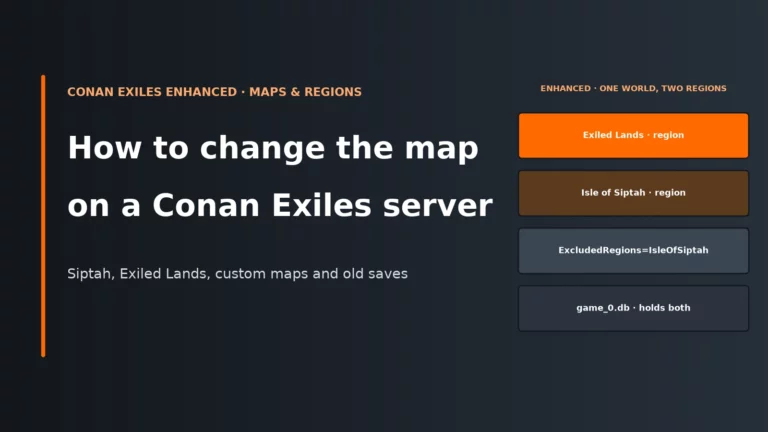
| Maps | One merged world: Exiled Lands and Isle of Siptah as regions | Separate map saves, including a standalone Siptah database |
| Live save file | game_0.db |
game.db for Exiled Lands, dlc_siptah.db for Siptah |
| Who should use it | New servers, and any group whose mods have Enhanced builds | Groups that must keep a UE4 world or UE4-only mods |
Isle of Siptah is not a separate dedicated-server map on Enhanced. If your current server is a standalone Siptah world, you cannot point it at Enhanced and expect the island bases to appear. Characters can move through Funcom’s Server Transfer Tool via an Exiled Lands save, keeping level, inventory and followers, but placed structures on Siptah do not carry across because the island’s coordinates changed. The map and regions guide covers that choice in detail; do not try to force-convert a dlc_siptah.db file.
One more save rule that catches people after an update: Unreal Engine 4 databases can be read by Enhanced, but a world that has already been converted to UE5 cannot go back. If you might still need Legacy, keep a copy of the old files taken before the first Enhanced start.
How to update a Conan Exiles server
The safe order is always the same, whether you click a panel button or run SteamCMD yourself.
- Confirm Enhanced or Legacy on both sides
- Delete leftover BuildIdOverride lines
- Restore original mod filenames
1. Stop the server fully
Do not apply a game update on top of a running process. A live server can still be writing the database, and an update that replaces binaries underneath it is how worlds get half-written. Wait until the process has actually exited.
2. Back up the save and the config folder
On Enhanced, the live world is ConanSandbox/Saved/game_0.db. On a UE4 / Legacy server it is still game.db (and dlc_siptah.db if that is the map you run). Copy the matching file, and copy the config folder with it: ConanSandbox/Saved/Config/WindowsServer/ on Windows or LinuxServer/ on Linux. Scripts that still back up only game.db after you have moved to Enhanced are backing up the wrong file.
On first Enhanced start, if game_0.db does not exist and game.db does, the server copies game.db to game_0.db. That is the official migration path for an Exiled Lands world. It is also why you should keep the original game.db somewhere safe: it is your way back onto Legacy if you decide the update was a mistake.
3. Check the mods before you change the branch
A large number of older mods are not compatible with Enhanced until their authors rebuild them. Funcom shipped a refreshed Mod Dev Kit and worked with some popular projects for launch, but there is no official “these mods work” list, and an abandoned UE4 pack may never return. If your server depends on a mod that has no Enhanced build, stay on Legacy until it does. Updating first and hoping the old .pak files load is how servers fail to start or worlds stop making sense.
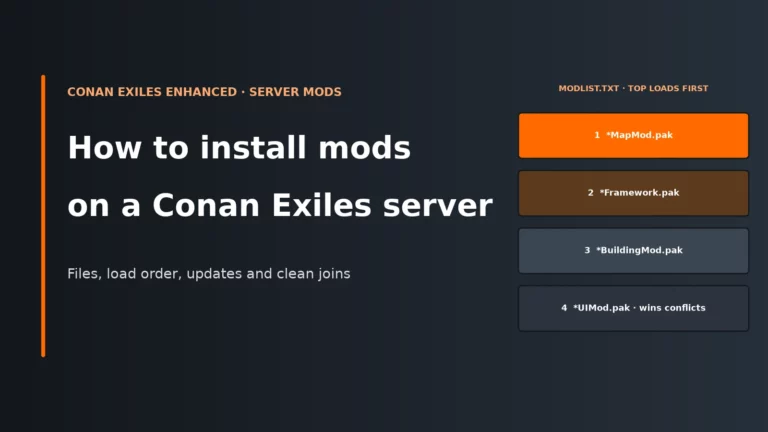
When you do move, install only Enhanced versions, keep the original filenames, and add them back in small batches. The Conan Exiles server mods guide covers modlist.txt, load order and the usual mismatch loop.
4. Apply the update
On a rented panel: open the host’s Steam Update (or similar) section, choose the Enhanced / latest UE5 build, and run it. GTX Gaming’s panel labels this as Latest Version (UE5) under Type of Update. Other hosts use different wording for the same Steam depot. If you intend to stay on Legacy, do not run that UE5 update at all; pin the server to the conan-exiles-legacy branch instead.
With SteamCMD: the dedicated server is Steam app 443030 and accepts an anonymous login. To move the install to the current Enhanced build:
steamcmd +force_install_dir C:\ConanServer +login anonymous +app_update 443030 validate +quit
To keep or restore the Legacy build instead:
steamcmd +force_install_dir C:\ConanServer +login anonymous +app_update 443030 -beta conan-exiles-legacy validate +quit
On Linux, the commands are the same apart from the install path. Run the matching line again whenever the game patches, because a client that has already updated cannot join a server that has not.
With Steam itself: in the Library, show Tools and update Conan Exiles Dedicated Server (the folder name becomes Conan Exiles Enhanced Dedicated Server after the upgrade). For a client that needs to stay on UE4 with a Legacy server, open Conan Exiles, Properties, then Game Versions & Betas, and select Conan Exiles Legacy / conan-exiles-legacy. Share those client steps with every player.
5. Start it once and let the first boot finish
The first start on Enhanced can take longer than a normal reboot because the server copies or converts the Exiled Lands database. Do not kill the process halfway through. When it is up, confirm it is reading game_0.db, then join yourself before you invite the group.
6. Get the players onto the same build
Tell them the branch (Enhanced or Legacy), wait until their Steam client has finished updating, and send the current mod list if you use mods. A password and an IP:port will not help if their executable is still the other engine.
Fix a version mismatch when players cannot join
Start with the symptom, not with a second update. Most join failures after a patch are one of the cases below.
| What players see | Likely cause | Fix |
|---|---|---|
| Nobody can join after the server updated, or after they updated | Server and clients are on different branches or different patch levels | Update the side that is behind, or pin both sides to conan-exiles-legacy if you meant to stay on UE4 |
| Clients are rejected after moving a UE4 server to Enhanced | Stale bUseBuildIdOverride and BuildIdOverride lines in Engine.ini |
Stop the server, delete those two lines from the [OnlineSubsystem] section, save, and start again |
| Only some players get in, or people are kicked with a mod error | The mods or the mod versions do not match, or a .pak was renamed |
Give everyone the same Enhanced (or Legacy) mods in the same order, with the original filenames |
| The world looks like day one after the upgrade | The server created a fresh game_0.db instead of copying the old game.db, or a script is still launching the wrong file |
Stop the server, restore your backup, place game.db in ConanSandbox/Saved/ with no game_0.db present, and start once so the official copy can run |
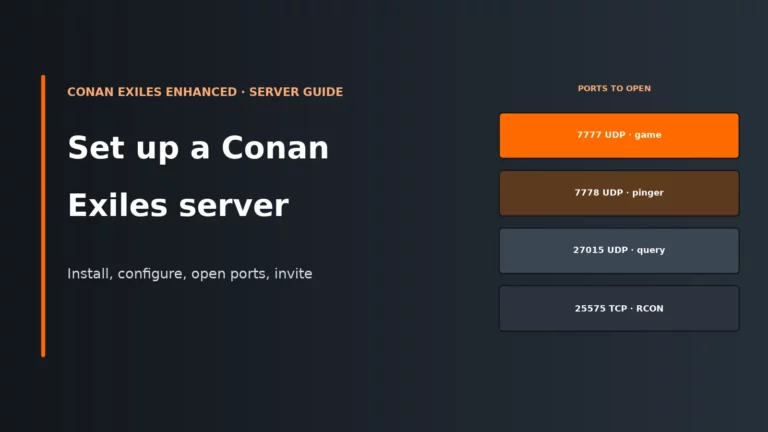
| The server is missing from the browser after an update | This is usually ports or binding, not the patch itself | Check UDP 7777, 7778 and 27015. If you launch with -MULTIHOME=, also add -MULTIHOMEHTTP= with the same IP |
The Engine.ini fix, in full
Inflexion’s server troubleshooting notes call this out directly. Older UE4 servers sometimes still have override lines such as:
[OnlineSubsystem]
bUseBuildIdOverride=True
BuildIdOverride=460304166
Those lines can make the server believe it is on a different version from the clients, so the join is rejected even when everyone clicked Update. Delete bUseBuildIdOverride and BuildIdOverride, leave the rest of [OnlineSubsystem] alone, and restart. Edit the file only while the server is stopped, otherwise the running process can write the old values back.
How to stay on Legacy instead of updating
If your mods are not ready, or you need to keep a UE4 world as it is, do not apply the Enhanced server update. Switch the dedicated server to the conan-exiles-legacy Steam beta branch and leave it there. Inflexion’s migration notes say that branch will not update to UE5.
Every player must do the same on their game client: Steam Library, right-click Conan Exiles, Properties, Game Versions & Betas, then Conan Exiles Legacy. One person who stays on the default Enhanced client will not get in, and that looks exactly like a “broken update” from their side.
Legacy is a holding pattern, not a second current game. Funcom is not developing both engines in parallel, official PC servers are on Enhanced, and PC Legacy no longer has the Bazaar. Use it when you have a concrete reason, then move the group together when the mods you rely on exist for Enhanced.
Conan Exiles server update FAQ
Why does my Conan Exiles server say the version does not match?
The server and the player are not running the same build. That is usually a branch mix-up (Enhanced against Legacy), a server that has not downloaded the latest patch, or a client that is still updating in Steam. After a UE4-to-UE5 move, also check Engine.ini for leftover BuildIdOverride lines, because those can make a freshly updated server reject matching clients.
How do I update a rented Conan Exiles server?
Stop the server, take a backup of the save and config, confirm your mods have builds for the branch you want, then run the panel’s Steam Update action and choose the Enhanced / latest version. Start the server once, let the first boot finish, and ask players to update their clients to the same branch before they connect.
How do I update a self-hosted Conan Exiles server with SteamCMD?
Stop the server and back it up, then run steamcmd +force_install_dir C:\ConanServer +login anonymous +app_update 443030 validate +quit, changing the path to your install folder. Add -beta conan-exiles-legacy before validate if you want the UE4 build instead. Start the server and let any first-time game.db to game_0.db copy finish.
Will my Conan Exiles save survive the Enhanced update?
An Exiled Lands game.db can be read by Enhanced and is copied to game_0.db on first start if that new file does not already exist. Characters, structures and progress on that map carry forward. A standalone Isle of Siptah world does not convert in place; players can move characters via the Server Transfer Tool, but Siptah bases stay behind. A world that has already been converted to UE5 cannot be copied back to UE4.
Do I need to update Conan Exiles mods at the same time?
Yes, if you use them. Enhanced needs Enhanced builds of each mod, and every player must install the same versions the server is running. If a required mod has no Enhanced release yet, stay on Legacy rather than updating the server around it. Add rebuilt mods back one at a time after the branch change so a single bad pack is easy to spot.
More Conan Exiles server guides
Our Conan Exiles host comparison, plus the setup, mods and map guides that sit alongside this update checklist.
Written for Conan Exiles Enhanced in November 2026, after the 5 May 2026 Unreal Engine 5 launch. Branch names, the game_0.db migration, the BuildIdOverride join fix and the Linux notes come from Funcom’s Enhanced pages and Inflexion’s official server documentation. Panel update wording is taken from host knowledge bases that document the same Steam branches.