
How to Change the Map on a Conan Exiles Server
Exiled Lands, Isle of Siptah or a custom map: how map choice really works on Conan Exiles Enhanced, how to switch regions off and on, what happens to old Siptah saves, and when the Legacy branch still makes sense.
The current Steam version uses one world with the Exiled Lands and Isle of Siptah as regions. Both load by default, and you can exclude a region in Engine.ini.
Legacy still uses one map per save. Change the map path, and the server loads that map’s own database file instead of the other one.
The server does not need a separate Siptah setup on Enhanced, but each player still needs the Isle of Siptah DLC to travel there.
On Enhanced, one game_0.db holds both official regions, so a restore or wipe affects both together. There is no safe “just wipe Siptah” button.
The short version: Enhanced does not really “switch maps”
If you are on the current Steam branch, treat Exiled Lands and Isle of Siptah as parts of one server world. The quick matrix below is the easiest way to decide whether you should edit regions on Enhanced or use old map settings on Legacy.
| What you want | Enhanced (current Steam version) | Legacy branch |
|---|---|---|
| Exiled Lands only | Yes | Yes |
| Isle of Siptah only | No | Yes |
| Both maps on one server | Yes | No |
| Custom or modded map | Partly | Yes |
| Reset one map, keep the other | No | Yes |
| What you want | Enhanced (current Steam version) | Legacy branch |
|---|---|---|
| Play the Exiled Lands only | Exclude the Isle of Siptah region in Engine.ini. |
Load the Exiled Lands map path; the server uses game.db. |
| Play the Isle of Siptah | There is no Siptah-only server any more. Keep both regions running: DLC owners travel to Siptah in-game or start a new character there. | Load the Siptah map path; the server uses dlc_siptah.db. |
| Play both | Do nothing; both official regions load by default and players travel between them with the same character. | Not as one seamless server world. You are choosing one map save at a time. |
| Custom or modded map | Use only a mod that explicitly supports Enhanced. Modded regions now load automatically unless excluded. | Use the map mod’s path or command line and keep it first in the mod order if required. |
| Reset one map only | Not possible for official regions, because both share one game_0.db. |
Possible by replacing or removing only that map’s own save file. |
This is why old advice about a panel map dropdown or ServerDefaultMap no longer matches Enhanced. Those instructions still matter for Legacy, but not for the current UE5 branch.
Exiled Lands, Isle of Siptah or both: what should your server run?
Your choice is mostly about access, overhead and how your group actually uses the server. If you need a general refresher on game server hardware requirements, think in terms of headroom rather than chasing a single setting: more loaded world data means more memory pressure, more entities to track and more chances for mod conflicts to matter.
Use the Exiled Lands only if
- Some of your regular players do not own the Isle of Siptah DLC.
- You want the simplest possible setup on Enhanced.
- You are tight on RAM headroom and want to unload Siptah’s sublevels.
This is the conservative option. Excluding Siptah reduces what the dedicated server has to load into memory, so it can help if your server is stable when empty but struggles after a full restart, after mod updates, or during heavy build periods.
Keep both regions active if
- Your group owns the DLC and actually plans to travel.
- You want one persistent character across both official regions.
- You have enough headroom for the merged world and any mods you use.
On Enhanced, travel happens in-world by talking to the Adherent of the Outer Dark. The same character moves between regions without a server restart, and new characters can also start in Siptah from character creation. For an active community, that is cleaner than juggling separate map saves.
Stay with Legacy if
- You need an old Isle of Siptah save preserved as it is.
- You want a Legacy-only custom map such as Savage Wilds Legacy.
- You want parity with console players, because consoles remain on UE4.
That is less flexible long term, but it avoids conversion problems that Enhanced cannot solve for old Siptah databases.
The DLC rule that catches groups out
The server does not need a separate “Siptah edition” on Enhanced. The check is per player: people without the Isle of Siptah DLC can still join and play the Exiled Lands, but they cannot travel into the Siptah region. So the decision is not just technical; it affects who can access which part of the world.
If your current plan is short on headroom, compare control panel options, branch support and backup handling in our server roundup before you move saves or mods.
Compare the best Conan Exiles server hostsHow to exclude or re-enable the Isle of Siptah on an Enhanced server
On Enhanced, the correct control is a region exclusion list in Engine.ini. You are not telling the server to load a different world; you are telling it not to load Siptah’s sublevels. That matters because unloaded sublevels do not consume the same memory on the dedicated server, but the save database stays shared.
Paths to use
- Windows server config folder:
ConanSandbox/Saved/Config/WindowsServer/ - Linux server config folder:
ConanSandbox/Saved/Config/LinuxServer/ - Enhanced save database:
ConanSandbox/Saved/game_0.db
On Linux, file names are case sensitive. Keep the database name lower case as game_0.db.
Step by step
- Stop the server fully. A running server keeps its settings in memory and can write its config files back on shutdown, so edits made while it runs can be lost.
- Back up
game_0.dband the whole config folder. The database protects player progress; the config backup lets you undo panel rewrites or bad merges after a restart. - Open
Engine.ini. - Add this block:
[Regions]
ExcludedRegions=IsleOfSiptah
- Save the file and start the server.
- Join and verify. Check that Exiled Lands works normally and that Siptah is no longer functional.
To bring Siptah back, remove the ExcludedRegions=IsleOfSiptah line and restart. You are not converting saves when you do this. The server is simply deciding which region data to load at startup.
How to check it worked
Compare the server’s memory use in your panel or task manager after a fresh restart, before and after the change, at a similar time with no one online. Then send one player to an Adherent of the Outer Dark: with Siptah excluded, the trip should no longer work. The trade-off is simple: Siptah is no longer usable. Players may still see that area exists, but because the sublevels are not loaded on the dedicated server, it will not function correctly.
Why old panel advice looks wrong now
Some host panels still show a “Map” dropdown because it was valid on Legacy. On Enhanced, that is a leftover. Some panels also rewrite the regions line on each restart, or do not expose a map setting at all, so the file edit is the reliable check.
Before you exclude a region on a live server
This is the part most quick guides skip. Excluding a region is safe for the server process, but it can be rough on players if you do it without moving people and assets first.
What happens to bases, thralls and characters there?
- Bases and placed items: their data is still in
game_0.db, but the excluded region is not functional while its sublevels are unloaded. Do not assume a stranded base is safely usable later. - Thralls and followers: same problem. Their records are in the database, but they are tied to a region you have made inactive.
- Characters standing there: if someone logs out in the excluded region, you are asking the server and the player client to deal with a non-functional area. Avoid it.
That is why the practical rule is to announce the change, give people time to travel back, and move followers, valuables and anything irreplaceable out of the region first. The server is not wiping those records when you exclude Siptah, but it is no longer loading the world space they depend on.
What you can and cannot wipe on Enhanced
You cannot wipe only one official region. Enhanced uses one game_0.db for both the Exiled Lands and Isle of Siptah, so any full backup restore or clean wipe covers both together. That is the main reason to think ahead before you let people build heavily in both regions.
When the RAM benefit is worth it
If your server is stable and you have a DLC-owning group that actively uses both regions, keeping both loaded makes sense. Exclude Siptah when it is effectively dead space for your community and you want the server spending less memory on unloaded content instead. That will not fix every performance issue, because build count, AI load and mod behaviour also matter, but it does remove one chunk of world data from the startup load.
Moving an old Isle of Siptah server to Enhanced
If your old server was a UE4 Siptah server, the bad news is that its dlc_siptah.db does not convert into Enhanced. The reason is not a random version block: Funcom moved the island’s coordinates when both official maps were merged, so old Siptah base locations no longer line up with the new world space.
What does convert cleanly
An old UE4 Exiled Lands game.db is readable by Enhanced. On first start, if game_0.db does not exist, the game copies Game.db to game_0.db. That is why Exiled Lands migrations are far less painful than Siptah-only ones.
The route for old Siptah communities
- Before upgrading, create a fresh Exiled Lands server on UE4.
- Make sure server settings allow character imports.
- Have players use the Server Transfer Tool to move Siptah characters into that Exiled Lands server.
- Only after that, move forward to Enhanced from the Exiled Lands side.
Players keep level, progress, inventory and followers through that transfer route, but not bases or placed items. So the sensible admin plan is to dismantle important builds and store materials in followers’ inventories first. That way the transferable parts of a player’s progress travel with them instead of being left behind in an unconvertible base.
Restrictions that matter
- The Server Transfer Tool has a one-day cooldown.
- PvE characters cannot be imported to PvP servers.
- Single-player characters cannot be imported to dedicated servers.
Also keep a copy of your original UE4 files. UE5 databases cannot go back to UE4, so once you fully move forward, Legacy is no longer a rollback path unless you preserved the old save separately.
When staying on Legacy still makes sense
Legacy is the right answer in a few specific cases: you want to preserve an old Siptah world exactly as it is, you want a Legacy-only custom map, or you want your PC setup to mirror the UE4 console version. If you are starting from scratch instead, Enhanced is the branch to pick: Legacy gets no further updates, no official servers and no Bazaar on PC. If you still need help with the basics of setting up a Conan Exiles dedicated server, do that first so you know which branch you are actually editing.
How map switching works on Legacy
Legacy still uses the old map-based model. You can set the map in Engine.ini or pass the map path as the first command-line argument. That directly controls which world the server loads and therefore which save file it uses.
[/Script/EngineSettings.GameMapsSettings]
ServerDefaultMap=/Game/DLC_EXT/DLC_Siptah/Maps/DLC_Isle_of_Siptah
The two official map paths are:
- Exiled Lands:
/Game/Maps/ConanSandbox/ConanSandbox - Isle of Siptah:
/Game/DLC_EXT/DLC_Siptah/Maps/DLC_Isle_of_Siptah
ConanSandboxServer.exe /Game/DLC_EXT/DLC_Siptah/Maps/DLC_Isle_of_Siptah -log
Each official Legacy map keeps its own save. Exiled Lands uses game.db; Siptah uses dlc_siptah.db. Switching back does not overwrite the other map’s save; it simply loads that map’s own database if it exists, or starts a fresh world for that map if it does not.
Branch rules
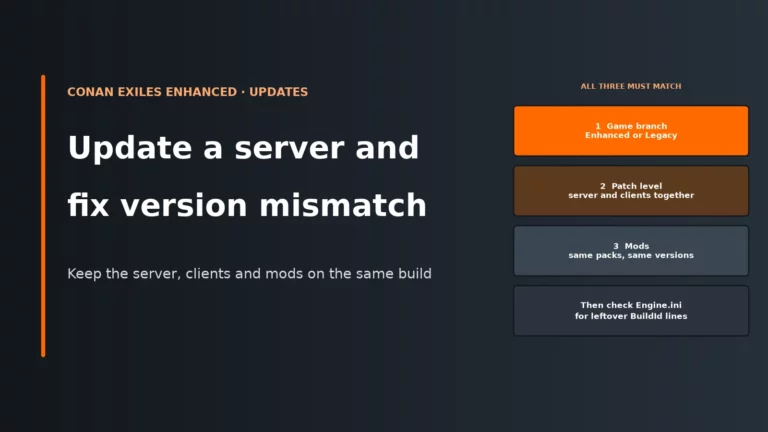
Clients and server must be on the same branch. On Steam, the UE4 version remains available as Conan Exiles Legacy through Game Versions and Betas, and the server beta branch is conan-exiles-legacy. If your server stays on Legacy, all joining players need Legacy too.
Custom and modded maps on Legacy and Enhanced
Custom maps are where the branch split matters most. A Legacy total-conversion style map is not automatically an Enhanced map, even if the name is familiar.
Legacy example: Savage Wilds
On Legacy, Savage Wilds is a straightforward example of a custom map setup:
- Workshop ID:
2377569193 - Map path:
/Game/Mods/Savage_Wilds/Savage_Wilds - Save file:
savagewilds_game.db
The Legacy Savage Wilds Workshop item is marked incompatible with Enhanced, so do not assume you can carry that setup forward unchanged.
Enhanced map and region mods
On Enhanced, only use a map or region mod whose page explicitly says it supports Enhanced. Since patch 1.1.0, modded regions load automatically unless you exclude them, because the server now works from an exclusion list rather than a manual list of allowed regions. Excluding a modded region also removes its spawn points from character creation, so new players are not dropped somewhere that does not work.
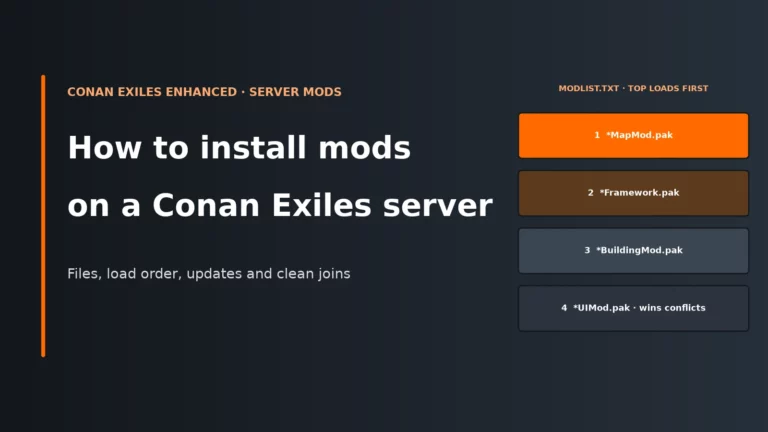
If you are editing mod order or replacing a map mod, make sure you understand the load order first. A map mod should sit at position 1 in modlist.txt, and all players need the same mod set as the server. If you need the admin side of that process, here is a guide to installing mods on a Conan Exiles server.
Troubleshooting map changes on Conan Exiles servers
| Symptom | Likely cause | First fix |
|---|---|---|
| Map dropdown missing | Your panel has removed it for Enhanced, or it never supported the new region model. | Edit Engine.ini directly and use the [Regions] exclusion line instead of looking for a map picker. |
ServerDefaultMap edit does nothing on Enhanced |
You are using a Legacy setting on the UE5 branch. | Delete the old [/Script/EngineSettings.GameMapsSettings] lines and use ExcludedRegions=IsleOfSiptah if your goal is Exiled Lands only. |
| A player cannot travel to Siptah | They do not own the Isle of Siptah DLC, or the region is excluded. | Check DLC ownership first, then confirm your server is not excluding IsleOfSiptah. |
| Siptah still shows after excluding it | Visible and functional are not the same thing; the region may still be seen by clients even though its sublevels are not loaded server-side. | Test function rather than appearance. Verify travel and region behaviour instead of expecting the landmass to vanish. |
| The excluded line comes back after restart | Some host panels rewrite Engine.ini on startup. |
Check for a panel-side template or custom config field and apply the region exclusion there if needed. |
| Old Siptah save will not load on Enhanced | dlc_siptah.db is not compatible with the merged UE5 world. |
Use the Server Transfer Tool route via a UE4 Exiled Lands server; do not try to force-convert the Siptah database. |
| Players cannot join after the switch | Branch mismatch, mod mismatch, or old bUseBuildIdOverride/BuildIdOverride lines under [OnlineSubsystem]. |
Confirm everyone is on the same branch, remove stale BuildId override lines, and verify server and client mods match. |
| Custom map server will not start | The map is Legacy-only, the path is wrong, or the mod order is wrong. | Check that the mod supports your branch, confirm the exact map path, and place the map mod first in modlist.txt where required. |
Pre-change checklist before you touch a live server
Use this as the minimum admin check. Most map-change disasters are not technical failures; they are branch mix-ups, missing backups or players left standing in the wrong place.
| Check | Why it matters |
|---|---|
| Confirm the branch for server and all players | Enhanced and Legacy clients cannot mix. A correct config on the wrong branch still blocks joins. |
Back up game_0.db or the relevant Legacy .db plus the config folder |
You need a clean rollback for both world data and the settings that tell the server what to load. |
| Check DLC ownership if you expect Siptah travel | The server can run both regions, but each player still needs the Isle of Siptah DLC to enter Siptah. |
| Announce the change and move bases, thralls and valuables out of any region you will exclude | An excluded region is not functional. Leaving assets there is asking for stranded progress and support tickets. |
| Verify mod compatibility with the chosen branch | Legacy map mods do not automatically work on Enhanced, and mismatched mods can stop joins or startup. |
| Do one test join after the restart | You want to catch branch mismatch, bad travel behaviour or a panel rewrite before the whole group logs in. |
| Keep original UE4 files if you may need Legacy again | UE5 databases cannot be taken back to UE4, so the old files are your only clean fallback. |
Conan Exiles server FAQ
Can I still run an Isle of Siptah only server in Conan Exiles?
On Enhanced, not in the old sense. There is no separate private Siptah server map any more; both official areas are part of one merged world, and you can only choose whether Siptah is active as a region. If you need a true Siptah-only map save, that is a Legacy setup.
Do players need the Isle of Siptah DLC to join my server?
No, not to join the server as a whole. Players without the DLC can still connect and play in the Exiled Lands on Enhanced. They do need the DLC to travel to the Isle of Siptah region.
Does disabling the Isle of Siptah save RAM?
Yes, that is the point of excluding the region. The server stops loading Siptah sublevels, which can reduce memory use on tighter plans. The trade-off is that the region remains non-functional, so do not leave active players or valuable assets there.
Will changing the map wipe my Conan Exiles server?
On Enhanced, excluding or re-enabling Siptah does not itself wipe the save, but both official regions live inside one game_0.db, so full wipes and restores affect both together. On Legacy, switching maps loads that map’s own save file, so it can look like a fresh world simply because that map has no existing database yet.
How do I use Savage Wilds on my server?
Use Savage Wilds only on Legacy if you are using the Legacy Workshop item, because that item is marked incompatible with Enhanced. Set the correct map path and expect its own save file, savagewilds_game.db. On Enhanced, only use a map or region mod that explicitly states Enhanced support.
More Conan Exiles server guides
Our Conan Exiles host comparison plus the setup and mod guides.
Written for Conan Exiles Enhanced in November 2026, after patch 2.2.0. Region settings, save names and the Siptah migration route come from Funcom’s Enhanced help articles and patch notes, Inflexion’s server documentation and Funcom’s multimap documentation for Legacy.