
How to Back Up a Garry’s Mod Server
Garry’s Mod has no single world save. Player data, ranks, persistent props, configs and your own scripts live in different places, and one of them breaks if you copy it while the server runs. This guide shows what to back up, how to take a copy that actually restores, and what to put back when something goes wrong.
garrysmod/sv.db, garrysmod/data/, garrysmod/cfg/, garrysmod/settings/users.txt, non-Workshop addons, custom gamemodes, and working garrysmod/lua/bin/ modules hold the parts you cannot simply fetch again.
Workshop content and the base server files from SteamCMD are replaceable. What matters is keeping the right collection ID and startup line so the server pulls the same content back.
The risky file is sv.db. Copying it while the server is writing to SQLite can produce an inconsistent file, so either stop the server or create the copy through SQLite itself.
Put code, modules, config and startup settings back before first boot, then restore the database and data files, and test on a separate copy before touching the live server.
Where a Garry’s Mod server keeps its data
Garry’s Mod does not have a single world save in the way many survival servers do. Player data, ranks, persistent props, bans, logs, custom code and server settings live in different places, and each of them matters for a different kind of recovery.
This map helps you separate unique server state from files that Steam or the Workshop can rebuild.
| Path | Player data | Your own work | Replaceable |
|---|---|---|---|
garrysmod/sv.db | Yes | No | No |
garrysmod/data/ | Yes | Partly | No |
data/persist/ | Partly | Yes | No |
data/ulib/ | Yes | Partly | No |
garrysmod/cfg/ | No | Yes | No |
addons/ (non-Workshop) | No | Yes | No |
gamemodes/ (custom) | No | Yes | No |
Workshop content | No | No | Yes |
Base server files | No | No | Yes |
| Path | What lives there | Why it matters | Can it be re-downloaded? |
|---|---|---|---|
garrysmod/sv.db |
SQLite database used by the sql library; common home for PData, many addon records, ULib bans, and DarkRP data by default |
This is often the single most important file for player state. Lose it and you can lose money, ranks, bans, inventories or other persistent addon data. | No |
garrysmod/data/ |
File-based addon saves created through the file library | Any addon storing JSON, text, logs or flat-file saves on the server writes here, so missing it can mean empty configs, wiped addon state or lost audit data. | No |
garrysmod/data/persist/<mapname>_<sbox_persist value>.txt |
Sandbox persistent props for a given map and persistence profile | Critical for build servers that use “Make Persistent”. It is separate from dupes and only updates on specific events, so its timing matters. | No |
garrysmod/data/ulib/users.txt, garrysmod/data/ulib/groups.txt, garrysmod/data/ulib/misc_registered.txt |
ULib/ULX users, groups and related registration data | If these are missing, your admin hierarchy can revert even if the server itself still starts. | No |
garrysmod/data/DarkRP_logs/ |
DarkRP logs | Not as vital as player balances, but useful for moderation history and tracing what happened before a rollback. | No |
garrysmod/cfg/server.cfg, banned_user.cfg, banned_ip.cfg |
Server settings, passwords, limits and built-in ban files | These control how the server behaves and who is blocked. Restoring them avoids guessing old settings after an outage. | No |
garrysmod/settings/users.txt |
Built-in admin users | Useful as a fallback if ULX is broken or absent after restore. | No |
garrysmod/addons/ |
Non-Workshop addons, purchased scripts, custom edits, local fixes | These are your irreplaceable code changes. A restore without them can boot, but with missing features or broken data readers. | Not the non-Workshop parts |
garrysmod/gamemodes/ |
Custom gamemodes and local gamemode edits | Vital if you are not using only stock code. DarkRP customisation often depends on local addon code being present too. | No |
garrysmod/lua/bin/ |
Binary modules | Facepunch updates can break modules. Keeping working copies helps you recover quickly from a bad update or host-side file loss. | No |
| Startup line | +gamemode, +map, +maxplayers, +host_workshop_collection, GSLT via +sv_setsteamaccount |
Without this, a rebuilt server can start on the wrong map, wrong gamemode or no Workshop stack at all. | The settings themselves: no. Workshop content they point to: yes. |
What you do not need to back up, and what you absolutely do
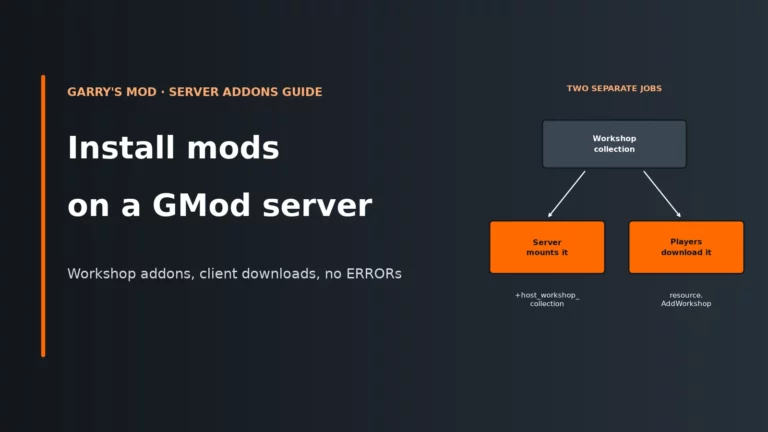
You do not need to treat everything in the install as precious. The base Garry’s Mod server files come from SteamCMD, so they can be recreated. Workshop addons are also replaceable because the server downloads them from the collection set by +host_workshop_collection, with host_workshop_autoupdate enabled by default. In practice, the thing worth preserving is the collection ID in your startup line, not the downloaded copy of the Workshop item.
That said, a Workshop backup will not save you from a bad Workshop update anyway. If the author changes the item, the server can just pull the new version again. For that kind of breakage, the fix is usually changing the collection, removing the bad addon, or swapping to a local copy you control. If you need a refresher on collections and local content, this Garry’s Mod Workshop and mods guide is the relevant companion read.
What you do need to back up is everything unique to your server: non-Workshop addons in garrysmod/addons/, custom gamemodes in garrysmod/gamemodes/, local edits inside a DarkRP modification addon, binary modules in garrysmod/lua/bin/, your config files, and the data files and databases that store player state. If you have ever edited a file by hand, uploaded a purchased script, or fixed a module version to keep the server stable, assume it belongs in your backup set.
Make the backup consistent, not just complete
The first rule is simple: a backup taken at the wrong moment can be worse than no backup because it gives you false confidence. The highest-risk file is garrysmod/sv.db. SQLite writes to a single database file, and a blind file copy while the server is still writing can capture an inconsistent state. That is a disk consistency problem, not a gameplay one: the server may look fine while the copied file is already broken.
The safest option is to stop the server, then copy the files. The trade-off is downtime, but in exchange you remove live writes to sv.db and cut down file churn in garrysmod/data/. If you cannot stop immediately, quieting the server is still worth doing: pause build sessions, avoid rank edits, avoid config changes, and do not treat a live panel snapshot as equal to a clean stop. Less write activity lowers the chance of half-updated flat files, but it does not make a raw SQLite copy safe.
If you have access to the sqlite3 command-line tool, its .backup command is the proper live-safe way to copy sv.db because SQLite itself produces the snapshot instead of your file manager copying bytes mid-write.
# Example: create a consistent SQLite copy
sqlite3 garrysmod/sv.db ".backup 'garrysmod/sv.db.backup'"
For the file side, a simple archive is enough once the server is stopped. Compression costs some CPU and disk I/O, and downloading the result to your own machine or cloud storage costs bandwidth, but those are acceptable costs compared with rebuilding ranks, money and configs by hand.
# Example: stop the server first, then archive the key paths
tar -czf gmod-backup.tar.gz \
  garrysmod/sv.db \
  garrysmod/data/ \
  garrysmod/cfg/ \
  garrysmod/settings/users.txt \
  garrysmod/addons/ \
  garrysmod/gamemodes/ \
  garrysmod/lua/bin/
Host panel backups are convenient for fast rollbacks, but they should not be your only copy. A panel backup stored on the same host is still tied to that host’s storage and control panel. Keep your own off-server copy as well, ideally downloaded through normal file access, so a host-side problem does not take both the live server and the only backup with it.
How do you know this part is working? Not by file size. You know it helped when a restore boots cleanly, your data is present, and the server does not throw database or missing-file errors on first load.
Persistent props, builds and what a crash really loses
On Sandbox build servers, the important setting is sbox_persist. If it is empty or 0, the “Make Persistent” workflow is effectively off. When it is set, persistent props are stored in garrysmod/data/persist/<mapname>_<sbox_persist value>.txt.
The awkward bit is when that file updates. Sandbox persistence saves on server shutdown and when the sbox_persist value changes, then loads at map start. That means a crash, forced kill, or host process stop can lose persistent props placed since the last clean shutdown. The server may have felt stable right up to the crash, but the file on disk may still reflect an earlier build state.
The practical answer is to run clean restarts for build-heavy servers and take backups after those clean stops, not during the busiest part of a session. The trade-off is a short interruption for players. The benefit is that persistence actually flushes to disk, so both your live state and your backup state line up.
One more trap: players’ own saves and dupes are client-side, not server-side. Restoring the server will not recreate a player’s local dupe library. A server backup protects server persistence and server-held addon data, not files stored on each player’s PC.
DarkRP, ULX and other addons with databases
By default, DarkRP uses the built-in SQLite database because RP_MySQLConfig.EnableMySQL = false. In that default layout, player money and other DarkRP database data live in garrysmod/sv.db, while DarkRP logs live in garrysmod/data/DarkRP_logs/. DarkRP customisation that you wrote yourself lives in the darkrpmodification addon under lua/darkrp_config/..., so losing only the addon files can still reset your jobs, categories and other local changes even if the player database survives.
If you changed DarkRP to use an external MySQL database, your file backup is only half the job. The game server files may restore perfectly and still boot into an empty economy because the real player data is in the separate database service. Back up that database on its own schedule and keep its restore method documented alongside the GMod files.
ULX and ULib split their data as well. User and group data live in garrysmod/data/ulib/users.txt and garrysmod/data/ulib/groups.txt, while modern ULib bans live in the ulib_bans table inside sv.db. That is why “my admins are back but bans are gone” is a common partial-restore mistake: the text files came back, but the SQLite file did not.
The broader rule is this: if an addon stores through sql, protect sv.db; if it stores through the file library, protect garrysmod/data/; if it uses an external MySQL database, protect that database separately. Many servers use all three at once.
How often to back up a GMod server
Set your routine by change rate, not just by how busy the server feels. A quiet server with frequent admin edits can need better backup discipline than a busy server that rarely changes. The chart shows when an extra backup pays off for each type of server; the table turns that into a routine.
| Before… | Sandbox build | DarkRP | TTT and minigames |
|---|---|---|---|
| An addon update | Yes | Yes | Yes |
| A Facepunch game update | Yes | Yes | Yes |
| Changing sbox_persist or a map clean-up | Yes | No | No |
| Editing jobs, ranks or the economy | Partly | Yes | Partly |
| Swapping the gamemode or Workshop collection | Partly | Yes | Yes |
| Moving to MySQL or a new host | Yes | Yes | Yes |
| Server type | Highest-risk data | Routine that makes sense | Always take an extra backup when |
|---|---|---|---|
| Sandbox build server | garrysmod/data/persist/..., garrysmod/data/, sv.db, custom build tools |
Back up after clean restarts and after important build sessions, because persistence only saves on clean shutdown or when sbox_persist changes. |
Before map clean-ups, admin tool changes, persistence changes or any addon update touching build tools. |
| DarkRP | sv.db or external MySQL, data/ulib/, server.cfg, DarkRP modification files |
Use frequent automated backups plus your own off-server copies, because money, ranks and addon state change constantly. | Before every DarkRP addon update, job/config edit, schema change or database move. |
| TTT, Prop Hunt and other minigames | Custom gamemodes, addons/, cfg/, sv.db if addons use PData or SQLite |
Keep a steady routine focused on code and config integrity, since these servers often break from addon clashes more than from world-state loss. | Before gamemode swaps, Workshop collection changes, map pool edits or admin rank changes. |
Whatever the server type, take another backup before every addon update, gamemode update or Facepunch update. That matters even more if you depend on binary modules in garrysmod/lua/bin/, because a game update can leave you with code that starts but modules that do not.
How to restore cleanly, and why the order matters
Restore to a separate test folder or separate server first. The reason is simple: first boot after a restore is when missing addons, bad modules, wrong config and stale databases show themselves. If you test on the live server, you are debugging under pressure and can easily overwrite newer good data with older files.
If you need to prepare a clean target first, the Garry’s Mod dedicated server setup guide covers the base install side. Use that clean target as the place where you prove your backup is complete.
Use this flow when deciding what to roll back.
- Build a clean base server if needed. Reinstall the base files from SteamCMD if the whole instance is suspect.
- Restore local code first. Put back non-Workshop addons, custom gamemodes and
garrysmod/lua/bin/before starting the server. This avoids booting with missing readers, missing modules or default code that may create fresh blank files. - Restore config and startup settings. Put back
garrysmod/cfg/,garrysmod/settings/users.txt, and the startup line pieces such as+gamemode,+map,+host_workshop_collectionand+sv_setsteamaccount. - Restore data next. Put back
garrysmod/sv.dbandgarrysmod/data/. If DarkRP uses MySQL, restore that database snapshot as part of the same recovery, not afterwards. - Start the test copy and inspect it. Watch for missing modules, SQL errors, wrong gamemode loads, empty admin lists or absent Workshop downloads.
- Only then restore live. Once the test copy behaves as expected, repeat the same file set on the production server.
What to check after the test restore
- The server starts on the correct map and gamemode.
- The Workshop collection is the expected one and downloads normally.
- ULX/ULib users and groups are present.
- DarkRP money and other persistent records are present, or the external MySQL database is connected and populated.
- Persistent props appear on the correct Sandbox map if you use
sbox_persist. - Custom scripts and binary modules load without errors.
- Expected bans and server settings are still there.
Symptom, likely cause, and what to restore
| Symptom | Likely cause | What to restore |
|---|---|---|
| Players lost money, ranks or addon progress after restore | sv.db was not restored, or DarkRP was using external MySQL and only files were restored |
Restore garrysmod/sv.db or the matching MySQL backup, then restart |
| ULX groups are gone but the server still starts | garrysmod/data/ulib/users.txt and groups.txt were missed |
Restore the garrysmod/data/ulib/ files; if bans are also missing, restore sv.db too |
| Bans disappeared | Built-in ban cfg files or the ULib bans table were not restored | Restore banned_user.cfg, banned_ip.cfg, and/or sv.db depending on the ban system in use |
| A Sandbox build vanished after a crash | Persistent props had not saved yet because shutdown was not clean, or sbox_persist was not configured |
Restore the latest valid file under garrysmod/data/persist/; if it never flushed to disk, there may be nothing newer to recover |
| Custom DarkRP jobs or settings reverted | The DarkRP modification addon or custom gamemode files were not restored | Restore the relevant files in garrysmod/addons/ or garrysmod/gamemodes/ |
| Workshop content does not appear after rebuild | The startup line is missing the correct +host_workshop_collection, +gamemode or +map |
Restore the startup settings and restart so the server can fetch the correct collection |
| Binary module errors appear after an update | A Facepunch update or reinstall broke the module set in garrysmod/lua/bin/ |
Restore the working module copy you kept, or update the module to a compatible build before going live |
| Addon configs are present but addon data is empty | garrysmod/data/ was not restored even though code and cfg files were |
Restore the relevant subfolders in garrysmod/data/ and retest |
Choosing a host with useful backups
For GMod, the best backup feature is not just “has backups”. You want automatic backups, off-site copies, sensible retention, file access or SFTP so you can take your own copies, and a restore option that is quick when the whole server is broken. If the panel only offers a full rollback with no easy file access, that is fine for disasters but awkward for smaller repairs where you only want to restore sv.db or one addon folder.
Retention matters because some problems are discovered late. A corrupted addon save copied forward for several days is still corrupted, so older restore points have real value. Off-site copies matter for the same reason your own download matters: if the host has a node or storage problem, backups on the same storage are not much help.
If you are comparing providers, this Garry’s Mod host comparison is a good place to judge file access and recovery features alongside the usual server basics.
For a GMod server, easy file access, automatic restore points and off-server protection are more useful than a flashy panel screenshot. Pick a host that lets you take your own copies and recover the exact data that failed, not just wipe the whole instance.
Compare Garry’s Mod hostsGarry’s Mod server FAQ
Can I back up a Garry’s Mod server while it is still online?
You can copy some files while it is online, but the dangerous one is garrysmod/sv.db. A blind live copy can catch SQLite mid-write and leave you with an inconsistent database, so the safe choices are stopping the server first or using SQLite’s .backup command. For full recoveries, a brief clean stop is usually worth more than avoiding a few minutes of downtime.
Do I need to back up Workshop addons?
Normally, no. Workshop items can be downloaded again from the collection in your startup line, so the collection ID matters more than the downloaded files. What you do need to protect are non-Workshop addons, local edits, purchased scripts and custom gamemodes.
Where are ULX ranks, bans and built-in admins stored?
ULib user and group data live in garrysmod/data/ulib/users.txt and garrysmod/data/ulib/groups.txt. Modern ULib bans live in the ulib_bans table inside garrysmod/sv.db, while built-in admins use garrysmod/settings/users.txt. If you only restore one of those locations, you get only part of your admin setup back.
What if DarkRP is using MySQL instead of the default database?
Then your file backup does not contain the whole server state. DarkRP’s important player records are in the external MySQL database, so that database needs its own backup and its own restore test. Restoring only the GMod files can leave you with the right scripts but empty player data.
How do I know my backup is actually usable?
Restore it to a separate test copy and boot the server there. Check the map, gamemode, Workshop collection, ranks, bans, persistent props and any economy or addon data you care about. A backup that has never been restored is still unproven, even if every file appears to be present.
More Garry’s Mod server help
Set up the server from scratch, manage Workshop content, or compare hosts by their backup tools.
File locations come from the Garry’s Mod wiki and Facepunch’s Sandbox code, plus the ULib and DarkRP source. Host panels name their backup tools differently, so follow your host’s current layout where it differs and keep the same priorities: a consistent sv.db copy, an off-server copy and a tested restore.