
How to Update a Factorio Server and Fix Version Mismatch
Read the mismatch error, move the server and every player to the same build, and get through the jump from 2.0 to 2.1 without losing the save or breaking your mods, on a game host, a Linux headless server, Windows or Docker.
Factorio runs the same simulation on every machine in lockstep. Even a point-release difference could make the factories drift apart, so the game refuses the connection instead.
The mismatch screen shows both version numbers and says whether the server is older or newer. That tells you who has to update before anyone touches a file.
A newer server loads older saves, back to 1.0 on 2.1.24. An older server cannot load a save written by a newer one, so back up before the first start.
Each mod declares one game version such as 2.0 or 2.1. On 2.1 a single 2.0 mod is enough to stop the whole server from starting.
Why Factorio is so strict about versions
Most multiplayer games send the positions of things across the network. Factorio does not. Every player’s game runs the full simulation of the factory itself, in step with the server, and only player actions travel over the connection. That is why a megabase with millions of entities can still run multiplayer on a modest connection, and it is also why the official multiplayer documentation says every game instance needs exactly the same game version and mods.
If one machine ran a slightly different build, a recipe tweak or a bug fix in one version would make its copy of the factory calculate a different result from everyone else’s. The game would desync. So Factorio checks the version when a player connects and turns them away if it differs, rather than letting the session break later.
In practice this means a Factorio update is a group event. Steam updates players automatically, so the moment a new build reaches the branch they play on, a server that has not been updated starts turning them away. The fix is to move the server and the players to the same build, and to do it in a way that does not cost you the save or the mod setup.
Read the error first: who needs to update?
Before you change anything, look at what the player actually sees. Factorio’s join errors are specific, and the wording points at the fix.
| What the player sees | What it means | What to do |
|---|---|---|
| Version mismatch detected! … The server is running an older version of the game. | The player’s game has updated and the server has not. | Update the server to the player’s version, or have the player switch to the server’s version. |
| Version mismatch detected! … The server is running a newer version of the game. | The server is ahead of the player. | The player updates. On Steam, check they are on the default branch, not an old version from the betas list. |
| Mods mismatch detected! with lines like “you have version X, server has version Y” | The game versions match but a mod does not. | Accept the mod sync prompt, which downloads the exact versions the server runs. |
| “… is only on the server” or “… is not on the server” | A mod is missing on one side. | Sync mods on join, or disable the extra mod on the player’s side. |
| Server log: Incompatible Factorio version (current: 2.1, required: 2.0) | A mod in the server’s mods folder is built for an older major version. | Update that mod to a 2.1 release or remove it. The server will not start until you do. |
| Server log: Map version … cannot be loaded because it is higher than the game version | The save was written by a newer version than the server is running. | Update the server, or restore a backup made before the newer version touched the save. |
The mismatch screen also shows both numbers in full, for example “You are running version 2.1.24” and “Server is running version 2.1.23”. Note them down. They tell you exactly which build to install.
Where Factorio stands in November 2026
Wube released 2.1 as an experimental update in June 2026 and kept it in experimental over the summer so mod authors had time to catch up. On 23 October 2026 it was marked stable, and Steam’s default branch moved with it. The current build is 2.1.24, released on 27 October 2026, and it is what both the stable and the experimental channels serve right now. Wube has said it sees 2.1 as the last major update, with long-term support to follow, so future updates should be 2.1 point releases rather than another jump of this size.
Three things from Wube’s own notes matter for a server owner. First, 2.0 saves load in 2.1, but some changes, such as the new circuit input and output split, can break existing factory designs. Second, once a save or blueprint has been opened in 2.1 it cannot be downgraded to 2.0. Third, most popular mods were updated during the experimental period, but some you rely on may not be ready yet. If your group is not ready to move, you can stay on 2.0.77, the last 2.0 build, on both the server and the players’ games. The section on choosing a version below shows how.
2.1 also changed what ships with the game. Recycling now lives in its own built-in mod called recycler, and Space Age can run without Quality. A server mod list now includes base, elevated-rails, quality, recycler and space-age, and the standard headless download already includes the Space Age content. 2.1 also added a native ARM64 Linux headless build, so a Raspberry Pi or an ARM cloud server can run the server directly.
Before you update: four checks that save the factory
- Find the target version. Use the version from the player’s error screen, or the current release.
https://factorio.com/api/latest-releaseslists the current stable and experimental numbers for each build, including headless. - Check every mod. Open each mod’s page on the official mod portal and make sure it has a release for the version you are moving to. A mod’s own version number says nothing about this. What counts is the Factorio version it targets, set by
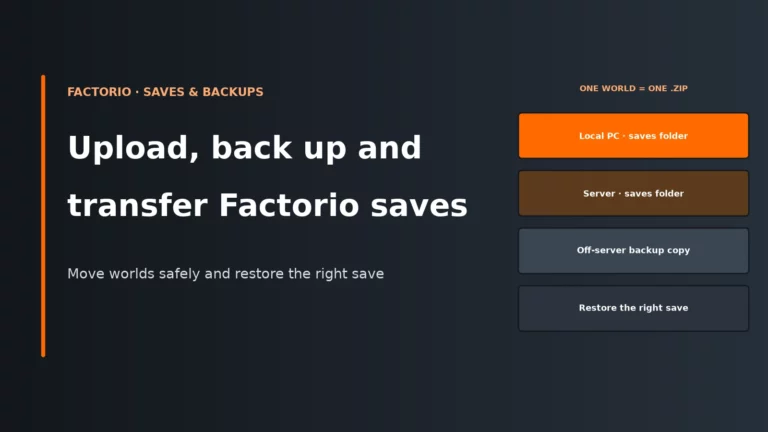
factorio_versionin itsinfo.json. Any mod without a release for your target has to come out before the server will start. - Back up the save, the mods and the config. Stop the server cleanly first, so it writes the latest state on exit, then copy the save, the whole mods folder and your server-settings, admin list and ban list somewhere off the server. Our guide to uploading, backing up and transferring Factorio saves covers where each file lives.
- Agree a time with your players. Everyone has to end up on the same build. Pick a moment, update the server, and tell players to let Steam update or to switch branch at the same time.
The backup is not optional when you cross a major version. The first time 2.1 starts with a 2.0 save, it migrates the world and writes a 2.1 save. From then on, an older server cannot open it, and you see the “higher than the game version” error if you try. A copy taken before the update is the only way back.
| What arrives | Server on 2.0.77 | Server on 2.1.24 |
|---|---|---|
| Save made in 1.1 | Yes | Yes |
| Save made in 2.0 | Yes | Yes |
| Save already opened in 2.1 | No | Yes |
| Mod built for 2.0 | Yes | No |
| Mod built for 2.1 | No | Yes |
| Player on 2.1.23 | No | No |
| Player on 2.1.24 | No | Yes |
How to update a Factorio server on a game host
On a managed host the game files are handled for you, but the order of the steps is the same. The exact button names vary between control panels.
- Stop the server from the panel and wait until it shows as offline, so the final save is written.
- Download a copy of the newest save and of the mods folder through the panel’s file manager or FTP. Many hosts also have a backup button. Use it, but keep your own copy as well.
- Find the version setting. Most Factorio panels have a version or branch selector, or an update or reinstall option, often with stable and experimental choices and a list of older releases. Pick the exact build your players are on. If you reinstall, check whether it keeps or wipes the saves folder before you click.
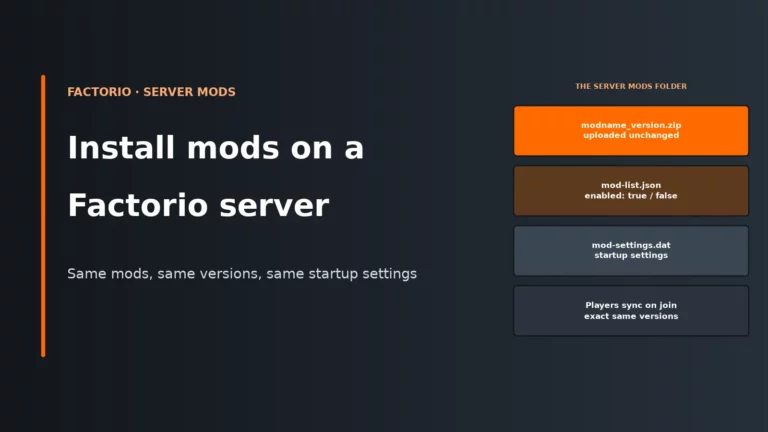
- Replace any mod that does not have a release for the new version, and delete the old zip for each mod you update, so the folder holds one version of each.
- Start the server and read the console. The first line shows the version it is running, for example
Factorio 2.1.24 (build 87808, linux64, headless, space-age). Then check that the right save loaded and join before you announce it.
If the panel’s choice is simply labelled “latest”, find out whether it follows stable or experimental. Experimental builds can move ahead of what Steam players have on the default branch, which brings the mismatch straight back.
How to update a Factorio headless server on Linux
On your own machine or a VPS, the headless package is a plain archive you unpack over the old one. The headless download is free and does not need a Factorio login. The commands below assume the server lives in /opt/factorio and runs as a factorio user, as in the official Linux setup guide. Adjust the paths to match yours.
Copy saves, mods, config and settings files
Linux: unpack the headless archive over the old one
First log line shows the version
- The save zip
- The whole mods folder, including mod-list.json and mod-settings.dat
- server-settings.json
- player-data.json and any admin, ban or whitelist files
1. Check the current version and stop the server
/opt/factorio/bin/x64/factorio --version
sudo systemctl stop factorio
Use whatever you normally stop it with: the service, Ctrl+C in the console, or a stop script. A dedicated server saves the map when it shuts down normally, so you get the very latest state. Do not kill the process.
2. Back up everything that is yours
cd /opt
sudo tar -czf factorio-backup-$(date +%F).tar.gz factorio/saves factorio/mods factorio/config factorio/data/server-settings.json factorio/player-data.json
Add server-adminlist.json, server-banlist.json and server-whitelist.json if you use them, and leave out any path you do not have. Copy the archive off the server as well.
3. Download and unpack the new build
cd /tmp
curl -L -o factorio-headless.tar.xz https://factorio.com/get-download/stable/headless/linux64
sudo tar -xJf factorio-headless.tar.xz -C /opt
sudo chown -R factorio:factorio /opt/factorio
The archive contains a factorio folder, so unpacking it into /opt replaces the program files and leaves your saves, mods, config and settings files in place, because the package does not contain them. Swap stable for an exact version such as 2.1.24 or 2.0.77 to install that build instead, or for experimental to follow the experimental channel. On an ARM64 machine, use linux-arm64 in place of linux64.
4. Update the mods, then start and check
/opt/factorio/bin/x64/factorio --version
sudo systemctl start factorio
head -n 1 /opt/factorio/factorio-current.log
Replace each mod zip with its release for the new version before you start. If the server stops at once, the end of factorio-current.log names the mod and the reason. The headless server can also fetch mods to match a save with --sync-mods, but only when service-username and service-token are set in its player-data.json. The mod side is covered step by step in how to install mods on a Factorio server.
A tidy habit: keep your server-settings.json outside the data folder, for example in config, and point to it with --server-settings. The data folder belongs to the game, so your own files are safer elsewhere.
Updating on Windows and in Docker
Windows. There is no separate headless build for Windows. The server is the normal game started with --start-server or --start-server-load-latest. If it runs from a Steam install, Steam updates it like any other game, and you choose the branch under Properties, then Game Versions & Betas. If it runs from the standalone zip from factorio.com, download the new zip while logged in and replace the program files the same way as on Linux, keeping your saves, mods and config. Stop the server and back up first either way.
Docker. With the widely used factoriotools/factorio image, the image tag decides the game version. Back up the data folder, then pull and recreate the container from the same Compose directory with the same volume mapping:
docker compose pull factorio
docker compose up -d factorio
The project’s own guidance is to use the stable tag or pin an exact version that matches your players, because latest may be experimental. Tags such as 2.1.24 and 2.0.77 stay on that build. Pulling a new image on its own does not change a running container, which is why the second command matters.
Choosing the version: stable, experimental or an older build
The server should run whatever build your group plays on. For most groups that is the stable release, because it is what Steam installs by default.
| Your group plays on | Server download | Players on Steam |
|---|---|---|
| Stable, the normal choice | /get-download/stable/headless/linux64, or the panel’s stable option | Default branch, nothing to change |
| Experimental | /get-download/experimental/headless/linux64, or the panel’s experimental option | Game Versions & Betas, then experimental |
| 2.0, because mods are not ready | /get-download/2.0.77/headless/linux64, or 2.0.77 from the panel’s version list | Game Versions & Betas, then 2.0.77 |
Experimental is where new point releases appear first. If one player opts into experimental and the server stays on stable, they will be turned away as soon as an experimental build moves ahead. That is the most common cause of “it worked yesterday” for one player only. Players who bought the game on factorio.com rather than Steam get experimental only if they switched on experimental updates under Settings, then Other.
Staying on 2.0.77 is a reasonable choice while you wait for a mod. Just remember that everyone has to choose it, including new players who join later, and that the save must not be opened in 2.1 in the meantime.
Fixing the save and mods after the jump to 2.1
Most 2.0 servers move to 2.1 without trouble once the mods are in order. When something goes wrong, it is usually one of these.
| Problem after the update | Likely cause | Fix |
|---|---|---|
| The server will not start and the log ends on a mod | A mod still targets 2.0, or needs a newer dependency | Install the mod’s 2.1 release and any library it needs, or remove it |
| A mod with no 2.1 release | The author has not published one yet | Remove it, or keep the whole group on 2.0.77 until it is updated. Editing the mod’s factorio_version by hand can make it load and then crash later |
| Circuit setups behave differently | 2.1 splits circuit input and output and replaces the old self-subtraction behaviour | Check combinator builds first and rewire them to the new input and output settings |
| Recycling switched on although you run a vanilla server | 2.1 adds the built-in recycler mod | List recycler in mod-list.json, set to false for a vanilla server and true with Space Age |
| You need to go back to 2.0 | A 2.1 save cannot be loaded by 2.0 | Install 2.0.77 and restore the save you backed up before the update |
| Some players still cannot join | They are on a different branch or have not restarted Steam | Compare the numbers on their error screen with the server log and move them to the same build |
Keeping it painless next time
Point releases come often, sometimes several in a week while a version is experimental, and Steam players get them automatically. A few habits keep updates from turning into a lost evening.
- Pin the build on purpose. Use stable on the server and the default branch for players, or one exact version on both. Avoid “latest” on a server unless everyone plays experimental.
- Back up before every update, not just the big ones, and keep a copy of the mods folder with the save it belongs to.
- Update mods in the same sitting as the game, and check the server log before players join.
- Tell players in advance. A short message with the new version number saves a lot of confused join attempts.
If your current host makes version changes awkward, with no stable or experimental choice, no older builds or slow file access, that is a fair reason to move. Our best Factorio server hosting comparison covers UK locations, prices and which panels make this easy, and our Factorio server requirements guide helps you size the plan.
Factorio server update FAQ
Why can’t I join my Factorio server after an update?
Factorio needs the server and every player on exactly the same version. If Steam updated your game and the server did not update, you get “Version mismatch detected!” with “The server is running an older version of the game”. Update the server to the version shown on your error screen, or switch your game to the server’s version.
Can a 2.0 Factorio save run on a 2.1 server?
Yes. 2.1 loads 2.0 saves, and 2.1.24 accepts saves back to 1.0. Once the save has been opened in 2.1 it cannot be loaded by 2.0 again, and some designs, especially circuit setups, may need rework. Back up the save before the first start.
How do I check which version my Factorio server is running?
Read the first line of the server log or console, which shows something like “Factorio 2.1.24 (build 87808, linux64, headless)”, or run the server binary with --version. The current stable and experimental numbers are listed at factorio.com/api/latest-releases.
Do Factorio 2.0 mods work on 2.1?
Not unless the mod has a 2.1 release. Each mod declares one major game version, and 2.1 refuses a mod that says 2.0 with “Incompatible Factorio version (current: 2.1, required: 2.0)”, which stops the server from starting. Update the mod or remove it.
Should a Factorio server run the experimental version?
Only if your whole group plays experimental. New point releases appear there first, so a server on experimental can move ahead of players on Steam’s default branch, and the reverse happens if one player opts in alone. For most servers, stable is the safer choice.
More Factorio server guides
Our Factorio host comparison and the guides that sit alongside this update walkthrough.
Written for Factorio 2.1 dedicated and headless servers in November 2026. Version matching, headless setup, server settings and the Linux install layout come from the official Factorio Wiki; release dates, the 2.1 stable notes and the downgrade warning from Wube’s Friday Facts #440, #444 and #449 and the 2.1 changelog; the download and version endpoints from factorio.com; error messages and the save compatibility range from the 2.1.24 headless server files; Steam branch names from Factorio’s Steam beta list; Docker tags and update commands from the factoriotools/factorio-docker project.