
PebbleHost Review 2026
We tested PebbleHost as a real customer, set up a server and spent most of the review inside the control panel using console, file access and backup and restore. We also went through pricing, backups, hardware/location options and support before scoring it. We used PebbleHost hands-on for this review, with most of our time spent in Heavily modified Pterodactyl. The test covered the live console, direct file access and backup and restore, because those are the parts that usually expose a weak host fastest. PebbleHost is almost two different Minecraft hosts sharing one brand. Budget starts at $1/GB on older regional CPU hardware and DDR4, while Premium moves to Ryzen 9 9900X, 9950X3D, 7950X or EPYC-class nodes, DDR5, stronger protection and much better backup/modpack tooling. In our use, the panel is good on both. The mistake is assuming the $1/GB tier gives the same performance as Premium just because the dashboard looks similar.
Quick verdict
What we found after testing PebbleHost
After testing PebbleHost ourselves, our score is based on how the service behaved once we were actually inside the panel, managing the server and dealing with support, not on the feature list alone.
Budget and Premium are not cosmetic tiers. Current hardware information puts European Budget on Ryzen 7 5700X and North American Budget on i9-9900K-class hardware, while Premium uses much newer Ryzen 9 or EPYC-class CPUs depending on region, along with DDR5.
We happily used Budget for a private Paper server. For a large modpack or public network, we paid for Premium rather than buy a huge amount of cheap RAM on a slower CPU.
PebbleHost at a glance
The important stuff before you buy
Score breakdown
Where the 8.8 comes from
Pricing and value
What the current price really buys
When we priced PebbleHost, we configured the same kind of server we had just tested and followed it through checkout. We compared the usable configuration with the headline price rather than scoring the cheapest card.
We went through the PebbleHost pricing flow after the hands-on test and checked what the configuration actually cost once the useful RAM, location and server options were selected. Budget starts at $1 per GB, which remains one of the most aggressive simple Minecraft prices in the market. It is ideal when CPU performance is not the limiting factor.
Premium pricing depends on RAM and region, but the important difference is what the money buys: newer CPUs, DDR5, faster storage, higher DDoS capacity, daily backups, hourly incremental backups and a built-in installer for around 12,000 modpacks.
We neverred compare 8GB Budget with 8GB Premium and conclude that Premium is overpriced. They are different performance classes. The useful question is whether our workload needs modern high-clock CPU time or just cheap memory.
| Plan / example | What you get | Current price |
|---|---|---|
| Budget | ~1GB | $1/GB |
| Premium | Higher CPU priority | Check current price |
Prices and product details were checked in September 2026 and can change. We compare the configured server, not just the cheapest headline card.
Control panel
Heavily modified Pterodactyl: what it is actually like to use
When we opened the PebbleHost panel, we skipped the tour and used console, file access, backup and restore and modpack tools straight away. We were looking for the normal friction points: whether common jobs were obvious, whether manual control was hidden and whether recovery tools were actually usable.
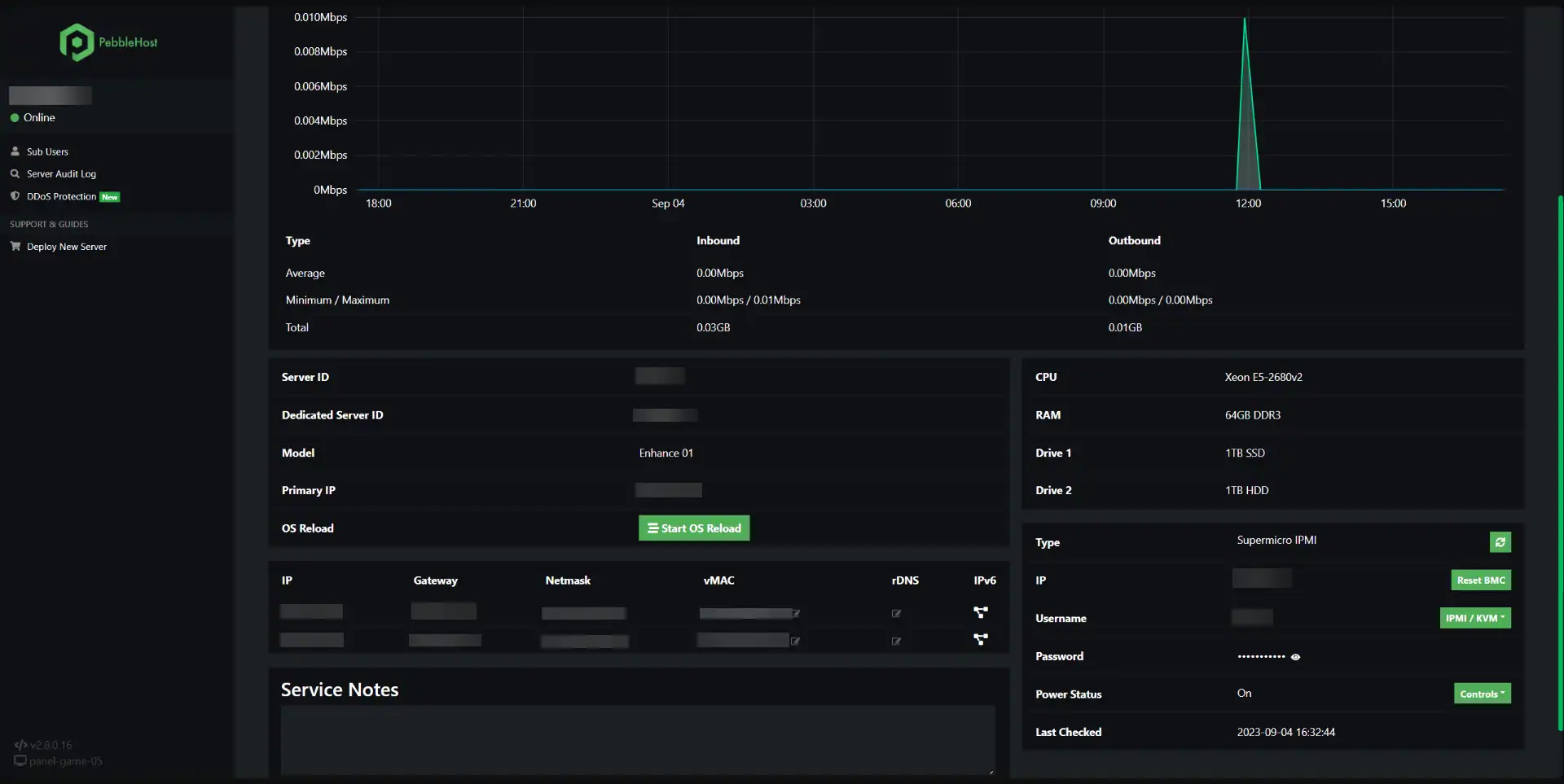
After using console, file access and backup and restore, our first impression was based on the workflow rather than the dashboard styling. PebbleHost’s heavily customised panel is one of the better examples of extending familiar game-hosting concepts. Console, files, tasks, firewall options, sub-users and analytics are all accessible without turning management into a maze.
Premium adds convenience around backups and modpacks. Twelve thousand one-click packs sounds like a marketing number until we are switching popular Forge or Fabric packs and avoiding manual server-side installation.
The provider-specific screenshot matches the current workflow. The important thing is remembering that the same-looking control panel can sit on very different hardware tiers.
Hands-on take
What stood out after using PebbleHost
On Budget, we started with a real Paper or lightly modded server and watch tick behaviour during chunk generation. If it is clean, there is no reason to pay more just because Premium exists.
For a heavy pack, we skipped that experiment and buy Premium. Minecraft is sensitive to single-thread performance. Doubling cheap RAM does not make a slower core process ticks faster.
Backups are another tier difference. Premium currently includes daily and hourly incremental options. Whatever tier we use, we still download an external world before a major pack change.
Support is Discord-based and PebbleHost advertises fast average replies. We treat that as the provider’s metric, not a guarantee. Current reviews include recent examples of helpful rollback assistance as well as billing and mod-related complaints.
We also read refund exclusions carefully. The 72-hour window is useful, but current terms exclude certain products, add-ons, payment methods and situations including some backup-restore cases. We confirmed eligibility before relying on a refund.
We also appreciate that PebbleHost publishes region-specific CPU substitutions instead of pretending every datacentre contains identical hardware. It makes the comparison slightly messier, but it is more honest. We preferred to know that Europe and North America can differ than buy from a host that lists one flagship CPU while silently deploying something else.
PebbleHost’s Premium backup system is also more interesting than a simple nightly zip. Hourly incremental backups reduce the amount of progress at risk between restore points, which is valuable for active public worlds. We still tested the restore workflow once because a backup that exists but is painful to deploy is much less useful during an actual incident.
The $1/GB tier remains one of the clearest examples of why our reviews separate value from absolute performance. A small private Paper server does not need a 9950X3D to be enjoyable. If Budget stays at 20 TPS for the real group, paying triple for benchmark prestige is pointless. Premium becomes worthwhile only when the workload actually exposes the older CPU’s limits.
Hardware and locations
What we care about underneath the panel
We checked the hardware and location options that were actually available to our PebbleHost server instead of giving credit for the best CPU or datacentre named anywhere on the marketing site. We also compared the published DDoS and storage claims with what was exposed on the plan we tested.
During the test, we checked the server/location information available to us against PebbleHost’s published infrastructure claims. Budget hardware varies by region: Ryzen 7 5700X in Europe, i9-9900K in parts of North America and older Xeon-class hardware in Australia. It uses DDR4 and advertises 480Gbps DDoS protection.
Premium is materially stronger: Ryzen 9 9900X in Europe, 9950X3D in parts of North America, 7950X in Miami and EPYC 4000-series in several regions, plus DDR5 and higher protection capacity.
Premium location coverage now also includes Singapore and India. We chose region by latency and then check the CPU class PebbleHost publishes for that region because the difference is real.
Support and reputation
Our actual support experience
We tested support with a real technical server issue and scored the interaction on two things: how quickly a human replied and whether the answer actually moved the problem forward.
We opened a support ticket with PebbleHost about a mod/plugin startup and configuration issue and got a human reply in 17 minutes. The reply was useful and specific enough to act on. We did not have to repeat the context, and the answer focused on the server problem rather than immediately pushing an upgrade.
Recent feedback is mixed in a believable way. Many customers praise price and fast support; others complain about billing, mod installation or refunds. One recent positive review specifically described fast help restoring a server.
Our conclusion is that PebbleHost support is established and accessible but not perfect. We used the first 72 hours to test both the server and the support process before moving a critical world.
Pros and cons
What we liked and what held it back
- ✓ Real $1/GB Budget tier
- ✓ Transparent Budget vs Premium hardware
- ✓ Strong custom panel
- ✓ Excellent Premium backup/modpack tooling
- ✓ Large operating history
- ✓ 72-hour refund window
- ✗ Budget hardware is much weaker than Premium
- ✗ Refund policy has important exclusions
- ✗ Support reputation is good overall but mixed
Who should buy it?
Is PebbleHost the right fit?
Compare by game
See the best hosts for your game
FAQ
PebbleHost frequently asked questions
How cheap is PebbleHost?
What is the Budget vs Premium difference?
Are backups included?
What is the refund policy?
Who should use Premium?
Final verdict
Do we recommend PebbleHost after testing it?
We used PebbleHost again, but tier selection is the whole review. Budget is excellent value for lighter servers. Premium is what we trusted with CPU-heavy packs and larger communities.
PebbleHost deserves credit for publishing hardware differences. Read them, choose for the real workload and test everything inside the refund window.
Affiliate disclosure: provider links may earn us a commission at no extra cost to you. Scores are based on product quality and value, not commission size.

I use and review game-server hosts from a buyer’s perspective: how the account feels, what the panel actually lets you do, how clearly plans are priced and whether the hardware, locations and support justify the bill.