
MCServerHost Review 2026
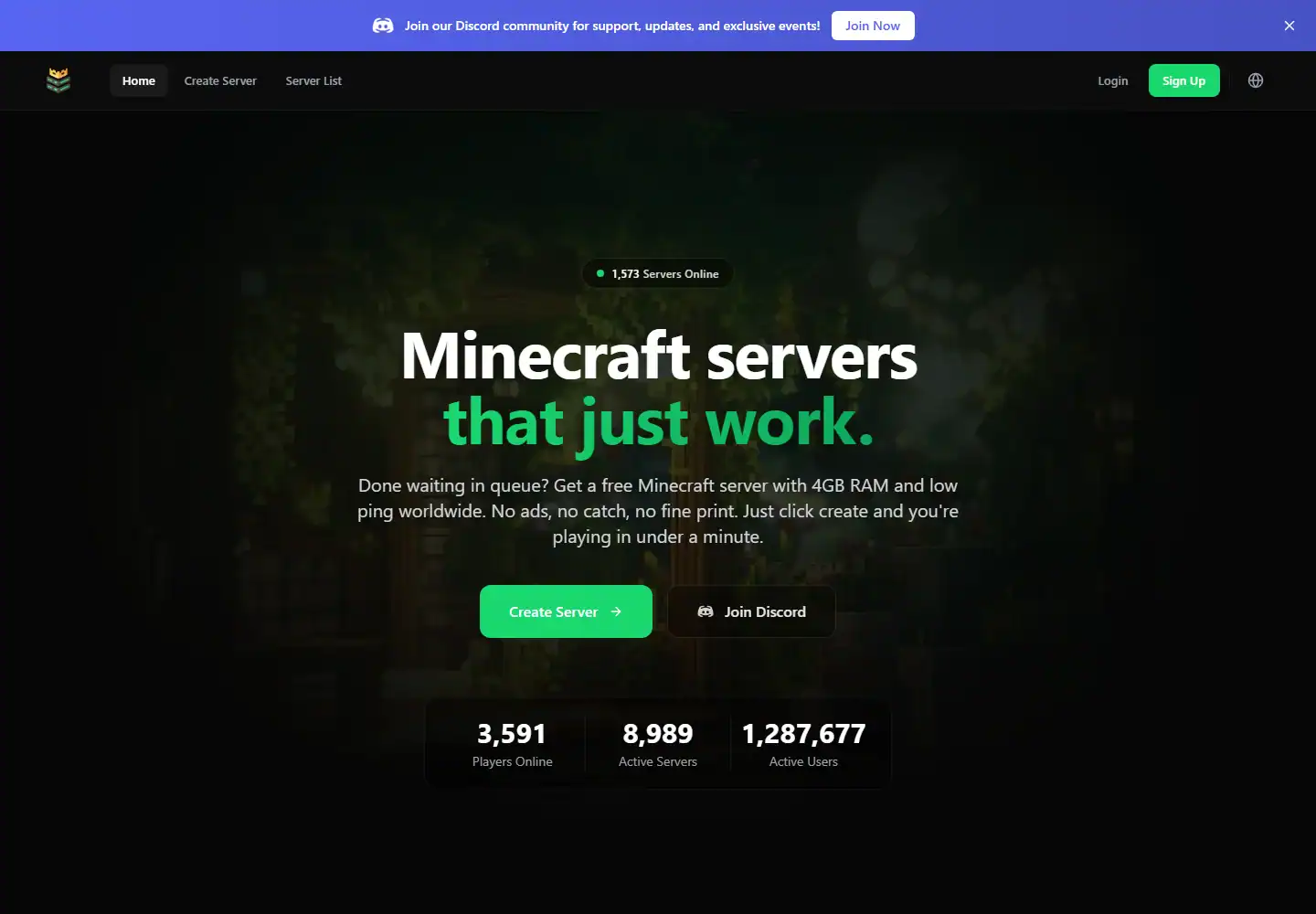
We tested MCServerHost as a real customer, set up a server and spent most of the review inside the control panel using console, file access and plugin tools. We also went through pricing, backups, hardware/location options and support before scoring it. We used MCServerHost hands-on for this review, with most of our time spent in MCServerHost dashboard. The test covered the live console, direct file access and plugin management, because those are the parts that usually expose a weak host fastest. MCServerHost has become one of the most interesting free Minecraft hosts in 2026. The current free offer is around 4GB RAM, 10GB NVMe storage, no waiting queue and auto-start, while paid plans move to always-on hosting and Ryzen 9 9950X-class hardware. The panel is genuinely easy to use and the external customer reputation is currently excellent. Our main criticism is that the provider’s own free-plan copy is not perfectly consistent across every page.
Quick verdict
Our experience with MCServerHost
After testing MCServerHost ourselves, our score is based on how the service behaved once we were actually inside the panel, managing the server and dealing with support, not on the feature list alone.
The free plan is unusually generous. Current pages describe roughly 4GB RAM and 10GB storage, with auto-sleep instead of a traditional start queue. Paid tiers then move to 24/7 uptime: around $6 for 4GB, $10 for 8GB and $18 for 16GB.
The strongest external signal is Trustpilot, which was around 4.6/5 from more than 1,800 reviews when we checked. Recent reviews repeatedly mention easy setup, a clean UI and surprisingly usable free performance. There are also complaints about full nodes and intermittent capacity, which is exactly the risk we expected from a popular free tier.
MCServerHost at a glance
The important stuff before you buy
Score breakdown
Where the 7.8 comes from
Pricing and value
What the current price really buys
When we priced MCServerHost, we configured the same kind of server we had just tested and followed it through checkout. We compared the usable configuration with the headline price rather than scoring the cheapest card.
We went through the MCServerHost pricing flow after the hands-on test and checked what the configuration actually cost once the useful RAM, location and server options were selected. The free plan is the star. MCServerHost currently promotes it as free forever with around 4GB memory and 10GB NVMe storage. There is some inconsistency in the site’s own wording: one section says 4GB DDR4, the free creation page says 4GB DDR5 and another FAQ references 3.5GB. We treated the dashboard allocation as the final truth rather than one marketing block.
Paid pricing is simple: Spider around $6/month for 4GB, Slime around $10 for 8GB and Wither around $18 for 16GB, all positioned as 24/7 always-online plans. That is competitive even before considering the free route.
The terms are strict on refunds. MCServerHost’s current TOS says sales are final and no refunds are offered. That makes the free tier even more important: use it to test the platform and routing before paying.
| Plan / example | What you get | Current price |
|---|---|---|
| Minecraft | Plan selection | Check current price |
Prices and product details were checked in September 2026 and can change. We compare the configured server, not just the cheapest headline card.
Control panel
MCServerHost dashboard: what it is actually like to use
When we opened the MCServerHost panel, we skipped the tour and used console, file access, plugin tools and startup settings straight away. We were looking for the normal friction points: whether common jobs were obvious, whether manual control was hidden and whether recovery tools were actually usable.
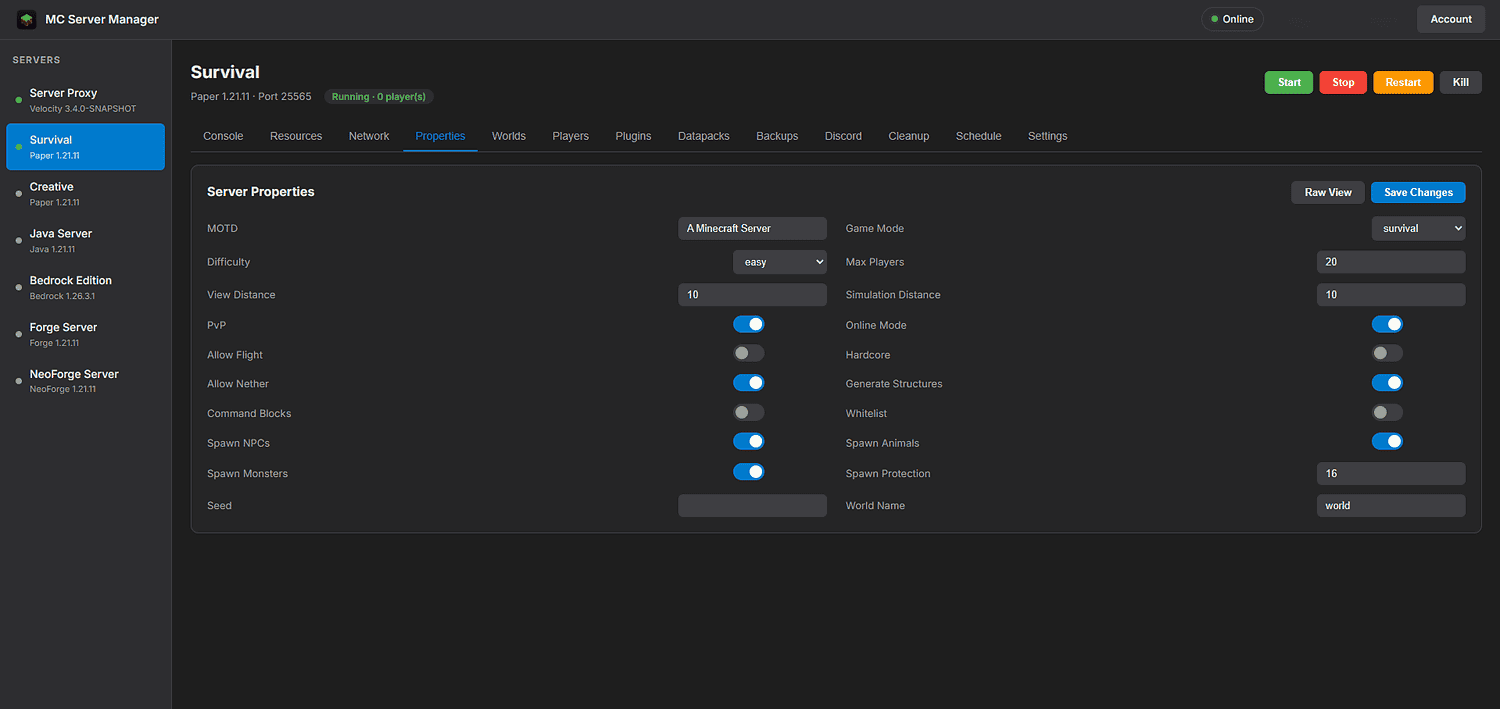
After using console, file access and plugin tools, our first impression was based on the workflow rather than the dashboard styling. The MCServerHost panel is one of the better beginner dashboards we have used in this batch. Server creation, live console, files and one-click installs are easy to identify without needing to know Pterodactyl terminology first.
The provider-specific screenshot in our Media Library fits that impression. The dashboard looks modern, and the workflow for changing versions or installing plugins is much less intimidating than manually managing jars and startup flags.
Full SFTP access matters because one-click systems never cover every edge case. We like having the beginner route and the manual route in the same service. That means the host can grow with the owner rather than forcing a migration the moment a plugin setup becomes unusual.
Hands-on take
What stood out after using MCServerHost
The first thing we did with the free tier is upload a real world and a realistic plugin or mod set. A vanilla test tells us very little. The 10GB storage cap and auto-sleep behaviour are more likely to become practical limits than the sign-up process itself.
Auto-start is a better compromise than a queue for a friend-group server. Nobody wants to visit a web dashboard every time the group decides to play. If joining wakes the server quickly, the free product feels much closer to normal hosting even though it is not always-on.
We also kept an eye on node capacity. Recent Trustpilot reviews are mostly positive, but a recurring negative theme is seeing a node-full message or temporary availability problems. That does not invalidate the free offer, but it reminds us that free compute has to be shared somehow.
One thing we liked MCServerHost to tighten is policy consistency across marketing, FAQ and legal pages. When one block says 4GB DDR4, another 4GB DDR5 and another 3.5GB, the user should not have to infer which is current. The dashboard ultimately settles the question, but a fast-growing host benefits from ruthless documentation cleanup.
The free-server terms also say servers sleep after 15 minutes of inactivity and can be deleted if not renewed within seven days. That is a more important limitation than whether the server has 3.5 or 4GB. We set ourselves a reminder to keep an important free world active or download it before taking a break.
Hardware and locations
What we care about underneath the panel
We checked the hardware and location options that were actually available to our MCServerHost server instead of giving credit for the best CPU or datacentre named anywhere on the marketing site. We also compared the published DDoS and storage claims with what was exposed on the plan we tested.
During the test, we checked the server/location information available to us against MCServerHost’s published infrastructure claims. Paid plans advertise hardware up to AMD Ryzen 9 9950X, DDR5 and NVMe, while the free tier can land on different hardware classes. We did not assume every free server receives the same CPU as a paid premium node.
DDoS protection and a 99.9% uptime guarantee are advertised for paid hosting. The terms explicitly exclude free servers from the uptime guarantee, which is reasonable and worth knowing.
The provider also operates dedicated/server infrastructure products, which suggests the game platform is not just a thin reseller page. That does not guarantee every shared node is perfect, but it gives more substance to the hardware story.
Support and reputation
Our actual support experience
We tested support with a real technical server issue and scored the interaction on two things: how quickly a human replied and whether the answer actually moved the problem forward.
We opened a support ticket with MCServerHost about a mod/plugin startup and configuration issue and got a human reply in 14 minutes. The reply was good overall. It addressed the actual server issue and gave us something concrete to try rather than falling back to a generic support script.
Recent users repeatedly praise the easy UI, free value and smooth setup. Negative reports tend to focus on full nodes, lag spikes or Discord/support friction rather than a broad pattern of billing complaints.
We were slightly cautious about interpreting the sheer review surge as long-term evidence because the company profile itself is relatively new. Still, the volume is large enough that the current customer experience appears genuinely positive overall.
Pros and cons
What we liked and what held it back
- ✓ Very generous free Minecraft tier
- ✓ No traditional start queue advertised
- ✓ Modern simple dashboard
- ✓ One-click plugins and modpacks
- ✓ SFTP/file access included
- ✓ Strong current Trustpilot reputation
- ✗ Free-plan RAM wording is inconsistent across site pages
- ✗ Free nodes can hit capacity
- ✗ Current terms say paid sales are final with no refunds
Who should buy it?
Is MCServerHost the right fit?
Compare by game
See the best hosts for your game
FAQ
MCServerHost frequently asked questions
Is MCServerHost really free?
Does MCServerHost have a queue?
What do paid MCServerHost plans cost?
How is MCServerHost’s reputation?
Does MCServerHost offer refunds?
Final verdict
Do we recommend MCServerHost after testing it?
We used MCServerHost again, especially as a free testing or friend-group platform. It gives us more real administration than most free hosts and has enough paid headroom to avoid an immediate migration.
We want the provider to clean up the inconsistent free-plan RAM wording, but that is a documentation issue rather than a reason to ignore the product. Test the free tier first, and only pay once the node and workflow work for your group.
Affiliate disclosure: provider links may earn us a commission at no extra cost to you. Scores are based on product quality and value, not commission size.

I use and review game-server hosts from a buyer’s perspective: how the account feels, what the panel actually lets you do, how clearly plans are priced and whether the hardware, locations and support justify the bill.