
Bloom.host Review 2026
We tested Bloom.host as a real customer, set up a server and spent most of the review inside the control panel using console, file manager and file access. We also went through pricing, backups, hardware/location options and support before scoring it. We used Bloom.host hands-on for this review, with most of our time spent in DuckPanel. The test covered the live console, the file manager and direct file access, because those are the parts that usually expose a weak host fastest. Bloom.host feels like a Minecraft company that built hosting software, not a generic host that added Minecraft to a catalogue. DuckPanel, server splitting, mountable backups and high-frequency hardware all reinforce the same goal: make serious Minecraft administration easier. It is excellent, but you pay premium-host money for it and UK buyers do not get a London node.
Quick verdict
What we found after testing Bloom.host
After testing Bloom.host ourselves, our score is based on how the service behaved once we were actually inside the panel, managing the server and dealing with support, not on the feature list alone.
Bloom is not the cheapest host, and we did not pretend $22 for an 8GB Performance plan is bargain pricing. The argument is that you are paying for better CPU allocation, a polished panel and a platform that expects you to run modpacks, networks and multiple instances. For those workloads the premium feels much easier to justify.
Before you buy
The important stuff at a glance
First look
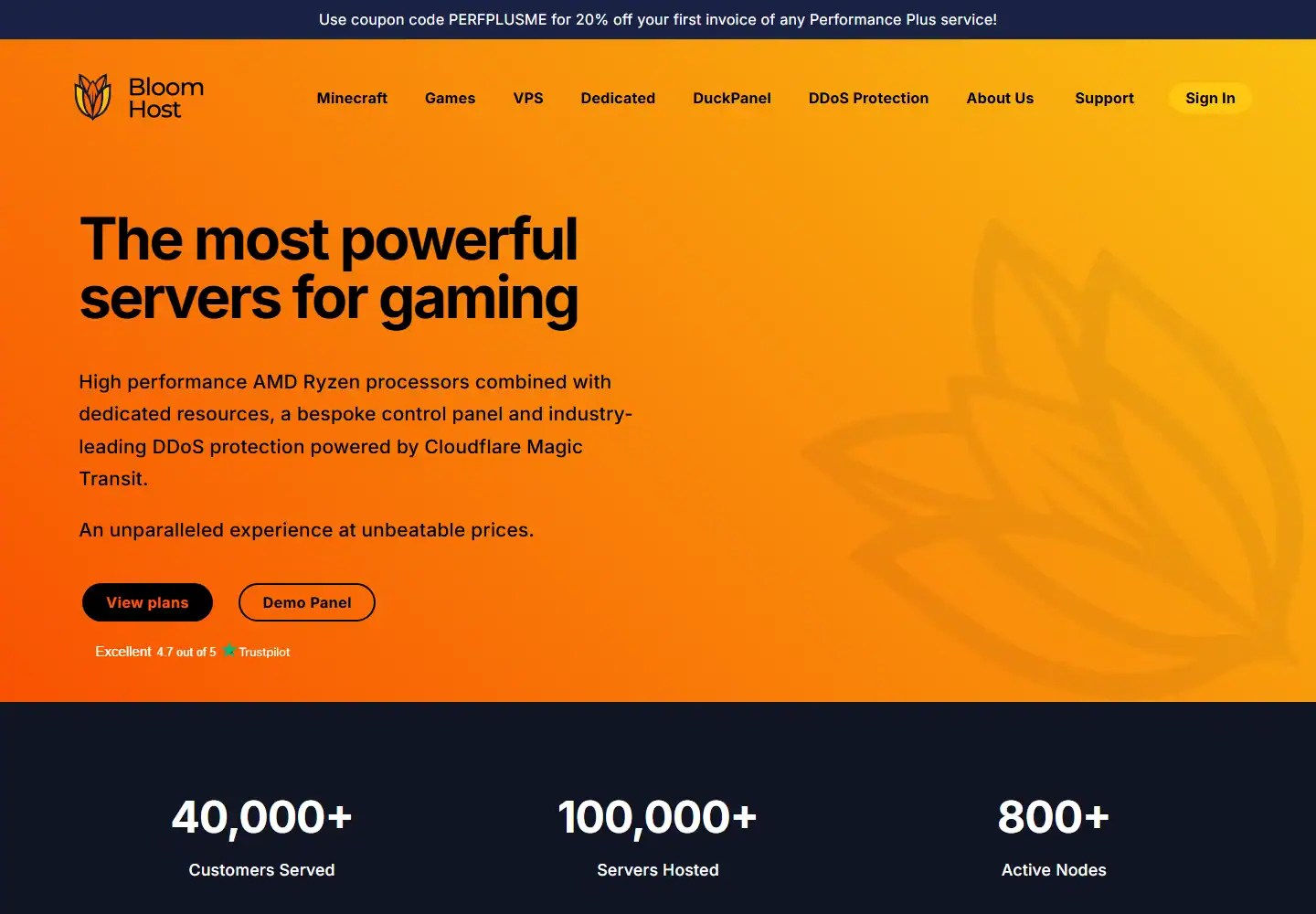
What Bloom.host looks like before you buy
Score breakdown
Where the 9.1 comes from
Pricing and value
What the headline price really buys
When we priced Bloom.host, we configured the same kind of server we had just tested and followed it through checkout. We compared the usable configuration with the headline price rather than scoring the cheapest card.
We went through the Bloom.host pricing flow after the hands-on test and checked what the configuration actually cost once the useful RAM, location and server options were selected. Bloom currently separates Essentials, Performance and Performance+ rather than pretending every RAM tier runs on the same CPU allocation. Essentials is the cheaper shared option, Performance adds dedicated logical cores, and Performance+ moves toward the newest hardware.
The 8GB Performance plan at $22/month is the useful reference point for us. It costs more than budget hosts, but it is also where Bloom’s dedicated-core model and panel features line up with the kind of modded Minecraft server we actually chose the company for.
| Plan / example | What you get | Current price |
|---|---|---|
| Essentials 4GB | Shared cores · NVMe | $12/mo |
| Performance 8GB | Dedicated logical cores · 120GB NVMe | $22/mo |
| Performance+ 8GB | Up to Ryzen 9950X · dedicated cores | $28/mo |
| VPS 8GB | Dedicated CPU VPS option | $30/mo |
Prices and plan details were checked in September 2026 and can change. We always compared the final checkout/renewal price for the exact game and location.
Control panel
DuckPanel: what it is actually like to use
When we opened the Bloom.host panel, we skipped the tour and used console, file manager, file access and backup and restore straight away. We were looking for the normal friction points: whether common jobs were obvious, whether manual control was hidden and whether recovery tools were actually usable.
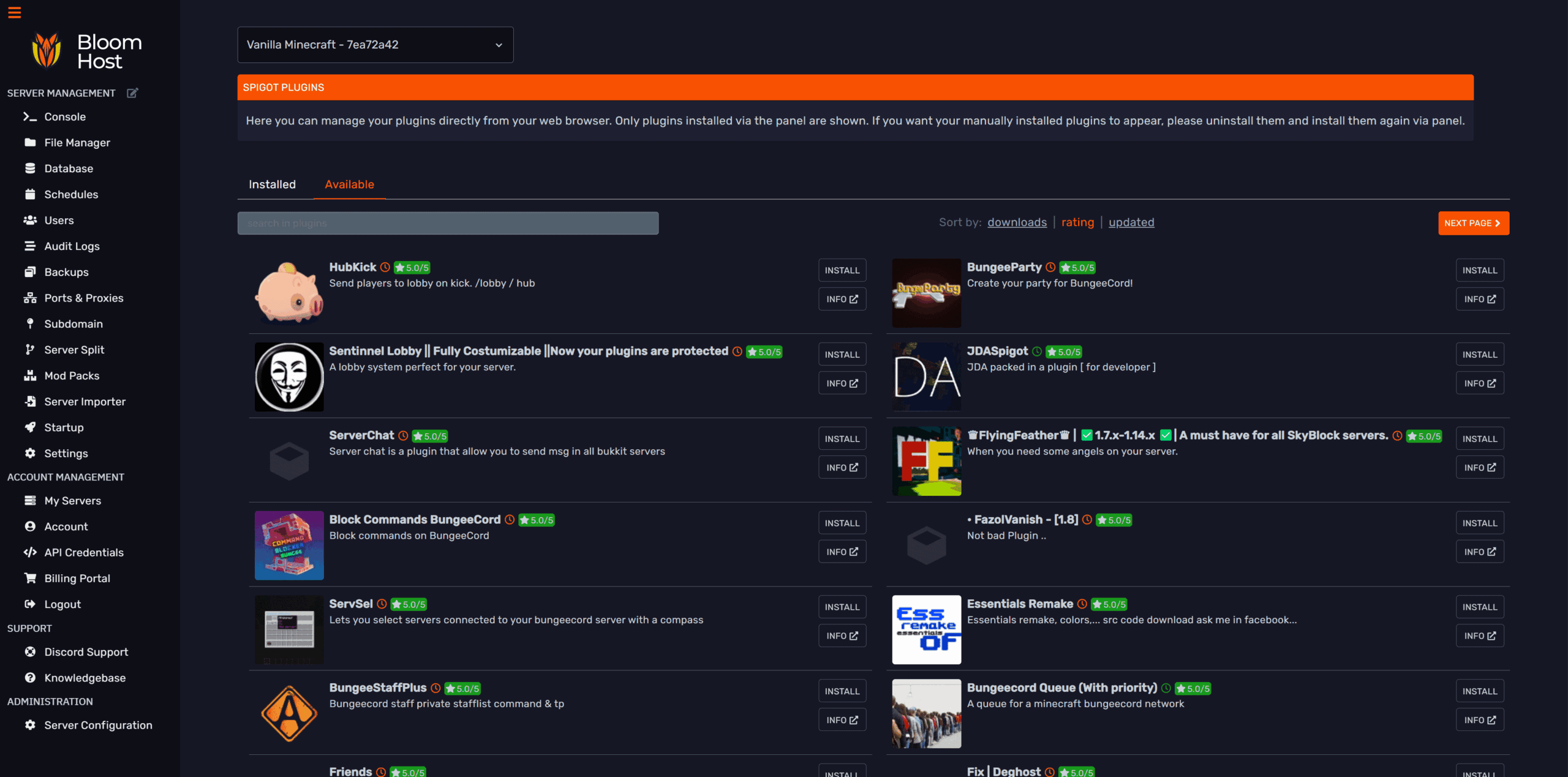
After using console, file manager and file access, our first impression was based on the workflow rather than the dashboard styling. DuckPanel immediately feels deliberate. The interface is clean without hiding advanced controls, and the Minecraft-specific workflow is better than the endless list of generic Pterodactyl menus we see elsewhere. We could move between console, files, settings and backups without the billing system feeling like a separate website.
We then pushed past the first setup screen and used the panel for normal server administration. Server splitting is a genuinely useful differentiator. Instead of paying for several isolated subscriptions, eligible plans can divide resources across multiple server instances. That is ideal for a network, a proxy plus backend servers, or a group that wants a production world and a test server without maintaining separate accounts.
Backup mounting is the feature we wish more hosts copied. Bloom’s Borg-based backup system can mount a backup into the file manager so you can recover a folder or file instead of rolling the whole server backwards. That is exactly the kind of detail you appreciate after one bad plugin update.
Hands-on administration
Running a modded Minecraft server on Bloom
We did the jobs we normally do after a server is live: created and restored a backup, edited files manually and worked with the database. That mattered more to us than whether the initial installer looked easy, because this is where weak panels usually start wasting time.
When we ran those admin jobs ourselves, the useful part was how much control we kept after setup. Bloom clearly expects modded Minecraft. The panel, documentation and plan recommendations are built around real packs and multi-instance use rather than treating mods as a checkbox. That means fewer moments where you feel you are fighting the hosting layer just to do something normal.
We also tested recovery rather than assuming the backup label meant much. For us, the biggest quality-of-life gain is that advanced features remain discoverable. The panel does not require SSH knowledge for normal jobs, but it also does not force experienced users into a wizard for everything. Files, databases, backups and networking are all there when you need them.
This is also a host where we paid attention to which tier we choose. Performance+ has the sexier CPU list, but many servers do not need to pay extra for it. A well-sized Performance plan can make more sense than buying the top tier because “9950X” looks good on the product page.
Hardware and locations
What is underneath the control panel
We checked the hardware and location options that were actually available to our Bloom.host server instead of giving credit for the best CPU or datacentre named anywhere on the marketing site. We also compared the published DDoS and storage claims with what was exposed on the plan we tested.
During the test, we checked the server/location information available to us against Bloom.host’s published infrastructure claims. Bloom owns hardware in most locations except Germany and publishes location-by-location CPU tables. Performance+ is now mostly Ryzen 9 9950X in US regions, while Germany lists Ryzen 7950X3D at the top tier. Storage is NVMe and its major locations use Cloudflare Magic Transit protection, with the German network being upgraded.
We then looked at the location choice from the player side rather than the spec sheet. There are six current locations: Ashburn, Dallas, Los Angeles, Miami, Falkenstein and Singapore. For UK buyers, Falkenstein is the nearest listed option; there is no London node. That is Bloom’s clearest weakness for this site specifically.
We still preferred to see transparent German hardware and a ping-test page than a host claiming “UK/EU low latency” without telling us where the machine lives. If London matters, choose a London host. If raw Minecraft performance matters more, Bloom remains very competitive.
Support and reputation
Our actual support experience
We tested support with a real technical server issue and scored the interaction on two things: how quickly a human replied and whether the answer actually moved the problem forward.
We opened a support ticket with Bloom.host about a mod/plugin startup and configuration issue and got a human reply within 15 minutes. The reply was genuinely good. It was specific to the problem, technically useful and gave us a clear next step without making us repeat the same context.
That first-hand interaction is what we scored most heavily. The important part was not simply getting a fast hello, but getting an answer that moved the server problem forward without repeated explanations or an automatic upsell.
As a cross-check, Bloom’s public support reputation is one of the strongest in the batch. Trustpilot was around 4.7/5 from 216 reviews when we checked, and recent reviews repeatedly mention quick, patient support for modded Minecraft as well as praise for the panel and server-splitting features.
Pros and cons
What we liked and what held it back
- ✓ DuckPanel is excellent
- ✓ Server splitting on eligible plans
- ✓ Mountable incremental backups
- ✓ Strong high-frequency Ryzen options
- ✓ Very strong current customer reputation
- ✓ Good transparency around hardware and locations
- ✗ Premium pricing
- ✗ No London location
- ✗ Best hardware sits on higher tiers
- ✗ Minecraft focus may be overkill for a simple casual server
Who should buy it?
Is Bloom.host the right fit?
Compare by game
See the best hosts for your game
FAQ
Bloom.host frequently asked questions
Is Bloom.host worth it in 2026?
What control panel does Bloom.host use?
How much does Bloom.host cost?
Who is Bloom.host best for?
What should I watch out for with Bloom.host?
Final verdict
Do we recommend Bloom.host after testing it?
Bloom is one of the easiest premium recommendations in this first batch. DuckPanel is not just branding; server splitting and backup mounting make day-to-day administration materially better, and the hardware story is unusually transparent.
We chose Bloom for a Minecraft server that we expect to keep, modify and grow. We did not choose it for a throwaway two-week vanilla world, because that means paying for advantages you probably will not use.
Affiliate disclosure: provider links may earn us a commission at no extra cost to you. Scores are based on product quality and value, not commission size.

I use and review game-server hosts from a buyer’s perspective: how the account feels, what the panel actually lets you do, how clearly plans are priced and whether the hardware, locations and support justify the bill.