
Aternos Review 2026
We tested Aternos as a real customer, set up a server and spent most of the review inside the control panel using console, file access and backup and restore. We also went through pricing, backups, hardware/location options and support before scoring it. Our Aternos review started in Aternos custom panel, not on the marketing site. We worked through the live console, direct file access and backup and restore and used the server like we normally manage one after setup. Aternos is genuinely free, and that changes the standard we judge it by. The panel is easy, mod and plugin installation is friendly, and you can keep a private world online while people are actually playing. The trade-offs are just as real: queues, automatic shutdowns, a 4GB storage cap and no unrestricted FTP or custom file uploads.
Quick verdict
What we found after testing Aternos
After testing Aternos ourselves, our score is based on how the service behaved once we were actually inside the panel, managing the server and dealing with support, not on the feature list alone.
The restrictions are not hidden edge cases. They are the product model. At busy times your server can enter a start queue, empty servers shut down, storage is capped at 4GB and custom plugin/mod uploads are deliberately blocked. That is acceptable for a free service, but it is exactly why we did not build a serious community around Aternos.
Before you buy
The important stuff at a glance
First look
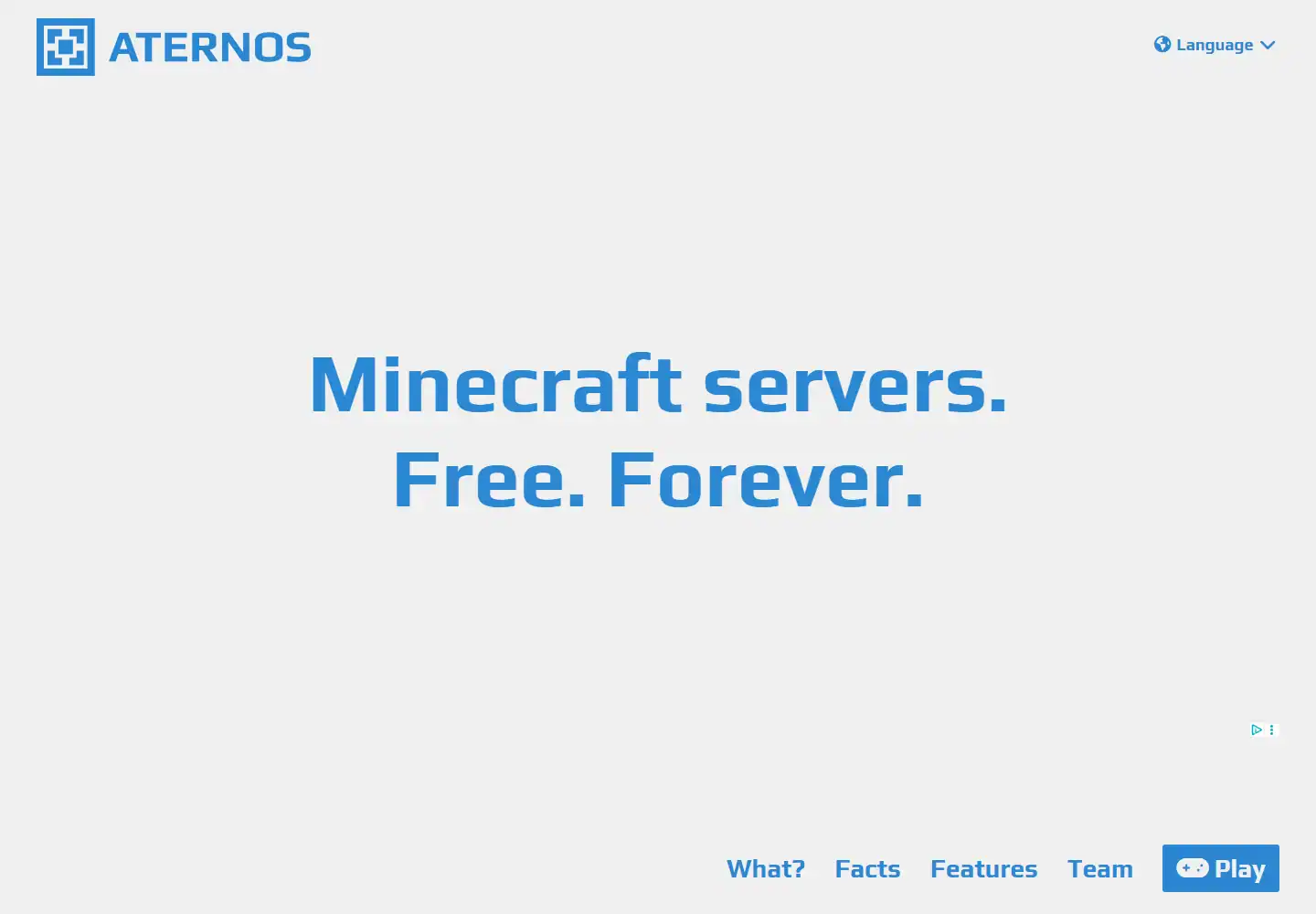
What Aternos looks like before you buy
Score breakdown
Where the 7.1 comes from
Pricing and value
What the headline price really buys
When we priced Aternos, we configured the same kind of server we had just tested and followed it through checkout. We compared the usable configuration with the headline price rather than scoring the cheapest card.
We went through the Aternos pricing flow after the hands-on test and checked what the configuration actually cost once the useful RAM, location and server options were selected. There is no pricing ladder to decode because Aternos does not charge for the core service. That makes it hard to beat for a small group that plays occasionally and does not care if the server sleeps when nobody is online.
In our checkout test, the real “cost” is control and convenience. When capacity is full, Aternos places servers in a queue and asks you to confirm near the front before starting. If you want to skip that model, the Aternos team points users toward its paid exaroton service instead.
| Plan / example | What you get | Current price |
|---|---|---|
| Aternos | Free Minecraft server | £0 / $0 |
| Queue | Possible when platform capacity is full | Included trade-off |
| Backups | Google Drive integration | Free |
| Storage | 4GB server data limit | Hard limit |
Prices and plan details were checked in September 2026 and can change. We always compared the final checkout/renewal price for the exact game and location.
Control panel
Aternos custom panel: what it is actually like to use
When we opened the Aternos panel, we skipped the tour and used console, file access, backup and restore and plugin tools straight away. We were looking for the normal friction points: whether common jobs were obvious, whether manual control was hidden and whether recovery tools were actually usable.
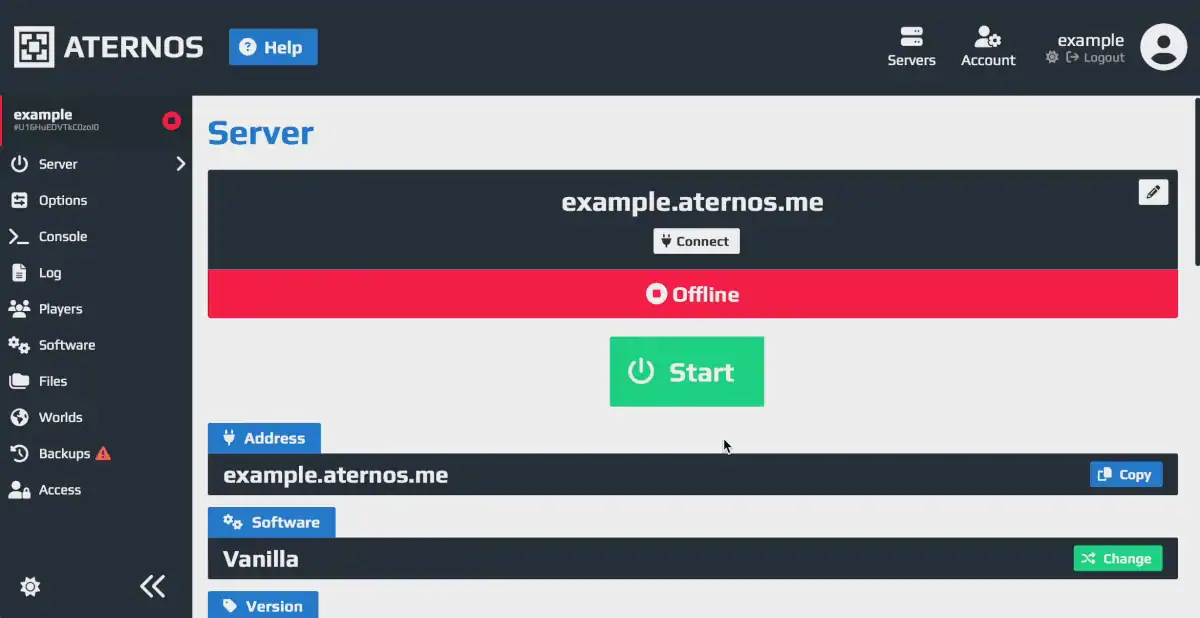
After using console, file access and backup and restore, our first impression was based on the workflow rather than the dashboard styling. The Aternos panel is one of the easiest game-server dashboards to understand. Start/stop, console, software, players, files, worlds and backups are broken into obvious sections, and the interface assumes the user may never have administered a server before. That is exactly the right choice for the audience.
We then pushed past the first setup screen and used the panel for normal server administration. We particularly like how software and addons are handled. You choose Forge, Fabric, NeoForge, Paper or another supported loader, then install mods or plugins from Aternos’ curated catalogue. For common Minecraft setups this is dramatically easier than uploading JARs and chasing dependencies manually.
Where the panel becomes frustrating is the moment you want to leave the curated path. Aternos does not provide FTP and does not allow unrestricted custom plugin or mod uploads. It explains this as both a security measure and a way to stop users bypassing the automatic shutdown system. The reasoning makes sense, but the limitation is still significant.
Hands-on administration
What free hosting feels like after the first day
We did the jobs we normally do after a server is live: created and restored a backup and set a scheduled task. That mattered more to us than whether the initial installer looked easy, because this is where weak panels usually start wasting time.
When we ran those admin jobs ourselves, the useful part was how much control we kept after setup. The queue is the feature you need to understand before inviting ten friends. When the platform has spare capacity, starting a server is straightforward. When it does not, you wait for a slot and then confirm that you are still there before the server starts. That is fair for a free shared platform, but it is not the experience we wanted before a scheduled community event.
We also tested recovery rather than assuming the backup label meant much. Servers also stop after the last player leaves. There is no legitimate 24/7 mode, and Aternos explicitly says bots or scripts designed to keep a server permanently online violate the rules. For a group that only needs the world while somebody is playing, this barely matters. For public communities, it is a deal-breaker.
Backups are better than we expected for a free host. You can connect Google Drive, create backups manually and configure automatic backups when the server stops. We absolutely enabled this because inactive Aternos servers can eventually be deleted and the 4GB storage limit leaves less room for careless world growth.
Hardware and locations
What is underneath the control panel
We checked the hardware and location options that were actually available to our Aternos server instead of giving credit for the best CPU or datacentre named anywhere on the marketing site. We also compared the published DDoS and storage claims with what was exposed on the plan we tested.
During the test, we checked the server/location information available to us against Aternos’s published infrastructure claims. Aternos does not sell itself around guaranteed CPU models or dedicated resources, and we did not try to benchmark it like a £30 premium Minecraft plan. The whole platform is designed around sharing finite infrastructure across a huge free user base.
We then looked at the location choice from the player side rather than the spec sheet. That means performance can be good enough for a small vanilla or lightly modded group, but you should expect less consistency and less headroom than a paid high-frequency Ryzen plan. If you are building giant farms, generating chunks aggressively or running a large modpack, the platform limits matter more.
The 4GB server-size cap is especially important for long-lived worlds. Aternos offers a world optimisation feature that removes unused chunks, but if your server grows beyond the limit it cannot start until you reduce the data footprint.
Support and reputation
Our actual support experience
We tested support with a real technical server issue and scored the interaction on two things: how quickly a human replied and whether the answer actually moved the problem forward.
We opened a support ticket with Aternos about a mod/plugin startup and configuration issue and got a human reply after a few hours. The support test was one of the weaker parts of the review. The response took too long and did not resolve the technical question as cleanly as we expected.
That first-hand interaction is what we scored most heavily. The important part was not simply getting a fast hello, but getting an answer that moved the server problem forward without repeated explanations or an automatic upsell.
As a cross-check, Public customer sentiment is much rougher than the paid hosts in this batch. Trustpilot was around 2.4/5 from roughly 791 reviews when we checked, with recent complaints repeatedly focusing on queues, missing custom-file access and account/server problems. Some of those complaints are really objections to the free-service model rather than bugs, but they still tell you where users get frustrated.
Pros and cons
What we liked and what held it back
- ✓ Actually free with no card required
- ✓ Very easy panel for beginners
- ✓ Large supported mod/plugin catalogue
- ✓ Google Drive backups
- ✓ Friend access with granular permissions
- ✓ No playtime limit while players are online
- ✗ Start queues can appear at busy times
- ✗ No 24/7 hosting
- ✗ No FTP or unrestricted uploads
- ✗ 4GB server storage cap
- ✗ Not suitable for performance-critical communities
Who should buy it?
Is Aternos the right fit?
Compare by game
See the best hosts for your game
FAQ
Aternos frequently asked questions
Is Aternos worth it in 2026?
What control panel does Aternos use?
How much does Aternos cost?
Who is Aternos best for?
What should I watch out for with Aternos?
Final verdict
Do we recommend Aternos after testing it?
Aternos is easy to criticise if you compare it to paid hosting, but that is the wrong comparison. For £0, the panel, addon catalogue and backup options are genuinely impressive. It is one of the fastest ways to go from “we should make a server” to actually playing.
We used it for a temporary or casual Minecraft world without hesitation. We did not use it for a serious long-running community. The queue, shutdown model, storage ceiling and restricted file access are not small inconveniences once the server becomes important.
Affiliate disclosure: provider links may earn us a commission at no extra cost to you. Scores are based on product quality and value, not commission size.

I use and review game-server hosts from a buyer’s perspective: how the account feels, what the panel actually lets you do, how clearly plans are priced and whether the hardware, locations and support justify the bill.