
Nodecraft Review 2026
We tested Nodecraft as a real customer, set up a server and spent most of the review inside the control panel using console, file manager and backup and restore. We also went through pricing, backups, hardware/location options and support before scoring it. Our Nodecraft review started in NodePanel, not on the marketing site. We worked through the live console, the file manager and backup and restore and used the server like we normally manage one after setup. Nodecraft is the host we chose if our group changes games constantly and hates paying for multiple idle servers. NodePanel can archive a complete game instance, store it in the cloud and deploy another supported game using the same subscription. Lite hibernates when unused; Pro stays online 24/7. After using NodePanel, we still think it is one of the strongest control panels in the industry, and the current 4.9/5 support reputation makes the premium easier to justify.
Quick verdict
What we found after testing Nodecraft
After testing Nodecraft ourselves, our score is based on how the service behaved once we were actually inside the panel, managing the server and dealing with support, not on the feature list alone.
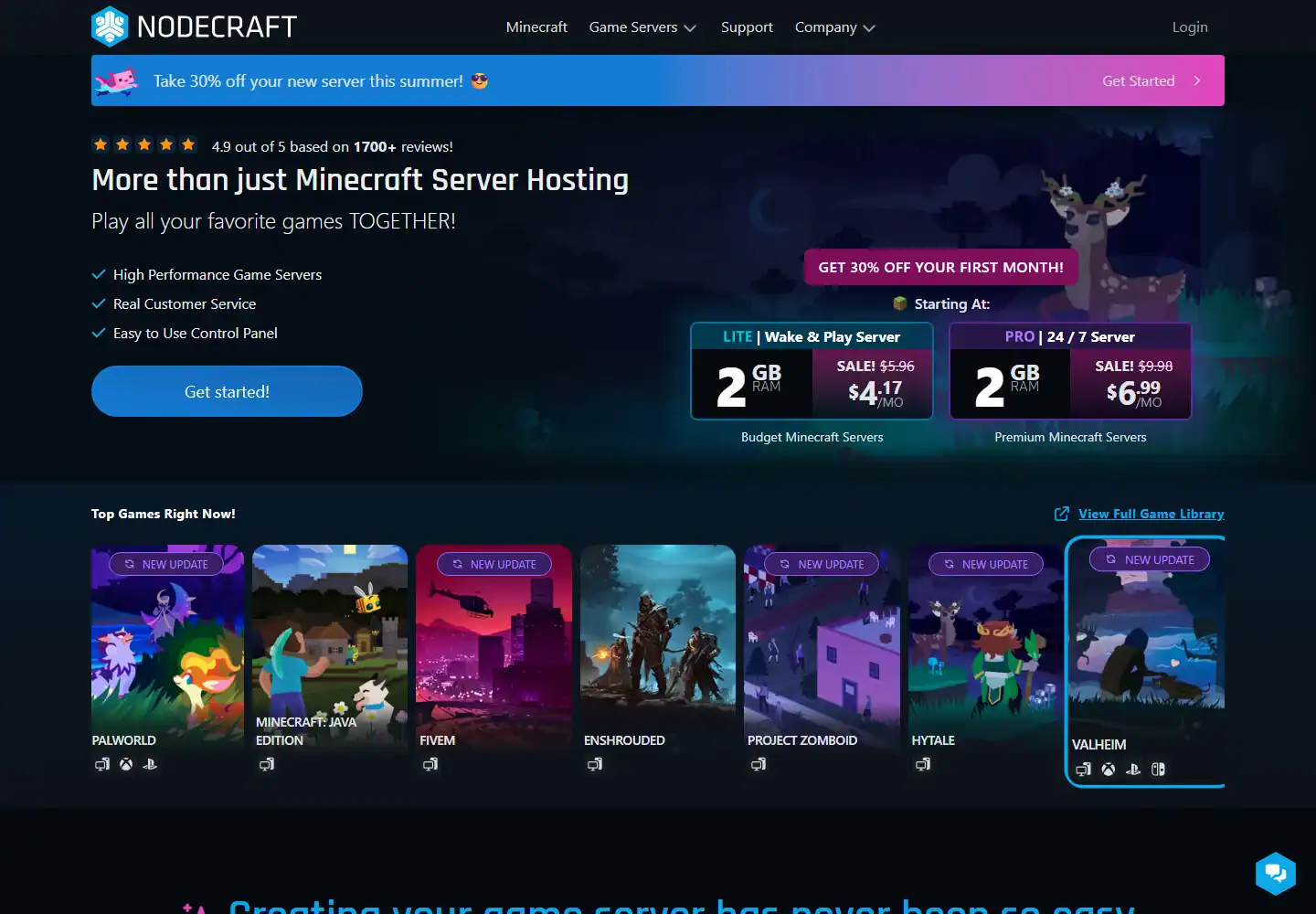
Lite and Pro need to be separated. Lite starts around $5.96/month for 2GB at renewal and hibernates when idle, waking through a shareable link. Pro starts around $9.98 for 2GB and stays online 24/7 while unlocking more automation and backup features.
That makes Nodecraft unusually good for friend groups that bounce between games. Instead of cancelling Valheim, buying Project Zomboid and later rebuilding Valheim from a backup, we can archive the full instance and redeploy it later.
Nodecraft at a glance
The important stuff before you buy
Score breakdown
Where the 9.0 comes from
Pricing and value
What the current price really buys
When we priced Nodecraft, we configured the same kind of server we had just tested and followed it through checkout. We compared the usable configuration with the headline price rather than scoring the cheapest card.
We went through the Nodecraft pricing flow after the hands-on test and checked what the configuration actually cost once the useful RAM, location and server options were selected. Lite currently starts around $5.96/month for 2GB after the discounted first month and scales with RAM. An 8GB Lite server is around $23.84 at renewal. The compromise is hibernation rather than permanent uptime.
Pro starts around $9.98 for 2GB and costs more because the server stays online 24/7 and includes the fuller NodePanel feature set. For a public community we chose Pro. For friends playing a few evenings per week, Lite can be smarter.
Nodecraft offers a 24-hour no-card trial or a seven-day trial after entering payment details on eligible plans. That is an excellent way to decide whether NodePanel and Save & Swap are worth paying more than a budget host.
| Plan / example | What you get | Current price |
|---|---|---|
| Lite 2GB | Hibernates when idle | ~$5.96 renewal |
| Pro 2GB | 24/7 | ~$9.98 |
Prices and product details were checked in September 2026 and can change. We compare the configured server, not just the cheapest headline card.
Control panel
NodePanel: what it is actually like to use
When we opened the Nodecraft panel, we skipped the tour and used console, file manager, backup and restore and databases straight away. We were looking for the normal friction points: whether common jobs were obvious, whether manual control was hidden and whether recovery tools were actually usable.
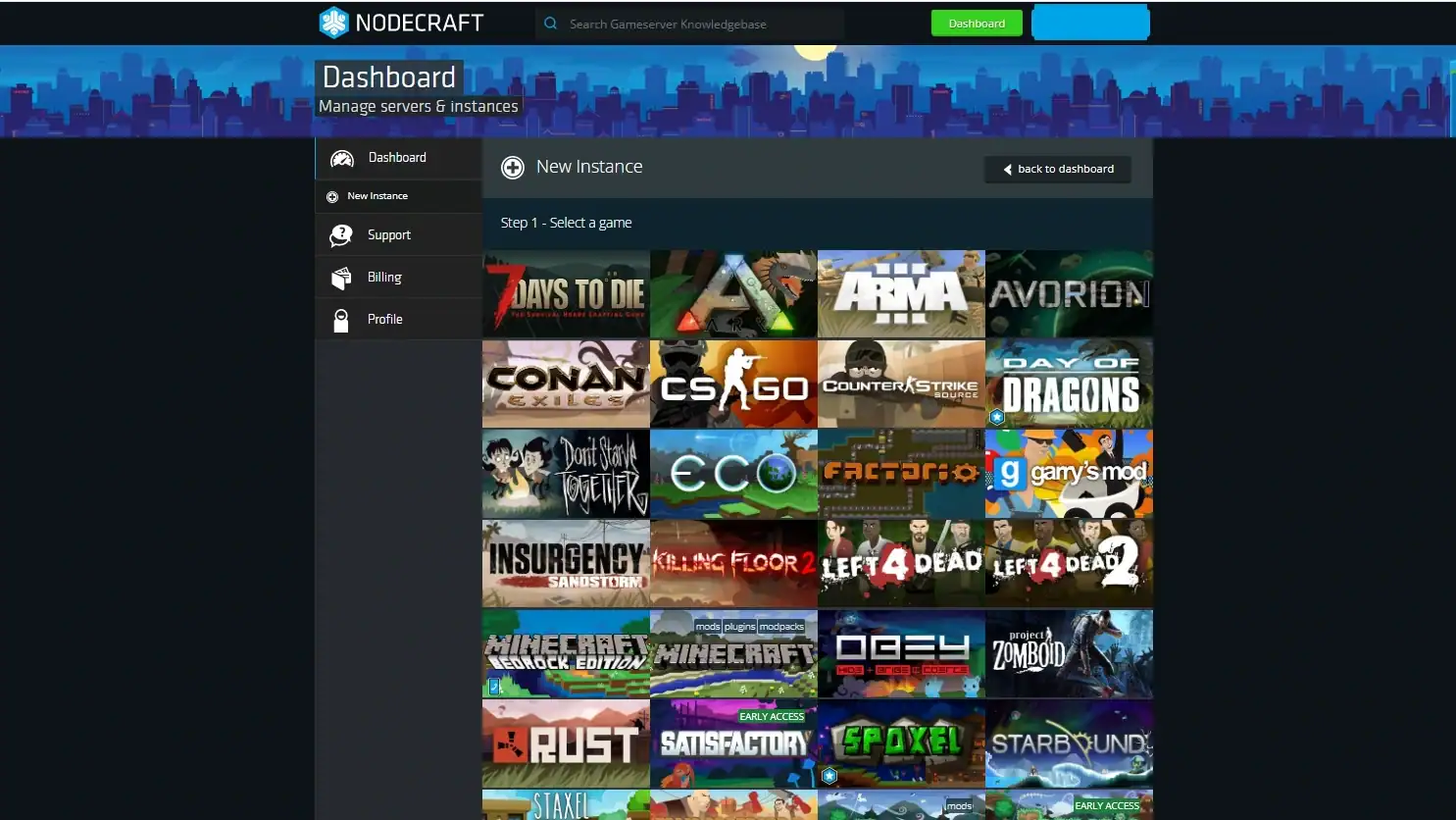
After using console, file manager and backup and restore, our first impression was based on the workflow rather than the dashboard styling. NodePanel is still one of our favourite interfaces. The dual-pane file manager, game-specific settings, player controls, backups, databases, console and server-instance system feel like parts of one product rather than separate utilities.
Save & Swap is the unique feature. Archiving packages the complete server, stores it remotely and preserves the instance so it can be deployed again later. The system is designed around swapping games without destroying old progress.
The provider-specific screenshot we captured matches the panel we used. Years of iteration show in small workflows such as location moves, archives and instance management that newer custom panels often have not solved as cleanly.
Hands-on take
What stood out after using Nodecraft
We used Lite first for a private seasonal game. Wake & Play removes the worst part of hibernating hosting because friends can wake the server without access to our Nodecraft account.
For a public Minecraft or Rust community, Pro is the obvious choice. Hibernation is not acceptable when strangers expect the server to exist at any hour, and the extra automation and backups become more valuable.
The location-change workflow is excellent. Archive the instance, select a new datacentre and redeploy. We still keep an independent backup, but moving region is treated as a panel action rather than a manual migration project.
Backups are deeply integrated. Nodecraft supports manual and automated backups, locked backups and full instance restoration. The company has also actively improved archive compression and deployment speed, so Save & Swap is not an abandoned legacy gimmick.
We did not compare Nodecraft only on cost per GB. If all we need is one cheap eight-gigabyte server, there are cheaper hosts. The reason to pay is the management system, saved instances and support.
The support and panel combination is especially valuable for less technical friends. NodePanel lets experienced admins go deep, but a beginner can still change a game setting or restore a server without memorising shell commands. That range is one reason the product works for both casual co-op groups and more serious communities.
Nodecraft’s instance concept also makes experimentation safer. We can duplicate or archive a known-good setup before trying a different game version or major configuration change, then return to the stored instance if the experiment goes badly. That is much cleaner than treating a full-server zip on our desktop as the only rollback plan.
We also like that NodePanel has both beginner and power-user paths. A friend can change normal game settings through generated controls, while an experienced admin can use SFTP, databases, a live console and the dual-pane file manager. That range is why Nodecraft works for casual co-op groups without becoming frustrating when the server grows more complex.
Hardware and locations
What we care about underneath the panel
We checked the hardware and location options that were actually available to our Nodecraft server instead of giving credit for the best CPU or datacentre named anywhere on the marketing site. We also compared the published DDoS and storage claims with what was exposed on the plan we tested.
During the test, we checked the server/location information available to us against Nodecraft’s published infrastructure claims. Nodecraft currently advertises high-performance AMD Ryzen 9 or AMD EPYC CPUs, SSD storage and DDoS protection. It also states that servers are not oversold, which we treat as provider policy rather than something we independently audit.
The location network is broad and includes London plus European, North American and Asia-Pacific cities. Current listings include Prague, Zagreb, Bucharest, Singapore, Tokyo, Melbourne, Sydney and Auckland among others.
Changing location through NodePanel is a real differentiator. For international groups, being able to move an intact instance can be more valuable than a static map with many pins.
Support and reputation
Our actual support experience
We tested support with a real technical server issue and scored the interaction on two things: how quickly a human replied and whether the answer actually moved the problem forward.
We opened a support ticket with Nodecraft about a backup and startup configuration issue and got a human reply within 15 minutes. The reply was genuinely good. It was specific to the problem, technically useful and gave us a clear next step without making us repeat the same context.
Recent 2026 reviews describe staff solving world recovery, automated-task issues, RAM spikes, setup problems and location or IP issues, often with very fast replies. Those are specific hosting problems rather than generic checkout praise.
We do not promise a five-minute reply on every case. The useful conclusion is that Nodecraft has both volume and consistency behind its support reputation, which pairs well with a mature panel.
Pros and cons
What we liked and what held it back
- ✓ Excellent NodePanel
- ✓ Save & Swap game instances
- ✓ Lite Wake & Play
- ✓ True 24/7 Pro tier
- ✓ Broad locations including London
- ✓ Outstanding support reputation
- ✗ Costs more than budget hosts
- ✗ Lite hibernation is wrong for public servers
- ✗ Value depends on using the advanced panel features
Who should buy it?
Is Nodecraft the right fit?
Compare by game
See the best hosts for your game
FAQ
Nodecraft frequently asked questions
What is the difference between Nodecraft Lite and Pro?
How much does Nodecraft cost?
What is Save & Swap?
Does Nodecraft offer a trial?
How is Nodecraft support?
Final verdict
Do we recommend Nodecraft after testing it?
We used Nodecraft again without hesitation for a multi-game group. Save & Swap changes how we manage seasonal servers, and NodePanel remains unusually mature.
The premium only makes sense if we use the product properly. For cheap raw RAM, shop elsewhere. For a workflow that saves admin time, Nodecraft is one of the best hosts we reviewed.
Affiliate disclosure: provider links may earn us a commission at no extra cost to you. Scores are based on product quality and value, not commission size.

I use and review game-server hosts from a buyer’s perspective: how the account feels, what the panel actually lets you do, how clearly plans are priced and whether the hardware, locations and support justify the bill.